
AI SEO guide • updated April 10, 2026
How to Optimize for Google AI Overviews
If you are looking for a secret “AI Overviews hack,” this article will probably disappoint you in a good way. The real answer is calmer than that. Google keeps saying there are no special extra requirements for appearing in AI Overviews. What still matters is strong SEO, useful content, better formatting, clearer topical coverage, and pages that are genuinely easier to understand, quote, and explore.
My own view is that AI Overviews do not create a brand new game. They expose where your site was already weak. Thin pages, fuzzy answers, buried key points, and messy internal links feel even weaker now. Clear pages with real topical value feel even more useful.
What this page helps you do
- Understand what Google actually says about AI Overviews
- Avoid chasing fake “special optimizations”
- Improve pages so they are easier to surface, cite, and explore
- Turn AI Overviews into a cleaner SEO workflow, not a panic response
Quick answer: how do you optimize for Google AI Overviews?
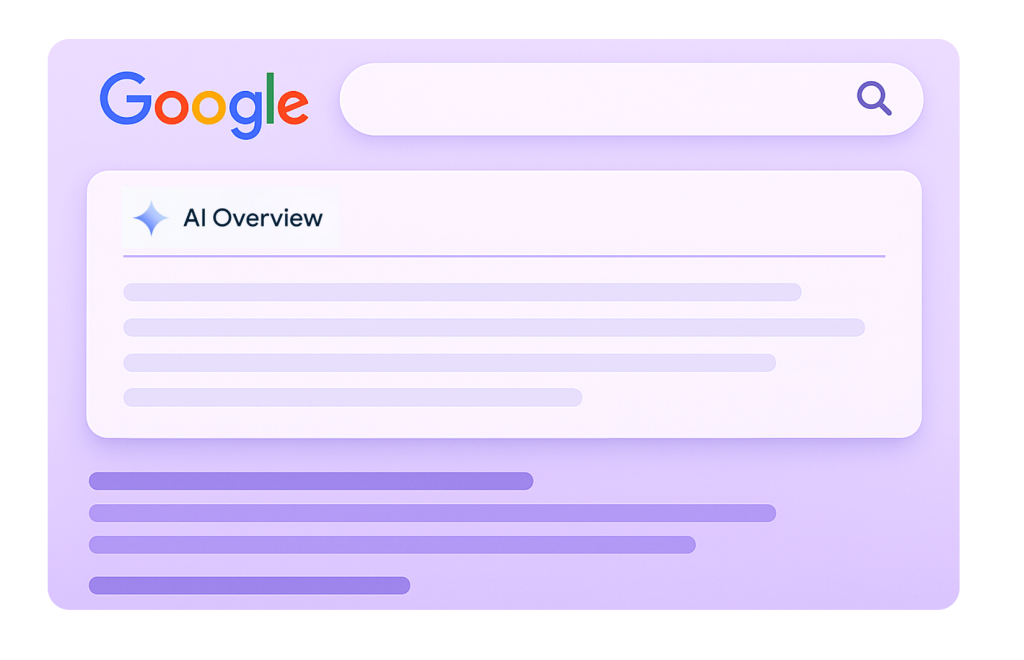
The shortest useful answer is this: do not optimize for AI Overviews as if they are a separate search engine. Optimize the page so it is easier to crawl, understand, quote, navigate, and trust. That means strong fundamentals, clear answers near the top, important points in text form, clean internal links, good page experience, helpful visuals when they add value, and structured data that matches what people actually see on the page.
In plain English, you are not trying to outsmart Google with a special AI Overview trick. You are trying to make your page obviously useful for a complicated question, and easy to connect with the rest of your site when someone wants to go deeper.
What Google actually says about AI Overviews
This is the part I wish more articles would say plainly. Google does not say you need special markup, special AI files, or some separate technical setup to appear in AI Overviews. The official guidance is much less dramatic. If a page can already be indexed and shown in Search with a snippet, and it follows the usual technical requirements and best practices, it is eligible to appear as a supporting link in AI features.
Google also keeps pointing back to the same fundamentals: make important content available in text, ensure pages are discoverable through internal links, support content with useful images and videos when relevant, keep page experience solid, and make sure structured data matches the visible content. That is refreshingly boring, but it is also useful because it tells you where to stop wasting time.
The uncomfortable truth: if your page is weak, vague, hard to navigate, or thin on actual value, calling it “AI Overview optimized” does not change much.
Why AI Overviews still change the way you should write and structure pages
Even if the fundamentals stay the same, AI Overviews still change user behavior. Google says these features often show on more complex questions and may surface a wider range of supporting links. That means your page does not just need to rank. It needs to be useful as a source somebody might click after getting the gist from the overview.
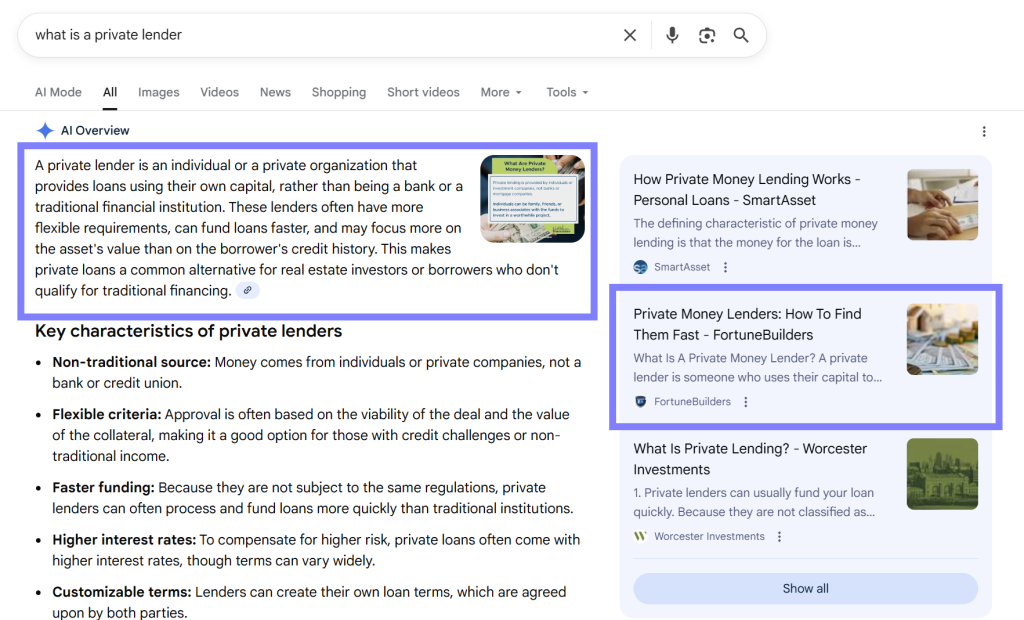
This is where a more human style matters too. Dry pages that bury the answer, ramble through generic introductions, or force readers to hunt for the main point feel worse in an AI-shaped search experience. I think the best pages now behave more like a good explainer: they answer quickly, expand naturally, and make the “what next?” path obvious.
- Answer the main question early, not after six generic paragraphs.
- Use headings that actually clarify the next step in the reader’s thinking.
- Make the page feel like a useful destination after the overview, not a weaker summary of it.
- Give readers a reason to keep exploring your site through internal links and better depth.
What does not work nearly as well as people hope
- Writing a page that sounds “SEO optimized” but never answers the real question clearly.
- Assuming you need special schema just for AI Overviews.
- Publishing AI-generated copy with no editing, no structure, and no useful next step.
- Hiding important points inside images, tabs, or vague design blocks instead of text.
- Ignoring internal links and expecting a single page to do all the work by itself.
- Thinking “more content” is the same as “better eligibility for AI features.”
I think this is where a lot of sites quietly lose. They do not fail because Google changed the rules. They fail because they responded to AI Overviews by making their content more generic instead of more usable.
What still works, and probably matters more now
Clear answer-first structure
Lead with the answer, then expand. This feels better for users and makes the page easier to understand quickly.
Textual clarity
Important points should exist in readable text, not only in visuals or design-heavy blocks.
Internal paths to go deeper
If the overview gives the gist, your site should make the next click worthwhile and obvious.
Helpful media, not decorative clutter
Use images and videos when they support the explanation, not just to make the page feel finished.
Structured data honesty
Match your schema to what is visibly on the page. No inflated markup games.
Measurement discipline
Track overall search performance and onsite engagement instead of obsessing over one screenshot from the SERP.
A practical checklist for optimizing pages for AI Overviews
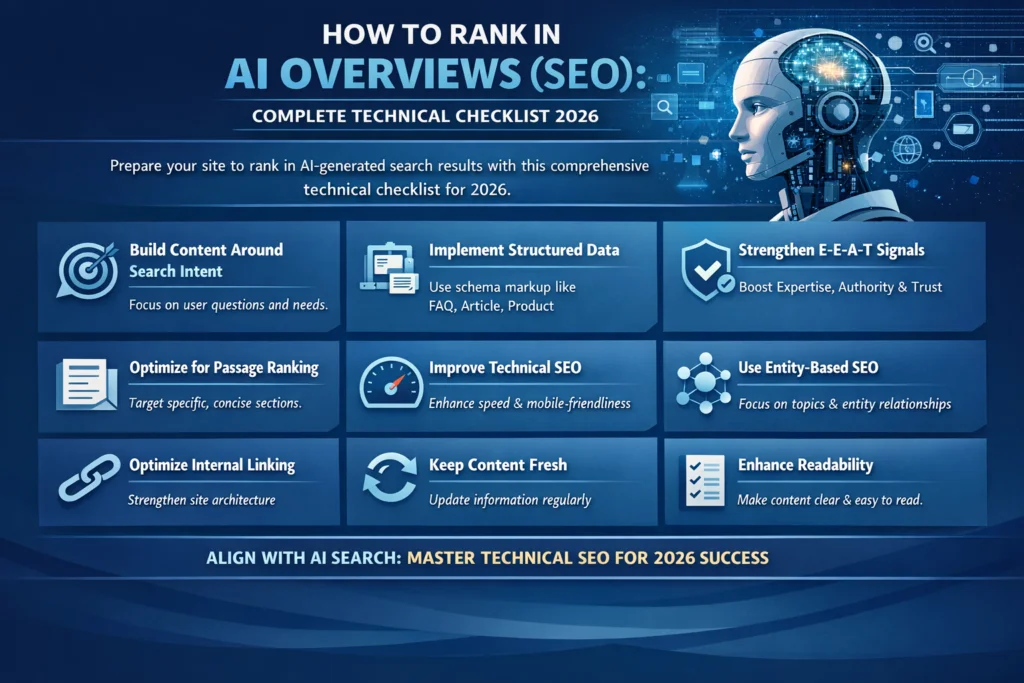
This is the part I would actually use if I were improving pages one by one.
- Open with a clean answer: make the reader feel oriented within the first screen, not the fifth.
- Break the topic into useful sub-questions: AI-driven search often connects multiple related angles, so your page should too.
- Keep key facts in text: do not hide the useful part in screenshots alone.
- Use internal links naturally: help the page act like a gateway to deeper explanations across your site.
- Refresh old pages instead of endlessly publishing new ones: a stronger existing page can be more valuable than another thin draft.
- Add media when it clarifies something: use visuals or video to support comprehension, not to pad the page.
- Make headings earn their place: each section title should answer the next likely question in the reader’s mind.
- Keep schema honest: match visible text, and do not try to invent a special AI Overview markup layer.
- Watch behavior after the click: time on page, deeper clicks, and conversions often tell a better story than one vanity screenshot.

How to measure whether your AI Overviews work is helping
Google’s official line is that AI features are reported inside Search Console’s normal Web performance data, not as a separate traffic bucket. That means your job is a little less glamorous and a lot more useful: look at the bigger picture. Are impressions shifting? Are clicks changing on the right pages? Are users who arrive spending more time, exploring more, or converting better?
Personally, I would trust a cleaner pattern over time much more than a single “we showed up in AI Overviews today” screenshot. Search behavior is messy. What matters is whether your content becomes easier to discover and more useful once people arrive.
- Watch the pages that target more complex questions first.
- Compare refreshed pages against their own earlier baseline.
- Use Search Console with Analytics, not in isolation.
- Pay attention to post-click quality, not just top-line click volume.
Helpful tools for this workflow
No tool can “force” AI Overviews, but some tools make this kind of work more realistic.
- Frase: useful for improving briefs, tightening coverage, and refreshing weak pages.
- Rankability: useful when your main issue is refinement and stronger page improvement feedback.
- Keyword.com: useful when you want more visibility tracking around AI-shaped search behavior.
- ListingBott: useful as a broader discoverability and citation-support layer, especially for SaaS or startup-style sites.
If you want a better reading path after this page, go next to Best AI SEO Tools, then How to Track AI Search Visibility, and then How to Improve AI Citations for Your SaaS Site.
Final verdict
If you want the honest version, optimizing for Google AI Overviews is mostly about becoming better at useful SEO. The difference is that weak pages feel weaker now, and strong pages have more ways to earn attention. Focus on clear answers, real topical depth, text-first clarity, better internal linking, useful media, and cleaner measurement. That is not flashy, but it is durable.
I would trust that path far more than any checklist that pretends AI Overviews require a magical new playbook.
FAQ about optimizing for Google AI Overviews
Do I need special schema to appear in Google AI Overviews?
No. Google’s guidance says there is no special structured data required just for AI Overviews or AI Mode. What still matters is that your structured data matches the visible text on the page and supports clear, honest page understanding.
Can I optimize specifically for AI Overviews?
Yes, but not by inventing a separate SEO universe. The useful approach is to improve the same fundamentals Google still highlights: technical eligibility, content clarity, internal links, page experience, useful text, helpful media, and better measurement.
Are AI Overviews replacing normal SEO?
No. They change how people interact with search, but they do not erase the need for strong pages, clear structure, crawlability, and useful content. In many cases they make weak fundamentals more obvious, not less important.
What kind of content has a better chance of helping here?
Pages that answer clearly, explain naturally, cover the topic well, and give readers a reason to click deeper into the site tend to be more useful in this environment than pages padded with generic intros and shallow filler.
How do I track AI Overviews performance?
Google reports AI features within the normal Web search data in Search Console. That means you should look at page-level changes, broader search trends, and post-click behavior in Analytics instead of waiting for a dedicated AI Overviews report to do all the thinking for you.
Should I rewrite every page for AI Overviews?
No. Start with pages that target more complex questions, bring meaningful traffic, or feel obviously weak in clarity and structure. In many cases, focused refreshes on key pages will outperform a sitewide rewrite done in a panic.
PromoCodeRadar helps users find cleaner coupon codes, official deals, annual billing savings, free trials, and better ways to save on software, AI tools, and online services.
If you found a broken code or outdated listing, contact us at contact@promocoderadar.com.