
Best AI Tools for Repurposing Podcasts into Video Clips
If you are searching for the best AI tools for repurposing podcasts into video clips, the useful question is not which platform has the biggest AI promise. It is which one fits the shape of your podcast workflow. Some tools are built to pull short clips out of finished long episodes. Others are better when the raw recording still needs cleanup before it becomes something worth posting.
Table of Contents
That is why this category gets confusing so quickly. People often treat clip extractors, AI editors, and broader repurposing platforms as if they solve the same problem. They do not. For podcast-led workflows, the shortlist here is Klap, Pictory, and Gling. All three can help, but they help at different points in the process.
This guide is for podcasters, interview-based creators, educators, solo YouTubers, and small marketing teams who already have podcast recordings and want to turn them into short video assets faster. For the full cluster, you can also browse the AI Video & Creator hub.
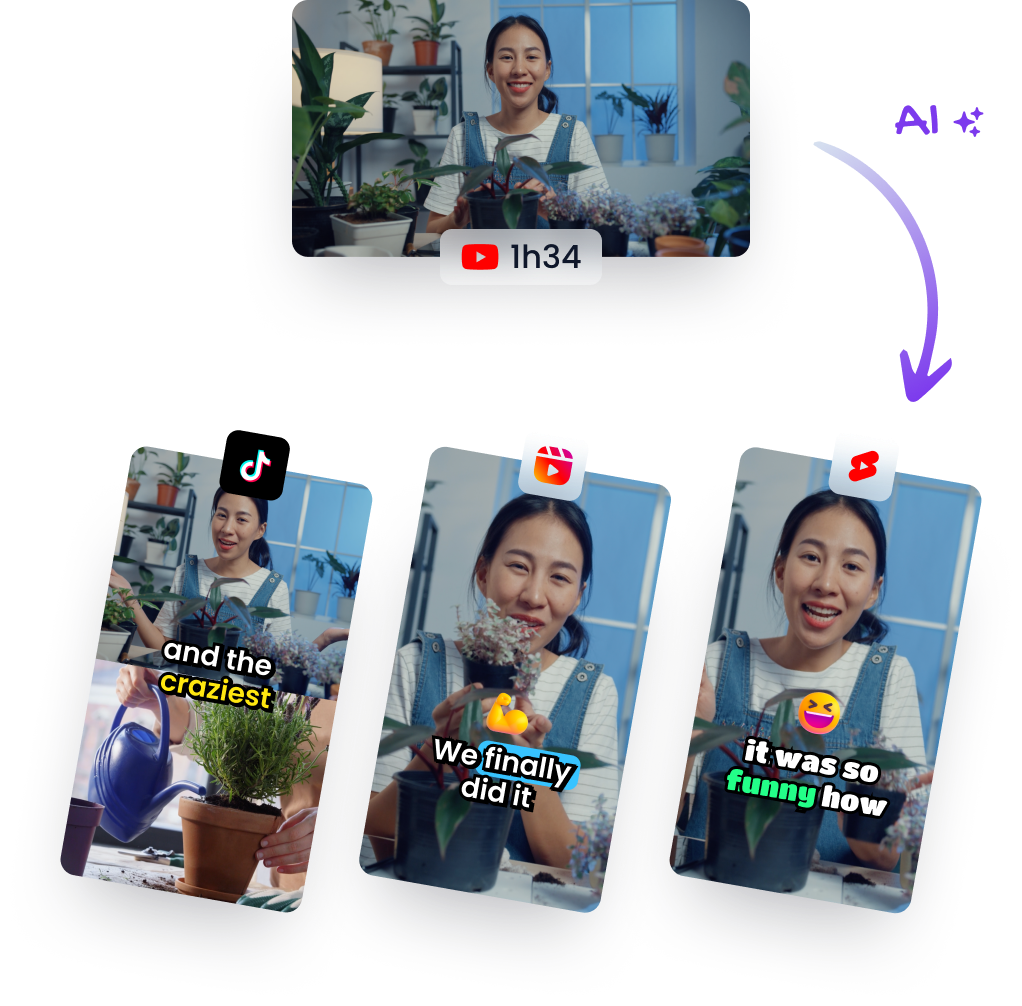
Quick answer: the best AI tools for repurposing podcasts into video clips
- Best overall for finished video podcasts: Klap
- Best for podcast audio and broader repurposing workflows: Pictory
- Best for creator-led cleanup before clipping: Gling
The expectation is that AI will “turn your podcast into content.” The reality is narrower. These tools save the most time when the recording is already good enough and the workflow problem is mostly editing, repurposing, or packaging.
What makes a podcast-to-video-clips tool actually useful?
A lot of shortlist articles miss this part and go straight to features. That is backwards. In this category, the real decision starts with the source material.
- Do you already have a finished video podcast? Then clip extraction and reframing matter most.
- Do you mostly have audio episodes or voice-led recordings? Then audio-to-video generation and visual packaging matter more.
- Do your recordings still have awkward pauses, filler words, or bad takes? Then cleanup comes before clipping.
- Do you need one-off Shorts, or a repeatable repurposing system? That changes whether a narrow tool or broader platform makes more sense.
For podcast repurposing, a strong tool usually needs to do several things well: identify usable moments, create or refine captions, format for vertical viewing, reduce manual editing, and make the finished clip look intentional rather than mechanically sliced.
The mistake many people make is buying for the promise of speed without checking where the friction really sits. If the bottleneck is finding highlights in finished episodes, one type of tool wins. If the bottleneck is cleaning rough recordings, another type wins. If the bottleneck is turning audio-first content into something visual enough to publish, the shortlist changes again.
1) Klap: best for turning finished video podcast episodes into short clips fast
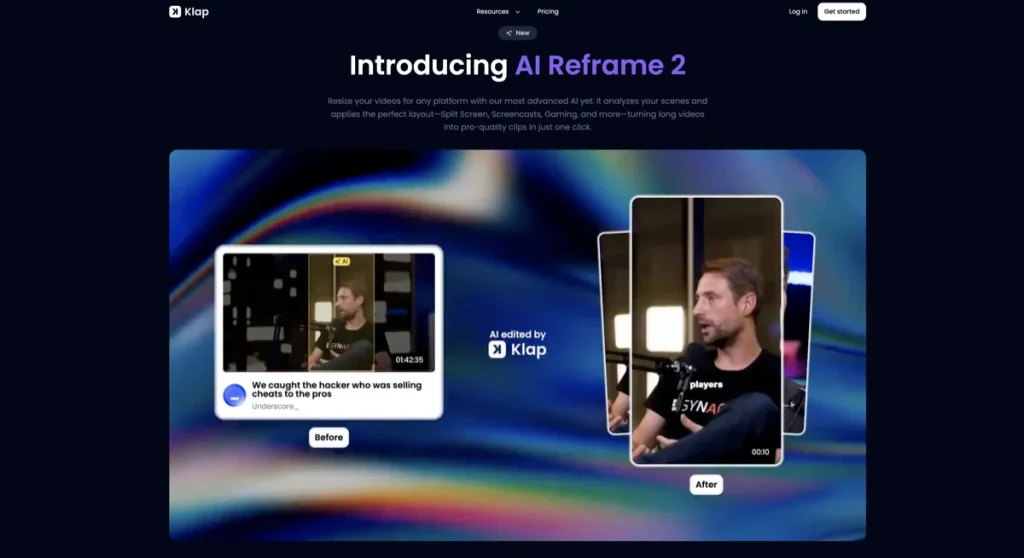
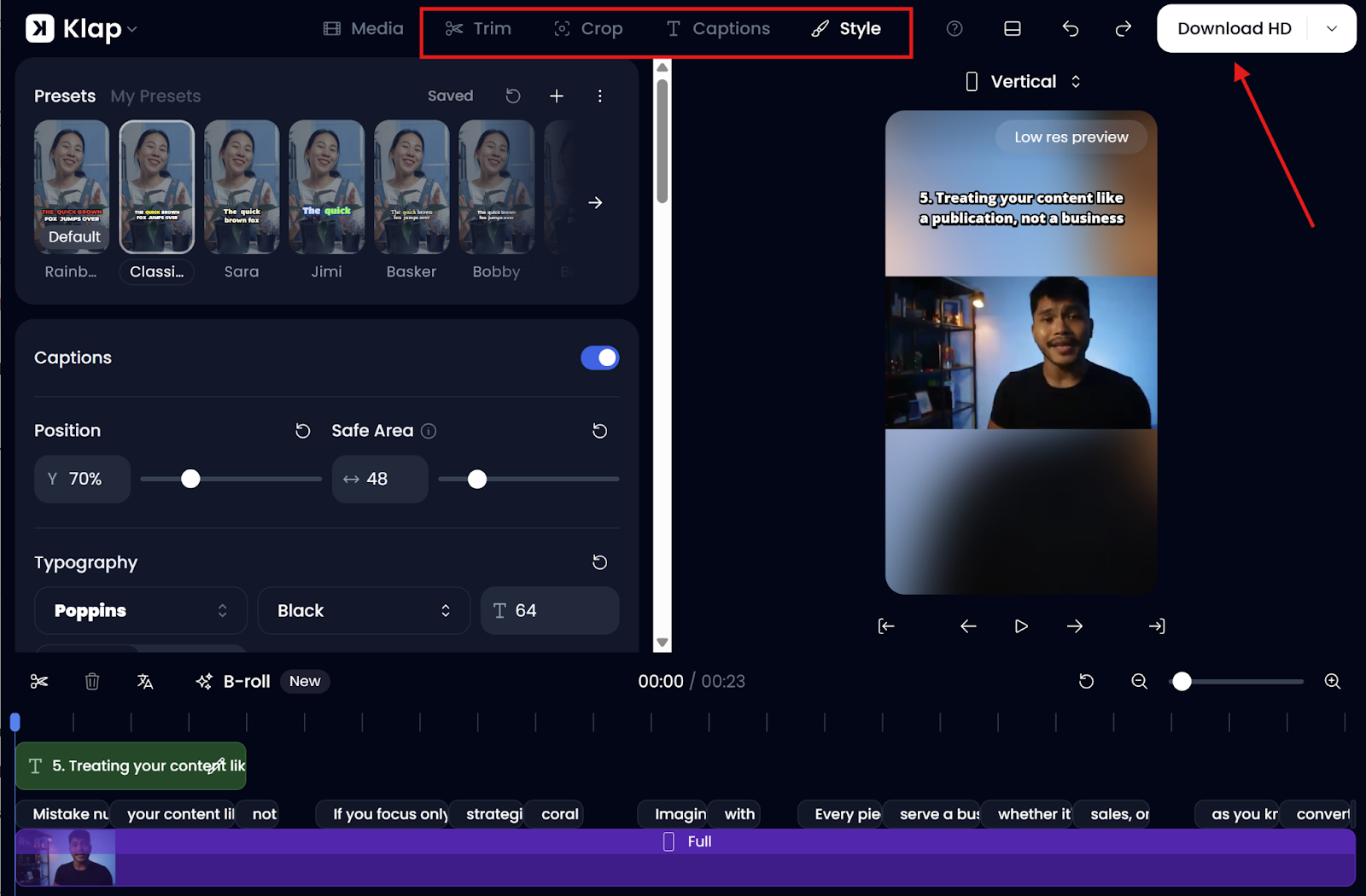
Klap is the clearest fit when your podcast is already recorded as video and your main job is extracting short moments quickly. This is the tool in the list that feels most purpose-built for “long episode in, multiple vertical clips out.”
That matters because podcast workflows usually create a lot of dead time in post. You have the full interview or conversation, but finding the most usable moments, cropping them properly, captioning them, and exporting them for YouTube Shorts, Reels, or TikTok still takes real time. Klap is designed to compress that stage.
- What it does best: extract multiple clips from long-form video podcasts, add captions, reframe for vertical formats, and speed up social-ready output
- Best for: video podcasters, interview creators, webinar teams, agencies managing content repurposing, and channels with a backlog of finished long-form episodes
- Where it feels strongest: when the source video is already clean enough that the main job is finding and packaging short highlights
If I had to be blunt, Klap is the most natural first pick when the podcast already exists as a usable long-form asset. It does not try to be everything. That is part of the appeal. A narrower tool can be more valuable when the fit is obvious.
The limitation is just as important. Klap is not the right first stop when the podcast still needs serious cleanup, when the conversation quality is inconsistent, or when you mainly have audio without a visual component. It can accelerate repurposing, but it does not magically improve weak source material.
Who should skip Klap: audio-first podcasters who need a more visualized output from sound alone, creators who want deeper manual editing before clips are chosen, or teams that publish only occasionally and may not justify another recurring repurposing subscription.
Pricing fit: Klap’s annual pricing starts at a lower entry point than some broader video platforms, but it is quota-based. That makes sense if you repurpose often. It makes less sense if you only clip one podcast every few weeks.
2) Pictory: best for audio-led podcasts and broader podcast repurposing systems
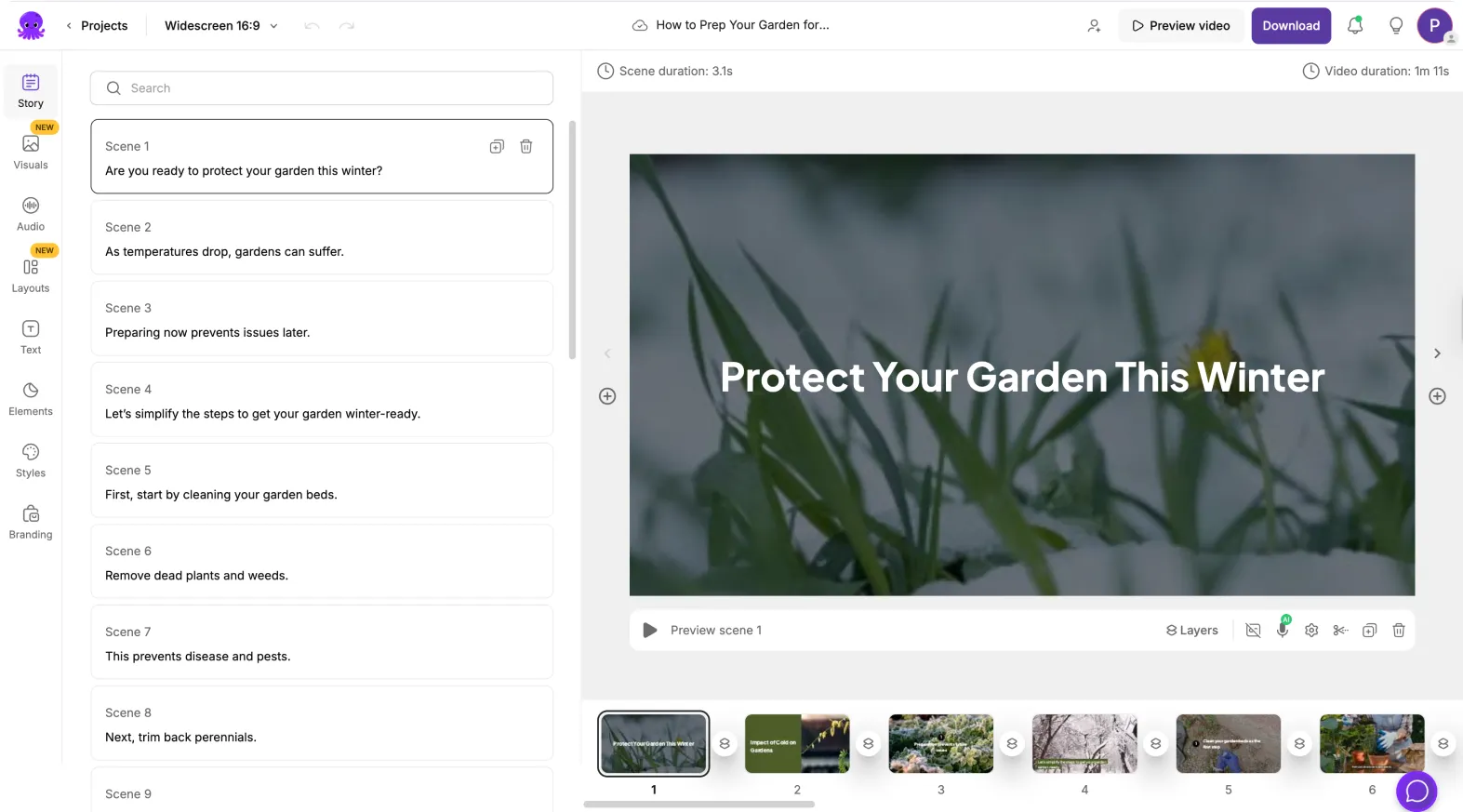
Pictory is the most flexible option in this article, and for podcast workflows that flexibility can be a real advantage. Its case is stronger when you do not just want to carve clips out of a finished video podcast, but also want to turn audio, voiceovers, blog posts, URLs, webinar recordings, or text inputs into publishable video assets.
This is where Pictory feels different. If your show is audio-first, or if your podcast repurposing plan includes audiograms, visualized clips, blog-to-video assets, quote-led snippets, or multiple content outputs from one episode, Pictory is easier to justify than a purely clipping-first tool.
- What it does best: transform podcast audio into video, generate visuals and captions, and support broader repurposing from multiple input types
- Best for: audio podcasters, content marketers, educators, solo creators building a broader content engine, and teams repurposing one episode into several asset types
- Where it feels strongest: when podcast clips are just one part of a wider system that also includes article-to-video, URL-to-video, voice-led content, or branded short-form video
The interesting part here is not just that Pictory can create clips. It is that it can work from audio and text-first starting points in a way that some clip extractors do not. For podcasters who are not always recording on camera, that changes the workflow completely.
There is still a trade-off. Pictory can be broader than you need if all you want is the quickest path from one finished video episode to multiple short clips. In that narrow use case, its flexibility can feel less direct than a specialist.
Who should skip Pictory: creators who already have strong finished video podcasts and only care about pulling clips out fast, with as little setup and branching as possible. It is also less compelling if you do not need audio-to-video, blog-to-video, or wider repurposing workflows.
Pricing fit: Pictory is easier to defend when you will use several of its workflows. If you only want podcast highlight clips, a narrower tool may feel more cost-efficient. If you are building a repurposing system around audio, text, URLs, and social distribution, the extra surface area becomes useful.
3) Gling: best when the real problem is cleanup before clipping
Gling sits in a slightly different lane. It is not the most obvious “podcast clips” tool at first glance, and that is exactly why it gets misunderstood. Its value shows up earlier in the workflow.
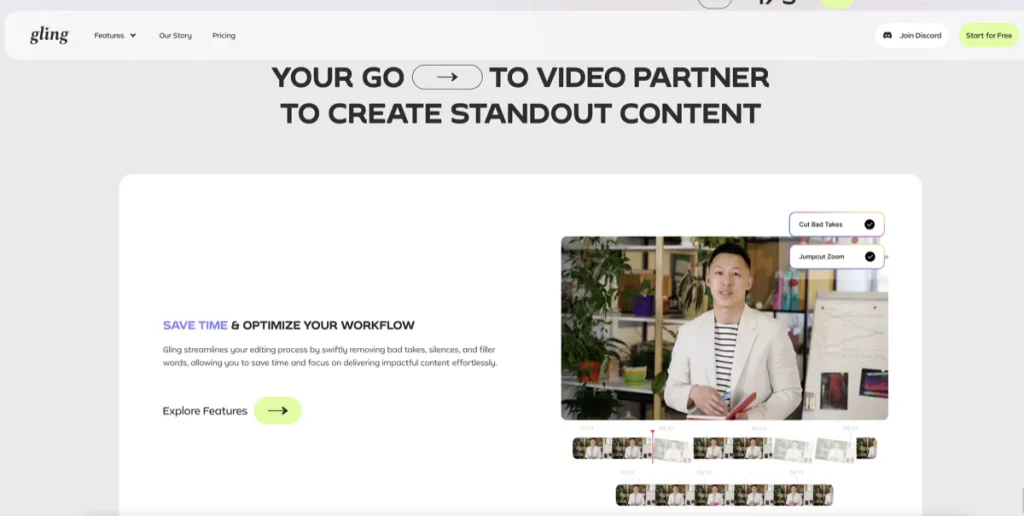
If your podcast recordings still have awkward pauses, filler words, rough takes, or sections that clearly need trimming before anything becomes a usable short clip, Gling can be the more practical starting point. This is especially true for solo creators recording video podcasts, interview intros, reaction segments, or commentary episodes where the raw material is not yet tight enough to repurpose cleanly.
- What it does best: remove bad takes, silences, filler words, generate captions, help with cleanup, and support creator editing before final exports
- Best for: solo podcasters, YouTubers with podcast-style content, educators, course creators, and creators who record frequently but do not want heavy manual cleanup every time
- Where it feels strongest: when your source footage still needs work before highlight extraction makes sense

This is one of those tools that sounds less flashy than it is useful. People buy repurposing tools for the promise of automation, but a lot of the real time drain happens earlier. Dead air, filler words, bad retakes, rough pacing, and messy talking-head delivery can slow everything down. Gling helps remove that drag.
The limitation is clear too. Gling is not the most natural choice when you mainly want a platform to scan a finished video podcast and automatically turn it into a batch of social-ready clips. It is stronger as an AI editing assistant than as a pure viral-clip engine.
Who should skip Gling: teams whose podcast episodes are already polished and mostly need extraction, reframing, and packaging. In that case, Klap usually feels closer to the job. For audio-only shows that need visual generation, Pictory is often the better fit.
Pricing fit: Gling is easier to test because it has a free plan, and its lower annual tiers can be reasonable for creators who record often enough to benefit from repeated cleanup. The value becomes weaker if your recordings are already clean or if you rarely edit podcast-style content yourself.
How to choose the right podcast clip tool for your workflow
If I were choosing carefully, I would use this simple framework:
- Choose Klap if you already have finished video podcast episodes and want the fastest route to multiple short clips.
- Choose Pictory if your show is audio-led, or if podcast repurposing is part of a wider content system that includes audio, text, URLs, and different video outputs.
- Choose Gling if your podcast recording still needs cleanup before clipping, and the editing bottleneck comes before the distribution bottleneck.
The real value here is less dramatic than the pitch, but more practical when it fits. These tools do not replace judgment. They reduce labor in the part of the process they are built for.
What these tools will not fix for you
This is where a lot of buyers overestimate the category. A tool can save time. It cannot fully rescue weak source material.
- Weak hooks: if the original podcast moment is not interesting, the clip will still feel flat.
- Weak delivery: captions and vertical formatting do not replace strong speech or pacing.
- Weak editing judgment: AI can suggest segments, but publishing good clips still depends on context and selection.
- Weak packaging: titles, opening frames, captions, and framing help, but they do not substitute for a clear point.
What usually happens is that people buy these tools hoping they will manufacture attention. In practice, they are much better at compressing editing work than manufacturing quality.
Who should skip this category for now
You may not need a dedicated podcast-to-video-clips tool yet if:
- you publish podcast content rarely and can repurpose manually without much pain
- your show does not create many strong standalone moments worth clipping
- you are still figuring out your format, so output volume is less important than editorial quality
- your workflow depends on deep custom editing, motion graphics, or manual storytelling structure
I would not call that a reason to avoid the category forever. It is just a reminder that these subscriptions make the most sense when the workflow is repeated often enough to justify them.
Final verdict
For most finished video podcast workflows, Klap is the strongest first tool to try. It is built for the repurposing job itself, and that focus is a real advantage when the source episode is already usable.
For audio-first podcast workflows or broader content repurposing, Pictory is the more flexible choice. It asks a slightly different question: not just how to clip an episode, but how to turn podcast material into several kinds of video assets.
For creator-led podcast content that still needs trimming and cleanup before clips make sense, Gling is the better fit. It solves an earlier bottleneck, and for many solo creators that is the bottleneck that actually matters.
For related pages, read Best AI Tools for Turning Long Videos into Shorts, Best AI Tools for YouTube Shorts from Existing Videos, and Best AI Video Tools. You can also return to the AI Video & Creator hub.
FAQ
What is the best AI tool for repurposing podcasts into video clips overall?
For most finished video podcast workflows, Klap is the strongest first option because it is purpose-built for turning long-form recordings into multiple short vertical clips with less manual effort.
Is Pictory better than Klap for podcast clips?
It depends on the input. Pictory is often better when your workflow starts from audio, voiceovers, blog posts, or broader repurposing needs. Klap is usually better when you already have a finished video podcast and mainly want fast highlight extraction and packaging.
Can Gling turn podcasts into social clips?
Yes, but its role is slightly different. Gling is strongest when the raw recording still needs cleanup first. It helps remove bad takes, silences, filler words, and other editing drag before you turn the best parts into clips.
What type of podcaster should use Pictory?
Pictory is a strong fit for audio-first podcasters, marketers, educators, and creators who want to turn one episode into more than just Shorts. It works well when you want audio-to-video, visual packaging, captions, and wider repurposing options from the same content source.
Do these tools work for audio-only podcasts?
Some do better than others. Pictory is the clearest fit for audio-only podcast workflows because it can transform audio into video with visuals and captions. Klap is more natural when the source content is already a video recording. Gling can help with audio and creator cleanup, but it is not primarily an audio-to-video visualizer.
Will an AI podcast clip tool improve a weak episode?
Not in the way many people hope. These tools can save editing time, improve formatting, and make repurposing easier, but they do not replace strong hooks, strong delivery, or good editorial selection.
When does paying for a podcast clip tool make financial sense?
It usually makes sense when you publish often enough that repeated manual editing is clearly costing time. If you only repurpose an episode occasionally, the subscription may feel heavier than the real workload. If you clip podcasts weekly or at scale, the value is much easier to justify.
PromoCodeRadar helps users find cleaner coupon codes, official deals, annual billing savings, free trials, and better ways to save on software, AI tools, and online services.
If you found a broken code or outdated listing, contact us at contact@promocoderadar.com.