

Best AI Tools for Marketing Videos Without Editing Skills
If you are looking for the best AI tools for marketing videos without editing skills, the real question is not which platform has the flashiest demo. It is which one helps you get a usable video out the door without turning you into a part-time editor.
That sounds simple, but this category is a little narrower than it first appears. Some tools are built for avatar-led presenter videos. Some are better for turning text, blog posts, or URLs into video. Others sit somewhere in the middle, with templates and guided workflows that make video creation feel more like filling in a structured brief than editing a timeline.
Table of Contents
For this workflow, the shortlist is clear enough: HeyGen, Synthesia, Pictory, and Elai. They can all help marketers and non-editors make videos faster, but they do not reduce complexity in the same way.

This guide is for marketers, founders, small teams, consultants, educators, and operators who need product videos, explainers, promos, onboarding clips, and campaign assets without relying on full traditional video editing. For the broader cluster, you can also browse the AI Video & Creator hub.
Quick answer: the best AI tools for marketing videos without editing skills

- Best overall for fast marketer-friendly video creation: HeyGen
- Best for structured presenter-led business videos: Synthesia
- Best for text, blog, and URL-based marketing content: Pictory
- Best for script, slides, and onboarding-style explainers: Elai
The promise here is “make marketing videos without editing skills.” The reality is more practical: these tools work best when they remove the exact part of production you would otherwise outsource, postpone, or avoid.
What marketers without editing skills actually need

A lot of pages treat this as a software contest. It is really a workflow problem. If you are not an editor, you usually need at least three things:
- a faster way to go from message to finished draft
- less dependence on timeline editing, manual cuts, and shot selection
- some structure around visuals, narration, captions, and branding so the output feels publishable
This is why marketer-friendly AI video tools tend to split into a few groups:
- Avatar / presenter tools for script-led explainers, promos, and product videos
- Text / URL / article-to-video tools for repurposing existing marketing content into video
- Slide / script / template-driven tools for onboarding, product, training, and structured explainer content
If I had to simplify the decision, I would not ask which tool is the most powerful. I would ask which one lets a non-editor stay closest to the materials they already know how to work with. Scripts. Slides. URLs. Blog posts. Product pages. Simple briefs. That matters more than feature count.
A common mistake here is buying for the category label instead of the workflow. “AI video tool” sounds broad. In practice, one tool may be great for a landing-page explainer and awkward for a blog-to-video workflow. Another may be excellent for training-style presenter videos but less natural for quick campaign repurposing.
1) HeyGen: best overall for marketing videos without editing skills
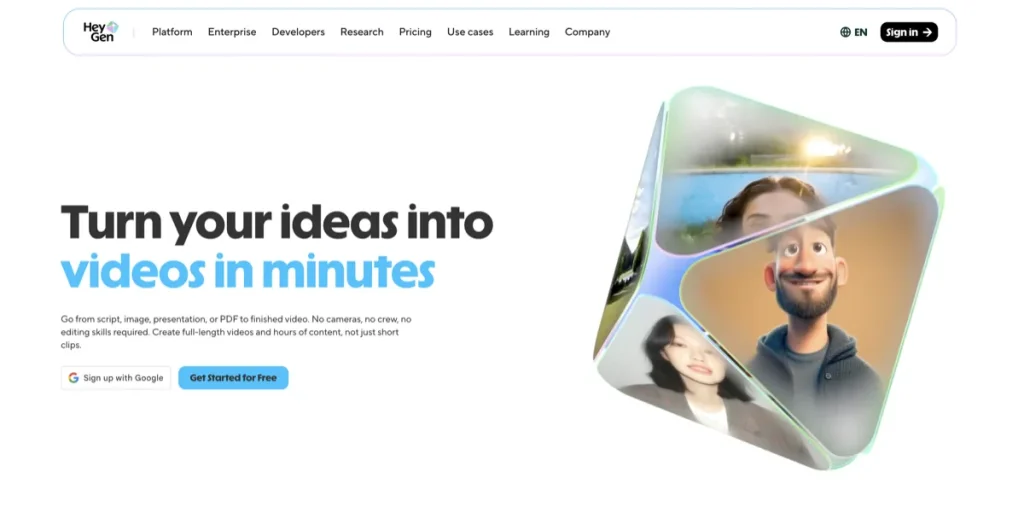
HeyGen is the strongest overall fit in this article for one reason: it reduces the production burden in a way most marketers immediately understand. You start from an idea, script, or product link, choose an avatar or presenter style, refine the voice and visuals, and generate a video without touching a traditional timeline.
That workflow is a big deal for non-editors. It removes the most intimidating part of video production: filming, voiceover recording, and detailed manual editing. Instead of building a video scene by scene the old way, you are shaping a structured presentation.
- What it does best: avatar-led promos, explainers, product launches, landing-page videos, lifecycle content, and sales or campaign videos
- Best for: marketers, founders, consultants, sales teams, small businesses, and social teams that want repeatable video creation without filming
- Why it stands out: it makes video feel closer to writing and presentation design than traditional editing
The strongest case for HeyGen is fairly practical. It is not about making “cinematic” videos. It is about helping teams ship more clean, on-brand, presenter-led videos with less friction. If your usual bottleneck is that video work keeps getting delayed because nobody wants to record, edit, or coordinate production, this is the kind of tool that changes the equation.
There is still a trade-off. HeyGen works best when your audience accepts a polished, presenter-like format. For product explainers, promos, feature updates, onboarding intros, and ad variations, that can be perfectly fine. For brands that rely on raw personality, live-action energy, or highly custom visual storytelling, it can feel a bit too clean.
Who should skip HeyGen: teams that mainly want to repurpose blogs or product pages into video, or marketers whose edge depends on custom motion design, richer B-roll sequencing, or a more hands-on editing style.
Pricing snapshot: HeyGen has a free tier, then paid plans that start at creator-level pricing and scale upward for heavier use, collaboration, brand controls, and business workflows. That makes it fairly approachable for solo marketers and small teams before the cost gets more serious.
2) Synthesia: best for structured business marketing videos and team workflows
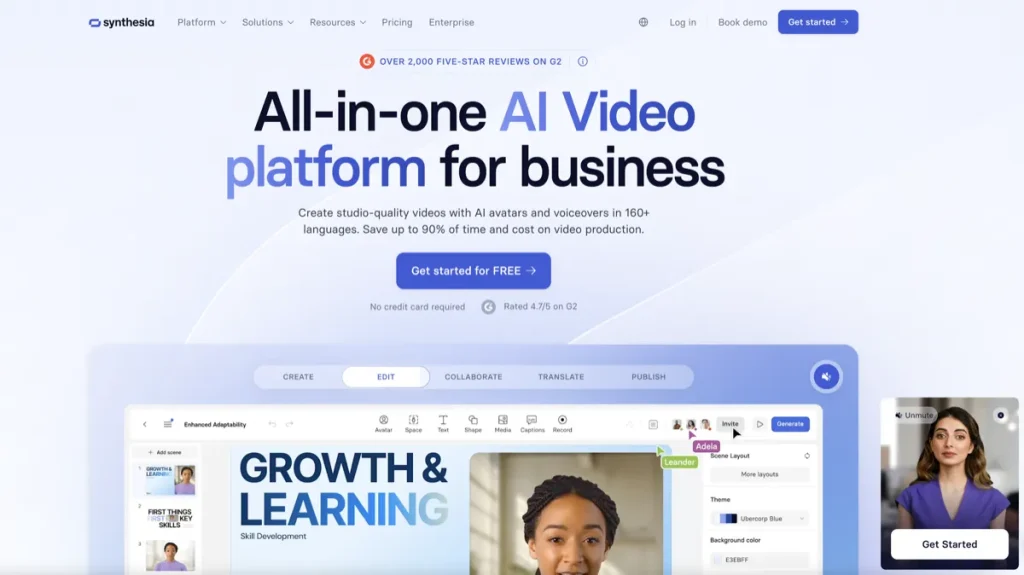
Synthesia is the best fit when your marketing videos need to feel more structured, more presentation-like, and more team-friendly. It is especially strong for product explainers, onboarding, sales enablement, customer education, internal communications, and brand-consistent presenter videos.
The part that matters most to non-editors is the editing model. Synthesia is designed to feel more like editing slides than wrestling with a video timeline. That makes it easier for marketers who are comfortable with decks, messaging, and structured content, but not comfortable with traditional video software.
- What it does best: presenter-led product videos, marketing explainers, internal communications, training-adjacent marketing content, and multilingual business videos
- Best for: B2B marketers, SaaS teams, global teams, enablement teams, and businesses that need consistency across multiple videos
- Why it stands out: the workflow is highly structured, team-oriented, and relatively easy for non-editors to manage
If your main concern is brand consistency, localization, and repeatability, Synthesia makes a lot of sense. It is one of those tools that feels less exciting than it is useful. You are not buying spontaneity. You are buying a system.
The limitation is also clear. Synthesia can feel more businesslike than creative. That is not necessarily a flaw. It just means the tool shines most when the job is clarity, scale, consistency, and speed rather than a looser creative style.
Who should skip Synthesia: marketers who mostly want fast social repurposing from blogs, URLs, and short-form assets, or teams that want a less formal, more scrappy, campaign-oriented style.
Pricing snapshot: Synthesia offers a free way to try the product, then starts at entry-level paid pricing for lighter use, with a much steeper jump for teams producing AI videos regularly. It is usually easier to justify in repeatable business workflows than in occasional one-off use.
3) Pictory: best for marketers starting from text, blogs, URLs, and existing content
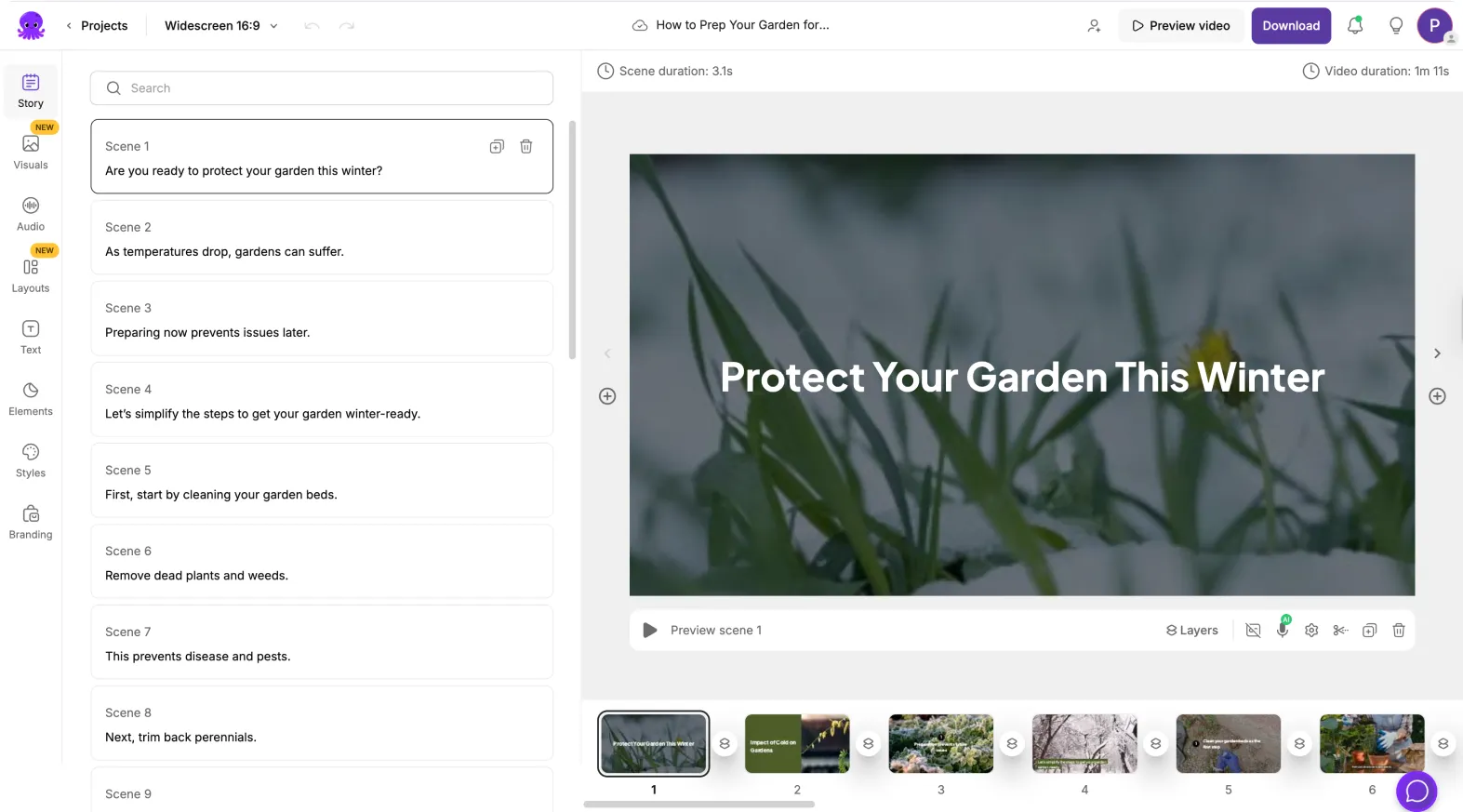
Pictory is the most natural fit in this article when “no editing skills” really means “I do not want to start from a blank video project.” If you already have blog posts, landing pages, URLs, scripts, promo copy, or existing content assets, Pictory can make more sense than a pure avatar tool.
This is what makes Pictory useful for content marketers and lean teams. Instead of beginning with production, you begin with content you already understand. Paste a URL. Drop in a script. Turn an article into a video. Use AI editing to tighten things. That is a different kind of simplicity, and for many marketers it is the more practical one.
- What it does best: blog-to-video, URL-to-video, text-to-video, simple product demos, testimonial videos, promo content, and broader content repurposing
- Best for: content marketers, SEO teams, small businesses, agencies, social teams, and anyone turning existing marketing assets into video
- Why it stands out: it reduces the need to invent a video workflow from scratch
The strongest case for Pictory is broader repurposing. That is the point. If your team already publishes written content and now wants video versions for social, landing pages, campaigns, or supporting assets, Pictory gives you a more direct route.
The trade-off is that it can feel less like a polished presenter-video platform and more like a content transformation engine. That is good when your content system already exists. It is less ideal if your main goal is avatar-led explainers or highly brand-controlled business presentation videos.
Who should skip Pictory: teams that want presenter-led avatar videos first, or marketers who need collaboration-heavy, structured business video workflows more than text and URL repurposing.
Pricing snapshot: Pictory starts at a lower entry point than some avatar-first tools, which helps if the team mainly needs lightweight repurposing and simpler campaign video creation rather than a full business-video platform.
4) Elai: best for script, slide, and onboarding-style marketing videos
Elai is the strongest fit in this article when your marketing videos lean toward structured explainers, onboarding content, walkthroughs, presentation-style promos, and template-led production. It is a particularly practical option for marketers who think in scripts, slides, outlines, and use cases rather than editing sequences.
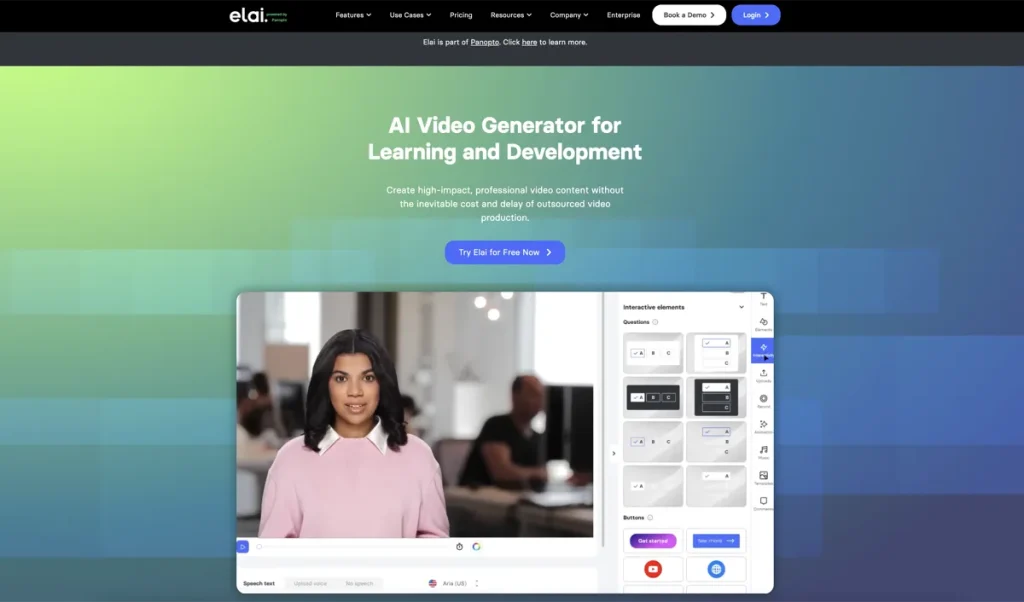
Elai sits in an interesting middle ground. It has avatar-led capabilities, but it also leans into script, storyboard, article-to-video, PPTX-to-video, screen recording, and personalization workflows. For marketers who are not editors, that combination can be useful because it gives you more than one input path without demanding traditional production skills.
- What it does best: onboarding-style videos, structured explainers, PPTX-to-video, article-to-video, screen-recording-assisted walkthroughs, and avatar-supported presentations
- Best for: SaaS marketers, product marketing teams, customer education teams, onboarding-heavy businesses, and teams that want a more structured production system
- Why it stands out: it gives non-editors several familiar starting points: script, slide deck, article, or screen recording
What makes me cautious with tools like this is how often they get described as universal. Elai is not universal. It is simply a better fit than many tools when the video type itself is structured and explanatory. That is a narrower claim, but a more believable one.
Who should skip Elai: teams that mainly want short, fast campaign promos from existing marketing copy or those that care more about broad content repurposing than about presentation-driven videos. In those cases, HeyGen or Pictory may feel closer to the job.
Pricing snapshot: Elai offers a free plan and a paid creator tier that stays relatively approachable compared with heavier enterprise-oriented tools. That makes it easier to test if you are still figuring out whether this style of video suits your marketing workflow.
How to choose the right AI video tool if you are not an editor
If I were choosing carefully, I would use this framework:
- Choose HeyGen if you want fast presenter-style marketing videos from scripts, ideas, or product links without filming.
- Choose Synthesia if you want a more structured, business-ready system for product explainers, training-adjacent content, and multilingual team workflows.
- Choose Pictory if you already have content assets like blogs, URLs, scripts, or pages and want to turn them into videos with minimal editing overhead.
- Choose Elai if your best starting point is a slide deck, outline, article, screen recording, or template-based explainer workflow.
The part I would pay attention to first is not the feature grid. It is the input method. Non-editors usually work faster when the tool starts from something they already know how to make.
What these tools do well, and what they do not
This is where the category needs a little honesty.
- They do reduce production friction. That is the real value.
- They do not replace a strong message. Weak positioning still produces weak videos.
- They do not eliminate judgment. You still need to decide what should be said, shown, and emphasized.
- They do not all save time in the same way. Some reduce filming. Some reduce editing. Some reduce content-to-video transformation work.
The anti-hype version of the verdict is simple: these tools are best at removing repeated labor, not creating marketing strategy for you. The wrong tool can actually add friction by forcing you into a workflow that does not match how your team works.
Who should skip this category for now
You may not need an AI marketing video tool yet if:
- you publish video rarely and can outsource the occasional project more efficiently
- your messaging is still unclear, so more production speed would only multiply weak content
- your team needs highly custom brand films, motion design, or ad creative that still depends on a real editor
- you do not yet know whether your workflow starts from scripts, slides, URLs, or product demos
I would not call that a reason to avoid the category forever. It is more a reminder that good fit usually matters more than early enthusiasm. A lot of buyers do not regret the tool itself. They regret buying it before the workflow was clear enough to support it.
Final verdict
For most marketers who want to create polished videos without editing skills, HeyGen is the strongest first tool to test. It reduces the production burden quickly and makes video creation feel approachable.
If your workflow is more business-structured and team-oriented, Synthesia is the better fit. It is less about creative freedom and more about repeatability, clarity, and scale.
If your content already exists as blogs, URLs, articles, or scripts, Pictory is often the more practical choice. It asks a different question: how do we turn marketing content into video without rebuilding everything?
If your videos look more like onboarding explainers, slide-based promos, or guided product walkthroughs, Elai deserves a closer look.
For related pages, read Best AI Video Tools, Best AI Video Tools for Training and Presentation Workflows, and Best AI Tools for Turning Text into Video. You can also return to the AI Video & Creator hub.
FAQ
What is the best AI tool for marketing videos without editing skills overall?
For most marketers, HeyGen is the strongest overall fit because it removes filming and heavy editing at the same time. It works especially well for presenter-style promos, explainers, and product videos.
Is Synthesia better than HeyGen for marketers?
It depends on the workflow. Synthesia is often the better choice for structured, business-style videos and team workflows. HeyGen is often the better choice when you want fast, flexible presenter-led marketing videos without much setup.
Which tool is best if I want to turn blog posts or URLs into marketing videos?
Pictory is usually the best fit for that job. It is designed to help users turn written content, scripts, blog posts, and URLs into video without relying on traditional editing skills.
Is Elai good for product explainers and onboarding videos?
Yes. Elai is a strong fit for structured explainers, onboarding-style content, slide-based videos, and guided product walkthroughs, especially when the starting point is a script, slide deck, article, or screen recording.
Can non-editors really make usable marketing videos with these tools?
Yes, within reason. These tools make video creation much more approachable by reducing filming, voiceover work, editing, or content-to-video transformation. They do not remove the need for clear messaging, audience judgment, or a decent creative brief.
What kind of marketer should skip avatar-led tools?
Marketers whose brand depends on raw personality, live-action energy, custom motion design, or highly manual creative direction may find avatar-led tools a weaker fit. Those tools are strongest when clean, structured, presenter-style communication is acceptable.
When does paying for an AI marketing video tool make financial sense?
It usually makes sense when video creation is already a repeated part of the workflow and delays are caused by production friction. If your team only needs occasional video, a subscription can feel heavier than the actual workload. If you need repeatable video output every week, the value is easier to justify.
PromoCodeRadar helps users find cleaner coupon codes, official deals, annual billing savings, free trials, and better ways to save on software, AI tools, and online services.
If you found a broken code or outdated listing, contact us at contact@promocoderadar.com.