

Best AI Tools for Social Video Creators
If you are looking for the best AI tools for social video creators, the real decision is not “which AI video tool is best?” It is which kind of social video workflow you are actually trying to speed up. Some tools help you turn ideas into faceless content. Some help you repurpose long videos into short clips. Others help you clean creator footage or generate avatar-led content without filming.
Table of Contents
That distinction matters because this category gets messy fast. A lot of roundup pages throw everything into one list as if a faceless video platform, an AI clip generator, an editing assistant, and an avatar tool all solve the same problem. They do not. For social video creators, the shortlist here is Syllaby, Klap, Gling, and HeyGen.
This guide is for creators, solo operators, small teams, educators, marketers, and social-first brands who want to publish more video without dragging every post through a heavy editing process. For the full cluster, you can also browse the AI Video & Creator hub.
Quick answer: the best AI tools for social video creators
- Best overall for social-first faceless workflows: Syllaby
- Best for repurposing long-form content into short clips: Klap
- Best for creator cleanup before publishing: Gling
- Best for avatar-led social videos without filming: HeyGen
The obvious promise is that AI helps you publish more social video. The more useful question is whether it removes your real bottleneck or just adds one more tool to manage.
What social video creators actually need from an AI tool

Social video creation is not one workflow. That is the first thing worth locking in. What looks like one category is really a stack of narrower jobs:
- Idea-to-video workflow: finding topics, scripting, and turning them into publishable faceless or avatar content
- Repurposing workflow: taking podcasts, interviews, webinars, or YouTube videos and cutting them into Shorts, Reels, and clips
- Cleanup workflow: removing bad takes, silences, filler words, and rough pacing before publishing
- Avatar workflow: generating presenter-style videos without stepping on camera each time
If I had to simplify the decision, choose the tool that fixes the part you repeat most often. That sounds obvious. In practice, it is where a lot of people get it wrong.

What usually happens is that creators buy a “social video AI” tool because the category sounds broad, then realize the real value is much narrower. A repurposing engine will not replace a scripting workflow. An avatar tool will not clean your raw talking-head footage. A cleanup editor will not magically generate better hooks. Fit matters more than feature count here.
1) Syllaby: best overall for faceless and social-first content creation
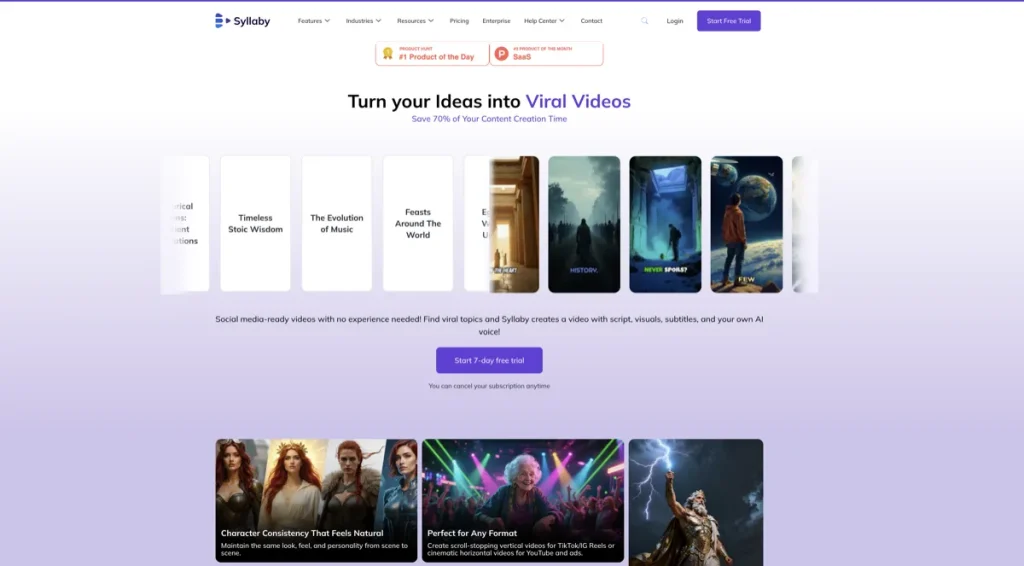
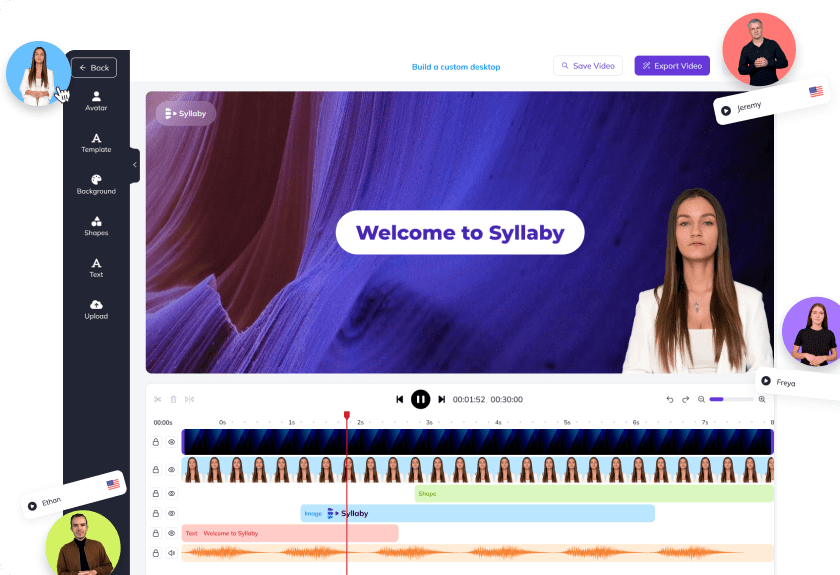
Syllaby is the best overall fit in this article when your social workflow starts upstream from editing. It is not just trying to help you trim clips. It is trying to help you decide what to post, generate scripts, create faceless or avatar-led videos, edit them, and push them toward social publishing.
That broader scope is exactly why it stands out for social creators. A lot of social-first operators do not start with polished long-form footage. They start with a need for repeatable content. They need topic ideas, a fast way to turn those ideas into scripts, some help building the video, and a smoother path to publishing across social channels. Syllaby is built around that kind of system.
- What it does best: social video ideation, scripting, faceless videos, AI avatars, editing, and publishing-oriented workflow support
- Best for: faceless creators, service businesses, small marketing teams, educators, and social-first creators who need consistency more than deep manual editing
- Why it stands out: it covers more of the social content pipeline than most tools in this list
The strongest case for Syllaby is not “it does everything.” It is that it matches how many social creators actually work: fast topic selection, short-form content production, repeatability, and lower editing friction. For creators who care more about consistency than cinematic polish, that is a practical advantage.
Who should skip Syllaby: creators whose workflow is already strong at ideation and scripting, and who mainly need clip extraction or tighter manual editing. It can also be broader than necessary if your content engine already runs fine and you only need one narrow task solved.
Pricing fit: Syllaby’s pricing is more credit-driven and workflow-wide than a narrow editor or clipper. That can make sense when you use several parts of the system. It is less attractive if you only want a lightweight editing or repurposing tool.
2) Klap: best for social creators repurposing long-form content into short clips
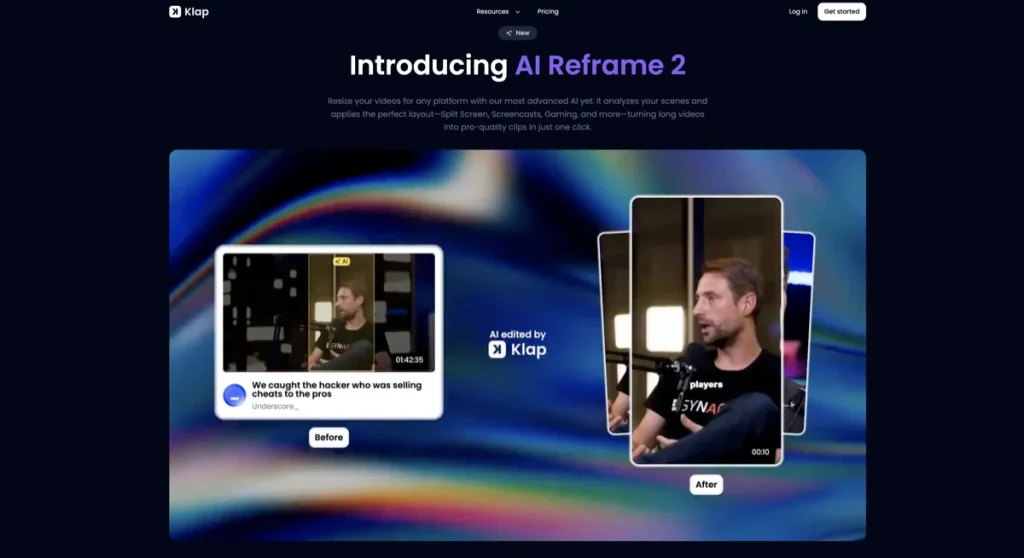
Klap is the best fit here when your growth engine depends on turning long content into more short content. If you already publish podcasts, webinars, interviews, tutorials, or YouTube videos, Klap is built for the very specific job of converting those assets into short-form social clips faster.
This is where a narrower tool earns its keep. Klap does not need to be your brainstorming system or your full editor. Its value is in helping you pull more content out of work you already finished. For social creators with a long-form library, that can be a much better use of budget than buying another all-in-one platform.
- What it does best: repurpose long-form video into vertical clips with captions and formatting for short-form distribution
- Best for: podcasters, interview creators, marketers repurposing webinars, education channels, and teams building a Shorts/Reels engine from existing assets
- Why it stands out: its workflow fit is very obvious when your content source already exists
The caution is just as clear. Klap is not the tool I would choose first if the content does not exist yet, or if your main pain point is cleaning raw footage before it becomes something worth clipping. It is stronger as a repurposing layer than as a social content system from scratch.
Who should skip Klap: creators who publish primarily from scripts, faceless workflows, or raw camera takes that still need heavy cleanup. It is also less compelling when your social strategy is mostly original short-form content rather than repurposed long-form material.
That is the quiet trade-off with repurposing tools in general. They can help you publish more, but only if the source material is strong enough to deserve more distribution in the first place.
3) Gling: best for creator editing and raw footage cleanup
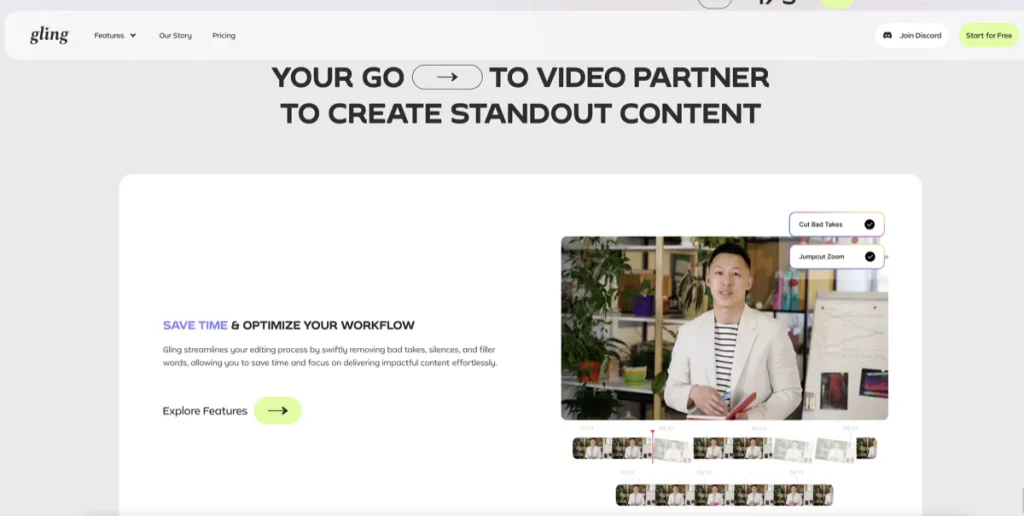
Gling is the best choice in this list when your social content starts with you talking to a camera and the real pain is cleanup. It is not the most dramatic tool on paper, but it solves a stubborn part of the process: removing bad takes, silences, filler words, rough pacing, and other editing drag that slows down social publishing.
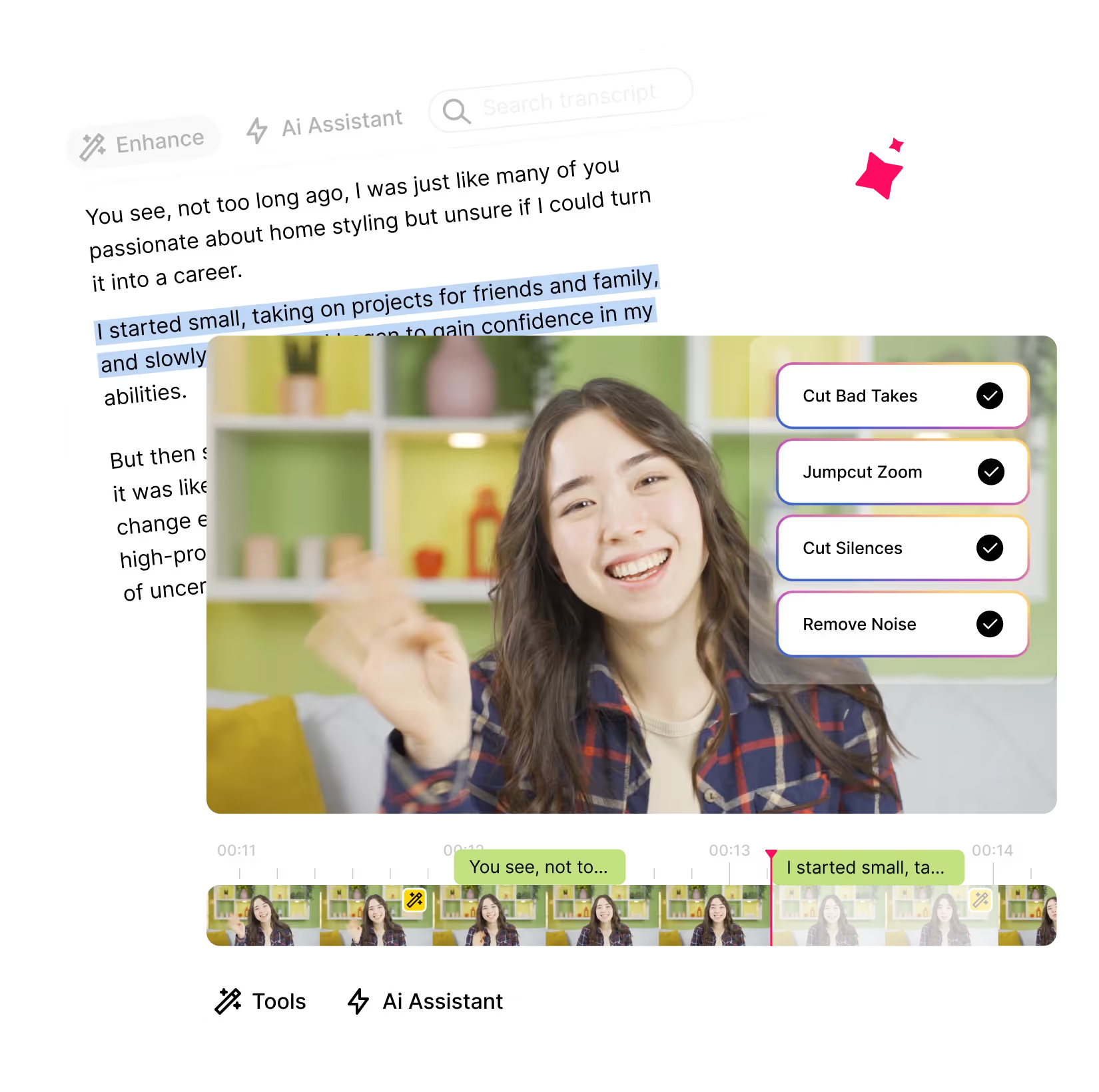
That makes Gling a strong fit for solo creators who record often. If your workflow is “film, clean, tighten, caption, frame, publish,” Gling sits much closer to the bottleneck than a broad social platform or a pure repurposing tool.
- What it does best: transcript-based cleanup, AI editing assistance, captions, and creator-friendly refinements before export
- Best for: YouTubers, educators, commentators, coaches, course creators, and social creators publishing direct-to-camera content
- Why it stands out: it reduces the tedious editing work many creator workflows repeat every week
The part I would pay attention to first is not the AI headline. It is the type of footage you record. If your content is already clean, Gling becomes less essential. If your content is messy and frequent, it can be much more useful than the category buzz suggests.
Who should skip Gling: creators who mainly need content ideation, faceless generation, or repurposing from finished long-form episodes. It also becomes less compelling if your editor already handles cleanup quickly and you are not trying to compress that stage.
4) HeyGen: best for avatar-led social videos without filming every post
HeyGen makes the most sense for social creators who want presenter-style or avatar-led content without repeatedly getting on camera. If your workflow is script-first and you want to turn those scripts into publishable social videos quickly, HeyGen is the clearest fit in this article.
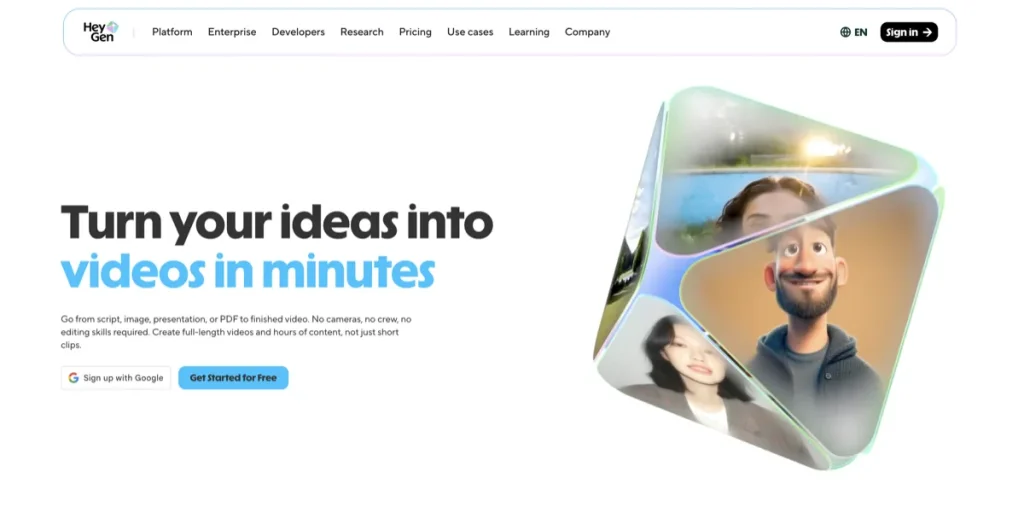
This is especially useful for brands, educators, agencies, multilingual creators, and teams that need consistency. HeyGen can be easier to justify when the goal is making lots of clean explainer-style, promo-style, or talking-avatar social videos in multiple formats, rather than cutting clips from existing long content.
- What it does best: avatar-led short videos, script-to-video workflows, photo avatars, multilingual voice and presentation-style content
- Best for: marketers, educators, small teams, consultants, and creators who want fast social videos without filming each one manually
- Why it stands out: it reduces the production burden for on-screen presenter-style content
The expectation is that avatar tools replace creator presence. In reality, they work best when your audience already accepts a more structured, presenter-like content style. For some audiences that is completely fine. For others, it can feel a little too polished or too synthetic if the scripting is weak.
Who should skip HeyGen: creators whose edge depends on raw personality, vlog energy, loose conversation, or highly manual visual storytelling. It is also not the right first pick if your workflow is mainly repurposing existing long-form footage or cleaning raw camera takes.

How to choose the right AI tool for your social video workflow

If I were choosing carefully, I would start here:
- Choose Syllaby if you need a broader social content system that helps with ideas, scripts, faceless video creation, and repeatable posting.
- Choose Klap if your growth engine depends on turning long-form videos into more short-form social content.
- Choose Gling if you record yourself often and the editing cleanup is what keeps slowing you down.
- Choose HeyGen if you want structured presenter-style or avatar-led social videos without filming each post.
The real value here is less dramatic than the marketing pitch. A good fit saves time in a repeatable part of the workflow. A bad fit becomes one more subscription you keep meaning to use.
What social video creators should not expect from these tools
This is the part that keeps the category honest. These tools can save time. They do not automatically create good content.
- They do not fix weak ideas. If the topic is flat, AI production will not make it compelling.
- They do not replace editing judgment. They may reduce labor, but you still need to choose what deserves publishing.
- They do not guarantee platform performance. More output is not the same thing as more engagement.
- They do not make every workflow easier. Some creators still work faster with a familiar manual process.
A common pattern here is that the tool looks broad at first, but its real value is much narrower in practice. That is not a flaw. It is just a reminder to buy for the bottleneck, not the category label.
Who should skip this category for now
You may not need an AI social video tool yet if:
- you publish video only occasionally and can still manage manually
- your workflow is not stable enough yet to know where the real bottleneck is
- your content depends on deep custom editing, motion design, or strong personal on-camera style that automation does not really improve
- you are still trying to find product-market fit in your content, so volume matters less than message quality
I would not treat that as an anti-AI verdict. It is more a timing issue. The tools people keep are rarely the ones with the biggest promise. They are the ones that fit the workflow with the least friction.
Final verdict
If your social workflow needs a broader system for ideas, scripts, faceless content, and repeatable publishing, Syllaby is the strongest first tool to look at.
If your strategy depends on extracting more short-form content from long-form assets, Klap is the more practical choice.
If you record yourself often and the drag sits in cleanup and creator editing, Gling is the better fit.
If you want presenter-style or avatar-led social videos without filming every post, HeyGen makes the most sense.
For related pages, read Best AI Tools for Faceless Video Content, Best AI Tools for Turning Long Videos into Shorts, and Best AI Video Tools. You can also return to the AI Video & Creator hub.
FAQ
What is the best AI tool for social video creators overall?
For a broad social-first workflow, Syllaby is the strongest overall fit because it goes beyond editing or clipping alone. It supports ideation, scripting, faceless videos, AI avatars, and content creation in a way that matches how many social creators actually publish.
Which AI tool is best for turning long videos into social clips?
Klap is the best fit when your strategy depends on repurposing long-form content into Shorts, Reels, or other vertical clips. It works best when you already have finished source material and want more short-form output from it.
Is Gling better than Klap for creators?
They solve different problems. Gling is better when your footage still needs cleanup before publishing. Klap is better when the source video is already usable and the main goal is extracting more short content from it quickly.
Is HeyGen good for social media videos?
Yes, especially for script-based, presenter-style, or avatar-led social content. It is a strong fit for brands, educators, marketers, and creators who want repeatable videos without filming every post manually.
What kind of creator should use Syllaby?
Syllaby is a strong fit for faceless creators, small businesses, educators, and creators who want help with ideation, scripts, and consistent short-form publishing. It is especially useful when the workflow starts before editing and needs a broader content engine.
Can these tools replace a full social media video strategy?
No. They can reduce production friction, but they do not replace audience understanding, positioning, content judgment, or good hooks. The best results usually come when the workflow is already clear and the tool removes one repeated bottleneck.
When does paying for an AI social video tool make sense?
It makes the most sense when video is already a repeated part of your workflow and manual production is clearly costing time every week. If you post occasionally, the subscription may feel heavier than the workload. If you publish often, the time savings can become much easier to justify.
PromoCodeRadar helps users find cleaner coupon codes, official deals, annual billing savings, free trials, and better ways to save on software, AI tools, and online services.
If you found a broken code or outdated listing, contact us at contact@promocoderadar.com.