

When an AI Design Tool Is Enough — And When It Isn’t
If you are wondering when an AI design tool is enough, you are already asking a better question than most roundup pages do.
The usual conversation is too shallow. It asks whether AI design tools are good, bad, worth it, or overhyped. The more useful question is narrower: at what point does an AI design tool genuinely remove friction, and at what point does it start giving you the illusion of progress instead of the real thing?
Table of Contents
That is what this article is about. Not whether AI belongs in design work at all. It clearly does. The practical issue is where it helps enough to justify itself, and where it stops being a shortcut and starts becoming a detour. If you want the wider category first, start with the AI Design hub. If you want the broader shortlist, read Best AI Design Tools. If you want to see the most common decision mistakes first, go to Common Mistakes When Choosing AI Design Tools.

Quick answer
- An AI design tool is enough when the job is repetitive, early-stage, cleanup-heavy, or mainly about getting to a usable first draft faster.
- It is not enough when the work depends on deeper judgment, original direction, system thinking, subtle UX trade-offs, or final-state refinement.
- It helps most when the bottleneck is speed.
- It helps least when the bottleneck is decision quality.
If I had to simplify the whole article into one line, it would be this: AI design tools are often good at reducing production friction, but they are much less reliable at deciding what should exist, what should survive, and what is actually the right solution.
The core distinction: acceleration vs judgment
This is the line that matters most.
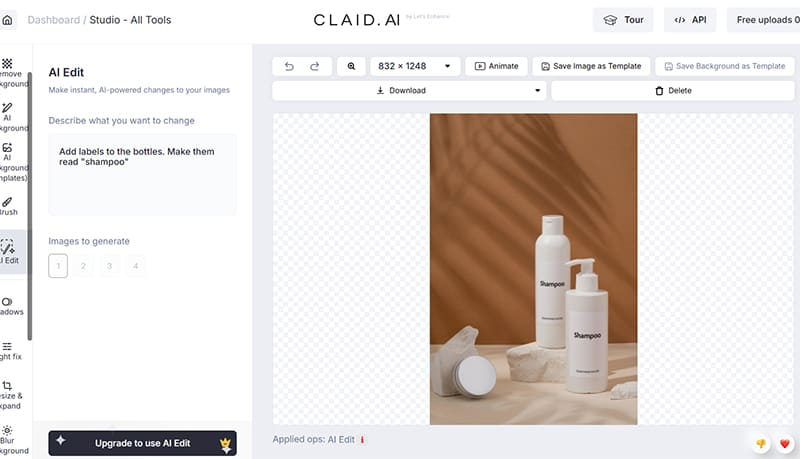
AI design tools are usually strongest when they accelerate something you already understand. Remove the background. Upscale the image. Generate a first pass. Turn a vague feature idea into a rough screen. Resize a post graphic. Create a quick ad variation. These are the kinds of tasks where speed itself has clear value.
They are usually weaker when the job depends on judgment rather than motion. Should this visual exist at all? Is this the right direction for the brand? Does this interface solve the user problem cleanly? Are we optimizing the wrong thing? These are not just production questions. They are decision questions.
The better question is not “Can AI do this task?” It is “Does this task mainly need acceleration, or does it mainly need judgment?” That is where the boundary gets clearer very quickly.
When an AI design tool is enough
An AI design tool is often enough when one or more of these conditions are true:
- The task repeats often. Repetition is where automation earns its keep.
- The output standard is clear. You already know what “good enough” looks like.
- The work starts from something existing. Cleanup, adaptation, resizing, enhancement, or iteration tends to be a stronger fit than total invention.
- The main problem is speed to first draft. You do not need a perfect answer. You need something concrete to react to.
- The risk of a rough first pass is low. You can afford to refine later.
This is where tools like Pixelcut, Claid AI, Magic Patterns, Simplified, and even broader exploration tools like Aitubo begin to make practical sense. They are not solving the whole creative or product problem. They are reducing the friction inside a known part of it.
Where AI is enough in editing and cleanup workflows
This is one of the clearest use cases.
If your workflow starts with an image you already have, AI is often enough to do a meaningful amount of the work. Remove the background. Fix the edges. Upscale. Retouch lightly. Add a shadow. Clean distractions. Export. That is not a theoretical use case. That is daily production work for a lot of teams and solo operators.

That is why an editing-first tool like Pixelcut can earn its place so easily. The task is narrow. The bottleneck is real. And the bar is not “replace design thinking.” The bar is “make this usable faster.” If that is the repeated job, Check Pixelcut.
For some users, that is enough. Not in a dramatic way. In a practical one.
Where AI is enough in ecommerce image workflows
AI is also often enough when the ecommerce image standard is clear and repeatable.
If the job is to turn simpler product shots into more polished, cleaner, more retail-ready visuals, then an AI tool can carry a meaningful share of the work. This is especially true when the output goal is obvious: better backgrounds, cleaner detail, stronger lighting, more consistent listing visuals, or studio-like variation without a full studio process every time.
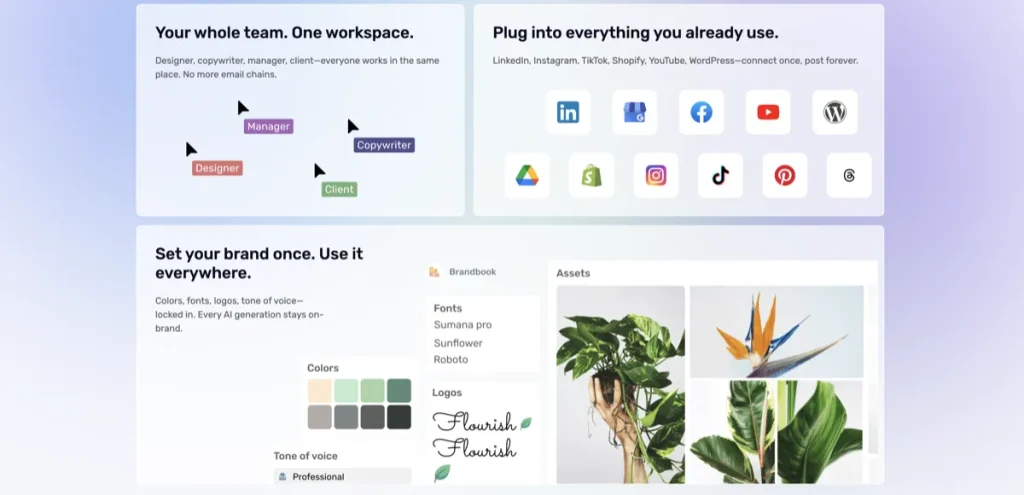
That is where a specialist like Claid AI makes sense. The tool does not need to understand your whole brand strategy to be useful. It needs to improve a repeated class of image work well enough that the workflow gets faster and more scalable. If that is the actual bottleneck, See current options for Claid AI.
The caution is that this only works when the workflow is real. If you clean product images occasionally, the category can be easy to overbuy. If you do it constantly, the category becomes much easier to justify.

Where AI is enough in early prototyping
This is another strong fit, but only if you understand what “enough” means here.
In product design, AI is often enough to get a team from vague idea to something visual that people can react to. That is not the same thing as “AI did the design.” It means the tool helped turn ambiguity into an early prototype or screen direction faster.
That is where a tool like Magic Patterns starts to make sense. It can reduce blank-canvas friction, generate first-pass UI directions, and speed up early exploration. If faster concepting is the main bottleneck, Explore Magic Patterns.
On the surface, that can feel like AI is doing more than it really is. In practice, it is helping with the front half of the process. That is valuable. It is also narrower than the hype often suggests.
Where AI is enough in broad content workflows
Sometimes an AI design tool is enough not because it is the best specialist, but because it reduces workflow sprawl.
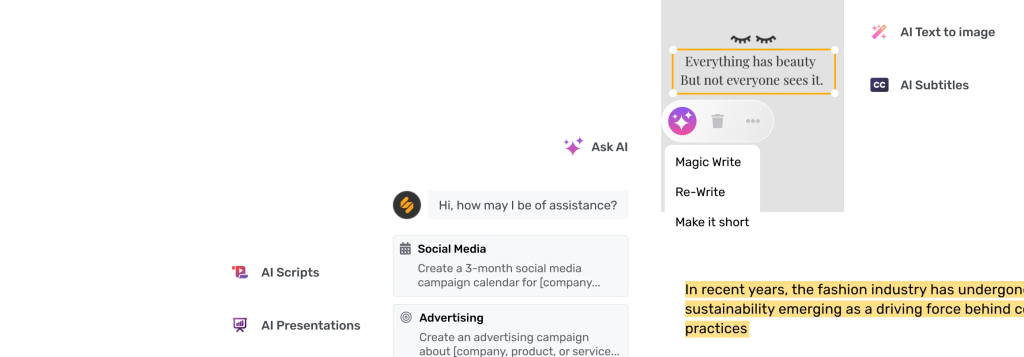
If your team touches design, social graphics, copy, scheduling, and light campaign production in the same workflow, then an all-in-one platform can be “enough” in a very practical sense. It may not be the deepest tool in every category. That is not always the point.
This is where a tool like Simplified can be enough. Not because it is the best designer in the room, but because it reduces handoffs, context switching, and the need to juggle too many systems at once. If workflow breadth is the real problem, See Simplified.
The strongest case for all-in-one platforms is usually less dramatic than the pitch. It is not “replace everything.” It is “make a messy production loop easier to run.”
When an AI design tool is not enough

This is the part many AI pages soften too much.
An AI design tool is usually not enough when the work depends on one or more of the following:
- Original direction. You do not yet know what the right answer should look like.
- Deeper judgment. The choice matters more than the execution speed.
- System thinking. The work has to cohere across many states, screens, assets, or channels.
- Brand or product sensitivity. Subtle differences matter, and weak decisions are costly.
- Final-state refinement. The last 20% is where most of the quality actually lives.
This is where AI can create the illusion of progress. You get something visible quickly, so it feels like the problem is moving. Sometimes it is. Sometimes you have just made a more polished version of the wrong idea.
The illusion of progress problem

This is the risk worth taking seriously.
AI tools are good at making work look like it advanced. A cleaner mockup. A sharper image. A generated ad concept. A new version of the post graphic. These outputs can be useful. They can also hide the fact that the core question was never answered in the first place.
A realistic-looking interface is not the same as a strong product decision. A polished hero image is not the same as a well-positioned campaign. A cleaner ecommerce photo is not the same as a better offer. A more efficient tool stack is not the same as a better content strategy.
This sounds a little harsh, but it is the part I would keep in front of me. AI often helps execution before it helps direction. If the real bottleneck is direction, AI may only make the confusion look cleaner.
How to tell whether AI is solving the right part of the problem
- Ask what repeats. Repeated friction is the cleanest place for AI to help.
- Ask what requires taste or judgment. That is the part AI is less likely to solve cleanly.
- Ask whether the output standard is already clear. AI works better when “good enough” is visible.
- Ask whether the tool shortens the path to a decision or just creates more material to review.
- Ask whether the workflow stays better after the novelty wears off.
The practical question is not whether the tool can produce. The practical question is whether it reduces the cost of getting to the right next step.
A simple rule of thumb

Here is the rule I would use:
- If the task is repetitive and the standard is known, AI is often enough.
- If the task is ambiguous and the decision quality matters more than speed, AI is usually not enough by itself.
That is not perfect, but it is much more useful than asking whether AI tools are “worth it” in the abstract.
Who should skip AI design tools for now?
You may want to skip AI design tools for now if your real problem is still upstream. Messaging. positioning. research. product direction. brand strategy. UX reasoning. Those problems can borrow help from AI, but they are not usually solved by buying another tool.
You should also skip them if the workflow is too occasional to justify adoption. A good tool can still become shelfware if the task does not happen often enough.
If your question is more about which category you are actually in, go back to How to Choose an AI Design Tool. If your question is more about product design specifically, the cleaner next read is Magic Patterns vs Traditional UI Design Workflows.
Best-fit summary
- AI is enough when the job is repeated, the output standard is clear, and speed is the real bottleneck.
- AI is not enough when the work depends on judgment, system thinking, or final-state quality.
- The cleanest use is to let AI speed up the first useful draft, not replace the whole process.
The softer human verdict is this: AI design tools are usually better as support layers than as full substitutes. That is not a weakness. It is a more believable way to use them well.
If you want the broader shortlist, go to Best AI Design Tools. If you want the category boundary article, read Common Mistakes When Choosing AI Design Tools.
FAQ
When is an AI design tool enough?
An AI design tool is usually enough when the work is repetitive, the output standard is clear, and the main benefit is speed to a usable first draft or cleaner production workflow.
When is an AI design tool not enough?
It is usually not enough when the work depends on original direction, deeper UX or brand judgment, system thinking, or final refinement where subtle decisions matter more than speed.
Can AI design tools replace designers?
Not in any clean general sense. They can reduce friction in parts of the workflow, but they do not reliably replace the judgment, reasoning, and trade-off decisions that stronger design work still depends on.
What is the biggest risk of using AI design tools too early?
The biggest risk is the illusion of progress: getting visible output quickly and mistaking that for a solved problem, even when the underlying decision is still weak or unclear.
What should I read next after this article?
Read How to Choose an AI Design Tool if you are still sorting the category, or Magic Patterns vs Traditional UI Design Workflows if your question is more about product-design boundaries.
Still sorting the boundary? Go next to How to Choose an AI Design Tool or Magic Patterns vs Traditional UI Design Workflows.
PromoCodeRadar helps users find cleaner coupon codes, official deals, annual billing savings, free trials, and better ways to save on software, AI tools, and online services.
If you found a broken code or outdated listing, contact us at contact@promocoderadar.com.