
Common Mistakes When Choosing AI Design Tools
If you keep bouncing between AI design tools and still feel unsure what to pick, the problem is often not the tool list. It is the decision logic.
Table of Contents
A lot of buyers do not choose a bad tool. They choose the wrong category of tool, then try to force it into a workflow it was never built to handle. That is why this page is not another roundup. It is a practical guide to the most common mistakes people make when choosing AI design tools, and how to avoid them.
If you want the broader category map first, start with the AI Design hub. If you want the wider shortlist, go to Best AI Design Tools. If you want the full framework before making a choice, read How to Choose an AI Design Tool.
Quick takeaway: most mistakes happen before the comparison begins
- Mistake 1: treating all AI design tools as one category
- Mistake 2: buying a generator when the real need is editing
- Mistake 3: buying an all-in-one tool for one narrow bottleneck
- Mistake 4: expecting a UI prototyping tool to solve marketing design work
- Mistake 5: overvaluing flashy outputs over repeatable workflow fit
- Mistake 6: choosing by features before checking how often the job actually happens
If I had to be blunt, this is where a lot of subscriptions quietly stop making sense. People buy for the demo. They keep or cancel based on the weekly workflow.
Mistake 1: Treating all AI design tools as if they do the same job
This is the biggest mistake, and it causes most of the smaller ones.
“AI design tool” sounds like one category. In practice, it is several different categories hiding under one label. Some tools are built for editing and cleanup. Some are built for ecommerce product visuals. Some are closer to image generation for marketers or creators. And some are really prototyping tools for product teams, not visual-content tools in the usual sense.

That sounds obvious, but it is where buyers get misled by surface similarity. If two tools both use AI and both produce visuals, they can still be solving very different jobs. That is why comparing them by raw features usually creates more noise than clarity.
The better question is always: what kind of work does this tool assume you are doing? If you skip that step, the rest of the comparison gets shaky very quickly.
Mistake 2: Choosing image generation when the real need is cleanup
This mistake is common because image generation looks more exciting in demos. But a lot of real workflows do not start with a blank canvas. They start with an image you already have and need to improve.
That is where editing-first tools make more sense. A tool like Pixelcut is easier to justify when the repeated job is removing backgrounds, upscaling, retouching, batch editing, or cleaning up existing images for listings, social posts, or ads. If the visual already exists, generation may be solving the wrong problem.
A common pattern here is that buyers pick the more impressive-looking generator, then quietly end up doing manual cleanup elsewhere. That is not really efficiency. It just means the chosen tool did not match the actual bottleneck.
The expectation-vs-reality turn is simple: people think they need a tool that can make anything. Often they just need a tool that fixes what they already have faster.
Mistake 3: Buying an ecommerce visual tool when you only need fast edits
The reverse mistake happens too. Some buyers jump into a more specialized product-photo workflow too early, even though their needs are still light and mixed.
A tool like Claid AI makes more sense when the workflow is clearly about ecommerce product imagery: cleaner cutouts, product-photo enhancement, lifestyle scenes, catalog consistency, or more polished retail-ready outputs. That is a strong fit when the business depends on product visuals. It is not automatically the right fit for lighter day-to-day cleanup.

This is where specialization can be misunderstood. Narrow tools are not a problem when the workflow is real. They become a problem when the buyer is still using them for occasional tasks that a broader, simpler editor could already handle well enough.
Mistake 4: Buying an all-in-one platform for one precise bottleneck
All-in-one platforms are appealing for a reason. They promise fewer tabs, fewer handoffs, and a cleaner content workflow. Sometimes that is exactly the right move. Sometimes it is just extra surface area you do not need.
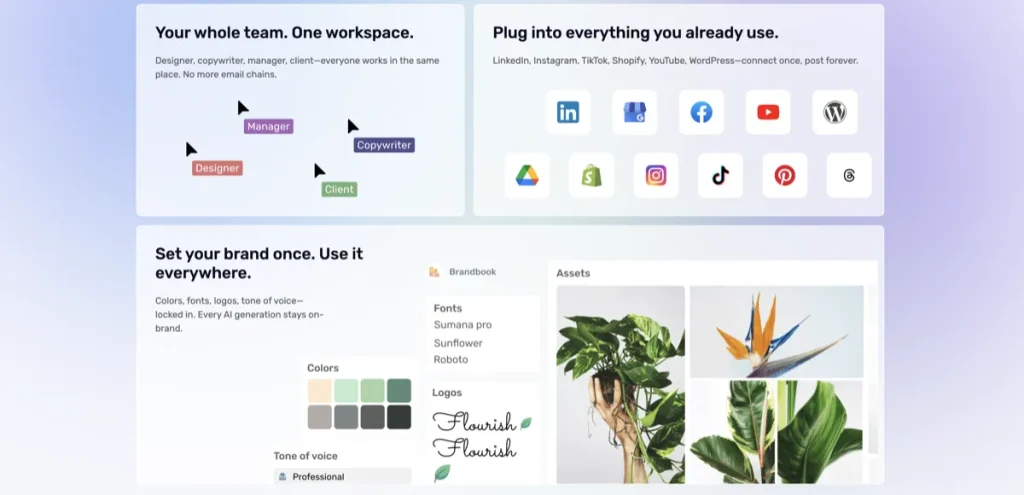
Simplified is a good example of when this trade-off matters. It bundles design, writing, scheduling, collaboration, and social workflow support into one platform. That can be very practical if your work genuinely crosses those functions. But if your only recurring need is one narrow image task, an all-in-one tool can feel broader than useful.
The real value of an all-in-one platform is not “more features.” It is less tool-switching. If that is not your problem, the platform can feel heavier than necessary.
What makes me cautious with tools like this is how often buyers confuse convenience with fit. Breadth is only a strength when the workflow actually uses the breadth.
Mistake 5: Expecting UI prototyping tools to solve content design needs
This is one of the more subtle category mistakes, but it matters. Not every AI tool that generates something visual belongs in the same buying conversation.
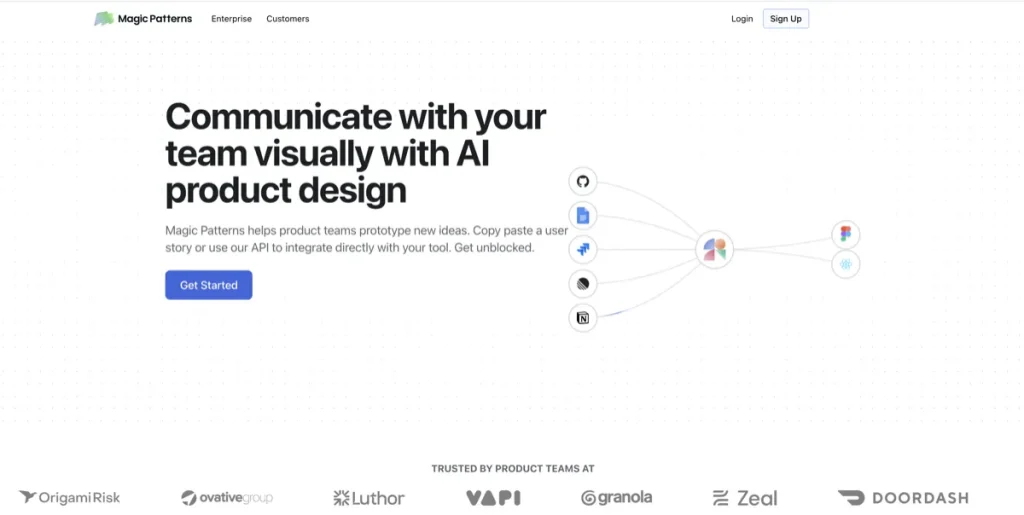
Magic Patterns, for example, is a prototyping tool for product teams. It helps users generate UI, work from prompts or screenshots, and align prototypes to existing design systems. That is a very different job from creating social graphics, ad visuals, or product-photo edits.
On the surface, it still looks like “AI design.” In practice, it sits in a product-design lane. That is not a weakness. It is actually useful clarity. The mistake is expecting a prototyping tool to solve a content-production problem it was never built for.
Mistake 6: Overvaluing flashy outputs over repeatable workflow fit
This is where many “best tool” decisions drift away from reality. A generated image can look impressive and still be irrelevant to your actual work.
The real difference shows up when the workflow repeats. Can the tool help every week? Can another person on the team use it without too much explanation? Can it handle the kind of assets you actually ship? Can it save time after the novelty fades?
A lot of buyers do not regret the tool itself. They regret buying the wrong promise. They bought “creative possibility” when the real need was throughput, consistency, or cleanup speed.
That is why the better comparison is usually not feature list versus feature list. It is friction versus friction. Which tool removes the repeated pain point most cleanly?
Mistake 7: Comparing features before checking frequency of use
This is one of the quiet failure modes with software in general, but it is especially common here. Buyers ask which tool is strongest before they ask how often the job really happens.
If the workflow is daily, a more specialized or broader platform can be worth it. If the workflow is occasional, that same tool can become shelfware very quickly. Frequency changes what “worth it” means.
The practical question is not just “can this tool do it?” It is “will this tool earn its place often enough?” That is the detail I would verify before paying.
A cleaner way to choose an AI design tool

- Start with the bottleneck: what slows you down most often?
- Name the asset type: existing image, product photo, social creative, or UI concept?
- Choose the category before the brand: editing, ecommerce visuals, prototyping, or all-in-one workflow?
- Check frequency: is this a real weekly workflow or a once-in-a-while need?
- Look at adoption: will you or your team actually keep using it after the first week?
If you follow that order, most of the noisier comparison problems get smaller. You do not need perfect certainty. You just need a cleaner decision path.
Who should skip this whole category for now?
You may not need an AI design tool yet if your real problem is still strategy, positioning, or creative direction rather than production friction. Tools can speed up execution, but they do not decide what the work should be.
You should also skip this category for now if your real need is motion-first creator tools rather than design-first workflows. In that case, the cleaner next read is AI Design Tools vs AI Video Creator Tools.
Best-fit summary
- If your repeated problem is editing existing images: start with Pixelcut
- If your repeated problem is ecommerce product imagery: start with Claid AI
- If your repeated problem is product UI exploration: start with Magic Patterns
- If your repeated problem is social and content workflow sprawl: start with Simplified
The softer human verdict is this: most people do not need more AI features. They need a cleaner match between the tool and the job.
If you want the broader shortlist first, go to Best AI Design Tools. If your bottleneck is editing-first, See Pixelcut. If your bottleneck is ecommerce imagery, See current options for Claid AI.
FAQ
What is the most common mistake when choosing an AI design tool?
The most common mistake is treating all AI design tools as one category. In practice, editing tools, ecommerce visual tools, prototyping tools, and all-in-one content platforms solve different jobs.
Should I choose a generator or an editor first?
Choose an editor first if your workflow starts with existing images and the real need is cleanup, polish, or faster production. Choose a generator first when the visual does not exist yet and concept creation is the real bottleneck.
Are all-in-one AI design platforms worth it?
They can be, but only when your real problem is tool-switching across design, copy, social, and publishing. If you only need one narrow job done well, a specialist tool is often the cleaner buy.
Why is a prototyping tool different from a content design tool?
A prototyping tool is built around product ideas, screens, and UI exploration. A content design tool is usually built around visuals for posts, ads, thumbnails, product images, or other marketing assets.
What should I read next after this article?
Read How to Choose an AI Design Tool for the decision framework, or Best AI Design Tools for the broader shortlist.
Still sorting the category? Go next to How to Choose an AI Design Tool or back to Best AI Design Tools.
PromoCodeRadar helps users find cleaner coupon codes, official deals, annual billing savings, free trials, and better ways to save on software, AI tools, and online services.
If you found a broken code or outdated listing, contact us at contact@promocoderadar.com.