

Best AI Video Tools by Workflow (2026)
If you are looking for the best AI video tools, the first thing to get clear is that this category is more fragmented than most roundup pages admit. Some tools are built for avatar-led presenter videos. Some turn scripts, articles, or URLs into draft videos. Some repurpose long footage into short clips. Others are really editing or enhancement tools, not true generators at all.
Table of Contents
That difference matters. A lot of people do not buy the wrong tool because the tool is bad. They buy the wrong tool because they expected it to do a different job. So this list is built around workflow fit, not feature count.
If you want the broader category structure behind this cluster, start with the AI Video & Creator hub. If you already know you need a narrower path, you can also jump to How to Choose an AI Video Tool, Best AI Avatar Video Tools, or Best AI Tools for Turning Text into Video.
Best AI Video Tools by Workflow
- Best overall: HeyGen
- Best for training and business videos: Synthesia
- Best for text, article, and URL-to-video: Pictory
- Best for turning long videos into shorts: Klap
- Best for creator editing cleanup: Gling
- Best for faceless content pipelines: Syllaby
- Best presenter-video alternative: Elai
- Best for video cleanup and enhancement: VideoProc AI
What actually counts as an AI video tool?

This is the part most listicles skip. “AI video tool” sounds like one category, but in practice it breaks into at least six different jobs:
- Avatar / presenter tools for on-screen talking videos, training, explainers, and localization
- Text / script / article-to-video tools for turning written material into draft videos
- Repurposing tools for chopping long videos into short vertical clips
- Creator editing tools for cleaning raw footage faster
- Faceless content tools for script, scene, avatar, publishing, and social workflows
- Enhancement tools for stabilization, upscaling, conversion, and cleanup
The tools people keep are rarely the most exciting ones. They are the ones that remove the most friction from the workflow they repeat every week.
That is why this roundup is narrower than the usual “top AI video generators” page. I am not trying to force every product into the same box. Some of these tools overlap a bit, but their strongest use cases are still very different.
1. HeyGen — Best overall for flexible AI video creation
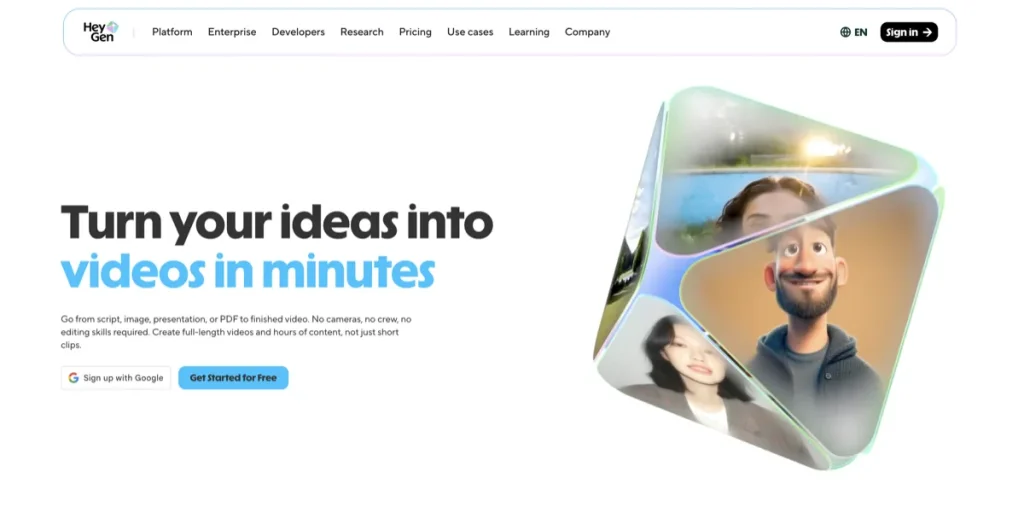
HeyGen is the best overall pick here because it covers more of the practical middle ground than most competitors. It does not just do avatars. It also handles text, image, and audio inputs well enough to be useful for creators, marketers, educators, and teams that want faster presenter-led video without a full production setup.
The strongest case for HeyGen is simple: it fits both solo creators and business users better than many tools that are either too narrow or too enterprise-shaped. If you need talking-head style videos, product explainers, internal updates, lightweight social clips, localization, or template-based output, it is one of the safest places to start.
- Why it stands out: strong avatar realism, broad input options, fast editing flow, localization support, and a practical entry path for non-editors
- Best for: avatar videos, multilingual explainers, product messaging, lightweight training, and polished spokesperson content
- Why you might skip it: if your real need is article-to-video or auto-clipping long podcasts into shorts, there are better specialists
- Value logic: strong if video is a recurring channel for you; easier to overpay for if you only publish occasionally
If I had to simplify the decision, I would judge HeyGen by one thing: do you want a polished presenter-style output without building a traditional video stack? If yes, it earns its place quickly. If not, it can feel broader on paper than it does in your actual workflow.
2. Synthesia — Best for training and presentation workflows
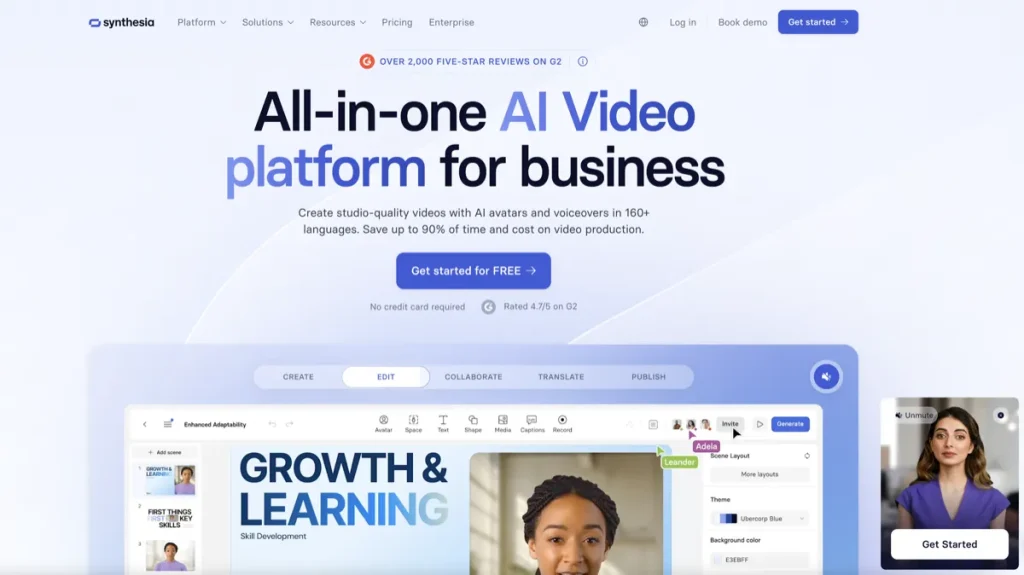
Synthesia is still one of the clearest picks for structured business video. If your use case revolves around internal training, onboarding, sales enablement, compliance content, knowledge-base videos, or repeatable presenter-led communication, Synthesia feels purpose-built in a way many broader tools do not.
This is where the category narrows in a useful way. Plenty of AI video tools can generate something that looks impressive. Fewer feel operationally clean for teams that need consistency, collaboration, versioning, brand control, and large-scale localization. Synthesia does.
- Why it stands out: strong business positioning, collaboration and analytics features, large avatar and language coverage, document-to-video support
- Best for: L&D teams, internal communications, SOP videos, product tutorials, sales training, and multilingual corporate content
- Why you might skip it: if you want creator-style spontaneity, faceless content experimentation, or shorts-first repurposing
- Value logic: strongest when a team will reuse templates and publish frequently enough to justify a business-oriented platform
Synthesia is not the tool I would hand to every social creator. But for training and structured presenter video, it is one of the easiest recommendations in the category.
3. Pictory — Best for text, article, and URL-to-video
Pictory is one of the clearest workflow-specific picks on this list. When your starting point is text rather than footage, it makes much more sense than avatar-first or editing-first platforms. That includes scripts, blog posts, articles, URLs, prompts, and social content that needs to become video quickly.
The practical value here is less dramatic than the pitch, but more useful when it fits. If your team already has written content and wants to turn that into publishable video drafts without building every scene manually, Pictory solves a real bottleneck.
- Why it stands out: article-to-video, URL-to-video, script-driven workflows, flexible aspect ratios, easy voiceover and stock-media driven drafts
- Best for: bloggers, content marketers, SEO teams, course creators, and repurposing written assets into video
- Why you might skip it: if your workflow is mainly avatar-led training or aggressive long-video-to-shorts clipping
- Value logic: most compelling when you already create written content at volume
4. Klap — Best for turning long videos into shorts
Klap is the strongest pure repurposing pick in this group. Its job is not to become your all-purpose AI video studio. Its job is to take long-form content such as podcasts, interviews, webinars, or talking-head videos and turn them into vertical clips faster.
That narrower positioning is a good thing. A common pattern with AI video tools is that they look broad at first, but their real value is narrower in practice. Klap is more honest about what it is for. If your workflow depends on clip extraction, auto-framing, captions, and fast export for Shorts, Reels, or TikTok, it belongs on the shortlist immediately.
- Why it stands out: long-video-to-shorts focus, vertical reframing, captioned clip generation, fast repurposing workflow
- Best for: podcasters, YouTubers, interview shows, webinars, and social teams that already have long-form footage
- Why you might skip it: if you need script-to-video, article-to-video, or business presenter videos
- Value logic: excellent when one long video regularly feeds several short clips; less compelling if you do not already have footage to repurpose
5. Gling — Best for creator editing cleanup
Gling is the tool I would point creators to when the real pain is editing raw footage, not generating a fully synthetic video. It is especially useful for talking-head YouTube workflows where the repetitive work is cutting bad takes, silences, filler words, and other dead space.
This is where a lot of roundup pages get sloppy. Gling is not the same kind of product as HeyGen or Pictory, and pretending otherwise only makes the category harder to understand. But if your workflow starts with a camera and ends with a cleaner edit, Gling can save more time than a more glamorous AI video generator.
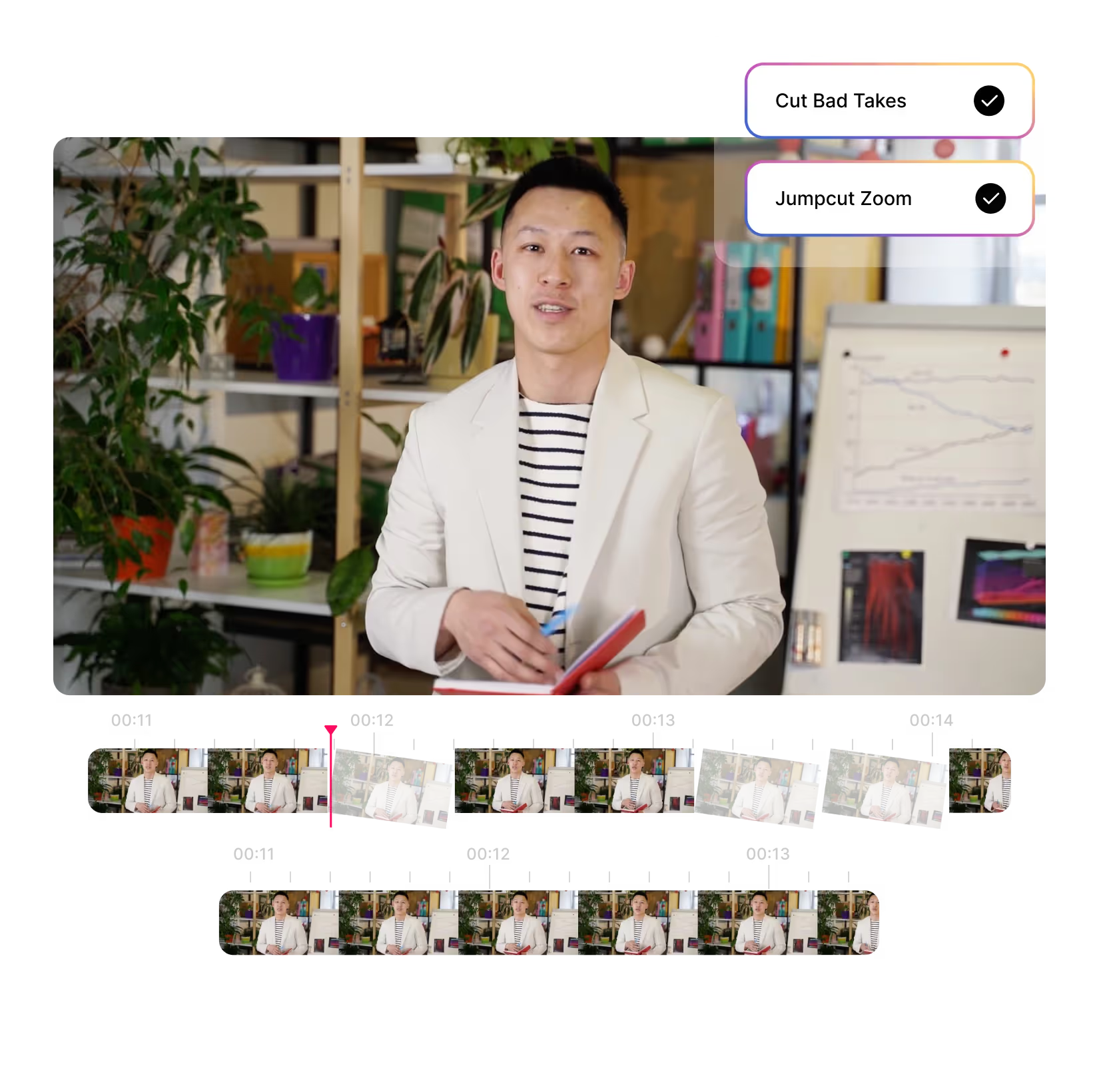
- Why it stands out: auto-removal of bad takes, silences, and filler words, plus captions, noise removal, and creator-oriented helper tools
- Best for: YouTubers, talking-head creators, course creators, and anyone recording raw footage regularly
- Why you might skip it: if you do not record yourself or your team and mostly work from text or blog content
- Value logic: strongest for repeat creators who lose time every week in cleanup edits
6. Syllaby — Best for faceless content pipelines
Syllaby is interesting because it is not just “make a video” software. It leans into the broader faceless social workflow: idea generation, script creation, avatars, voice cloning, video creation, scheduling, and analytics. That makes it more of a content pipeline tool than a single-purpose video editor.
For faceless content, that broader pipeline can matter more than raw polish. The real win is not just producing one video. It is maintaining output without needing to be on camera every time.
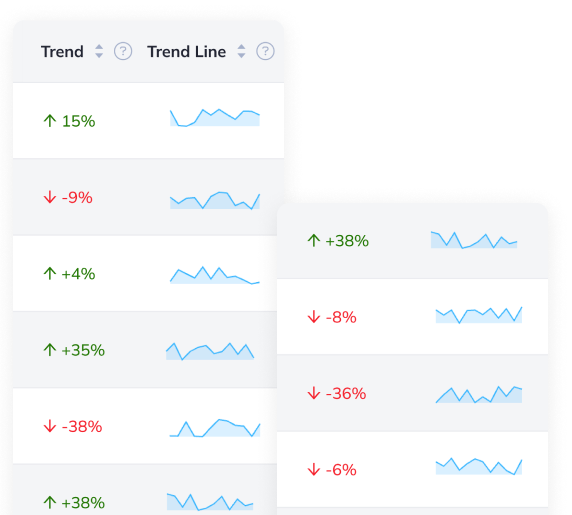
- Why it stands out: idea generation, scripting, faceless video tools, short and long-form support, scheduler, analytics
- Best for: faceless channels, social teams, agencies, and creators who want a repeatable content system
- Why you might skip it: if you mainly need polished business presenter videos or deep post-production control
- Value logic: strongest when volume, cadence, and topic planning matter as much as the video itself
7. Elai — Best presenter-video alternative if HeyGen or Synthesia feel off-fit
Elai deserves a place here because it gives you another serious route into presenter-style AI video without collapsing into a HeyGen-or-Synthesia-only market. Its positioning is especially relevant for training, structured explainers, interactive content, voice cloning, and translation-heavy workflows.
I would not call it the default first pick for everyone. But I would not dismiss it too quickly either. It is one of the more credible alternatives when you still want AI presenters, templates, and scale, but you want to compare a different balance of workflow and feature emphasis.
- Why it stands out: training-video orientation, multilingual voice cloning, translation, presenter-based structure, interactive video options
- Best for: educators, internal training teams, explainer videos, and structured knowledge delivery
- Why you might skip it: if your focus is shorts repurposing, creator cleanup, or text/article-to-video
- Value logic: best considered as a fit-based alternative, not as a universal winner
8. VideoProc AI — Best for cleanup, conversion, and enhancement
VideoProc AI rounds out this list for one reason: a lot of creators do not actually need another generator. They need cleaner source footage, better stabilization, easier conversion, lighter compression, and faster enhancement before that footage goes anywhere else.
That makes VideoProc AI a support-layer pick, not a “replace your whole video workflow” pick. But for shaky clips, older footage, mixed formats, export friction, or practical cleanup work, it can be more useful than a new generative tool you only open twice.
- Why it stands out: enhancement, upscaling, denoise, sharpen, stabilization, conversion, compression, recording, and GPU-accelerated processing
- Best for: creators, educators, marketers, and editors who already have footage and need it cleaned up or converted fast
- Why you might skip it: if you specifically want avatars, presenter videos, or text-to-video generation
- Value logic: strongest when media cleanup is a recurring problem inside your workflow
How to choose between these AI video tools
- Choose HeyGen if you want the broadest all-around pick for polished avatar-led content.
- Choose Synthesia if your center of gravity is training, internal communication, or team-scale presenter videos.
- Choose Pictory if you already have text, articles, blog posts, or URLs and want video drafts from that material.
- Choose Klap if your best raw material is long-form footage that needs to become Shorts, Reels, or TikToks.
- Choose Gling if you record yourself often and waste too much time cleaning edits manually.
- Choose Syllaby if you want a faceless content pipeline, not just a single editor.
- Choose Elai if you want presenter-style videos but want an alternative to the two biggest avatar-led platforms.
- Choose VideoProc AI if your real bottleneck is media quality, stabilization, conversion, or enhancement.
Who should skip this category altogether?
You may not need an AI video tool yet if your workflow is still simple, low-volume, and inconsistent. This is where a lot of subscriptions quietly stop making sense. If you publish one video every few months, or you are still figuring out your content format, you may get more value from a lighter editor and a clearer process first.
In other words, do not buy AI video software just because “video is the future.” Buy it when it removes a bottleneck you hit repeatedly.
Limitations of AI video tools that matter more than the marketing
- They do not erase strategy problems. If your messaging is weak, AI just produces weak video faster.
- They are often narrower than they look. A strong text-to-video tool is not automatically strong for avatars or shorts.
- Automation can flatten quality. Especially in shorts repurposing, more clips does not always mean better clips.
- Output still needs judgment. You still need to choose scenes, scripts, cadence, and fit.
- Pricing feels better when usage is recurring. Volume and frequency usually determine whether a tool earns its keep.
Final verdict
If you want one answer, HeyGen is the safest overall starting point for most people comparing modern AI video software. But the stronger answer is a little narrower than that.
Synthesia is better for structured business video. Pictory is better when written content is the starting material. Klap is better for turning long footage into short clips. Gling is better when cleanup editing is the real bottleneck. Syllaby is better for faceless content pipelines. Elai is a credible presenter-video alternative. VideoProc AI is the best support-layer pick when your footage needs fixing more than your workflow needs another generator.
That is the real pattern here. There is no single best AI video tool in the abstract. There is only the best one for the job you actually repeat.
FAQ
What is the best AI video tool for beginners?
For most beginners, HeyGen is the easiest broad starting point because it covers avatar-led video well without demanding strong editing skills. If your input starts as text or blog content, Pictory may be the better beginner pick.
Which AI video tool is best for YouTube Shorts?
If you already have long-form footage, Klap is the most direct fit for YouTube Shorts repurposing. If your pain point is cleaning up talking-head footage before publishing, Gling may be more useful.
Which AI video tool is best for training videos?
Synthesia is the strongest default pick for training and presentation workflows, especially for teams. Elai is also worth comparing if you want a presenter-led training workflow with strong localization and alternative fit.
Do I need an AI video generator if I already use an editor?
Not always. If your main problem is shaky footage, conversion, compression, or cleanup, an enhancement tool like VideoProc AI or an editing helper like Gling may deliver more practical value than another generator.
PromoCodeRadar helps users find cleaner coupon codes, official deals, annual billing savings, free trials, and better ways to save on software, AI tools, and online services.
If you found a broken code or outdated listing, contact us at contact@promocoderadar.com.