
Best AI Tools for YouTube Shorts From Existing Videos
If you are looking for the best AI tools for YouTube Shorts from existing videos, the real question is not which tool has the longest feature list. It is which one removes the most friction from the workflow you already have. Some tools are built to pull highlights from finished long-form videos. Others are better when your footage still needs cleanup before it becomes a Short.
Table of Contents
For this workflow, the shortlist is fairly clear: Klap, Gling, and Pictory. They can all help you get from existing footage to vertical content faster, but they do not solve the same part of the job in the same way.
This guide is for creators, podcasters, educators, marketers, and small teams who already have video assets and want to turn them into YouTube Shorts without rebuilding everything from scratch. For the broader cluster, you can also browse the AI Video & Creator hub.
Best AI tools for YouTube Shorts from existing videos: the shortlist
- Best overall for mostly finished long-form videos: Klap
- Best for creators who still need to clean the source footage first: Gling
- Best for broader repurposing beyond Shorts alone: Pictory
The expectation is that these tools “make Shorts for you.” The reality is narrower. They save the most time when you already have usable source material and a repeatable publishing workflow.
What actually counts as a YouTube Shorts tool for existing videos?
This category looks broader than it really is. A lot of pages lump together avatar tools, text-to-video generators, full video editors, and clip extractors as if they are interchangeable. They are not.
For this article, the right tools need to do at least most of the following:
- start from footage you already recorded, uploaded, or exported
- help identify usable moments or structure clips faster
- reframe horizontal content into vertical or square-friendly layouts
- generate or refine captions for short-form viewing
- reduce manual editing time enough to justify using another tool
That sounds simple, but it creates an important split. If your main problem is finding highlights from finished content, a tool like Klap makes more sense. If your main problem is cleaning talking-head footage before you even decide which parts deserve clipping, Gling fits better. If your broader workflow includes articles, URLs, audio, webinars, and multiple output types, Pictory becomes more interesting.
This matters because a lot of buying mistakes happen at the workflow level, not the feature level. People buy a Shorts tool expecting it to fix weak source content, weak hooks, or weak packaging. It usually does not. What it can do is compress the editing and repurposing workload once the raw material is good enough.
1) Klap: best overall for turning finished long videos into YouTube Shorts fast
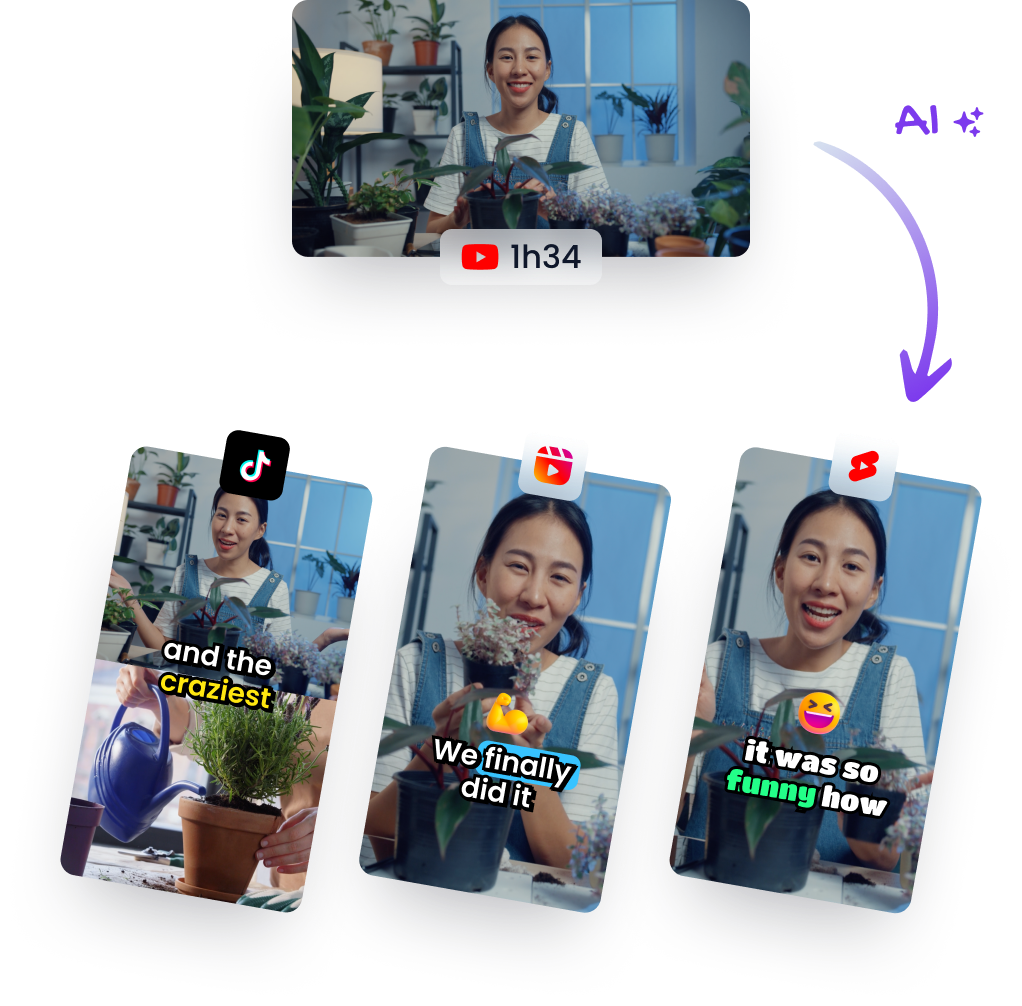
Klap is the clearest fit when you already have finished or near-finished long-form videos and want a fast path to vertical Shorts. This is the tool in the shortlist that feels most purpose-built for the “one long video in, multiple short clips out” job.
The strongest case for Klap is fairly narrow, but that is exactly why it works. Upload a video or paste a link, let the platform identify candidate moments, reframe for vertical viewing, generate captions, and then export the clips you want. If your channel runs on interviews, podcasts, webinars, tutorials, or talking-head explainers, that speed matters.
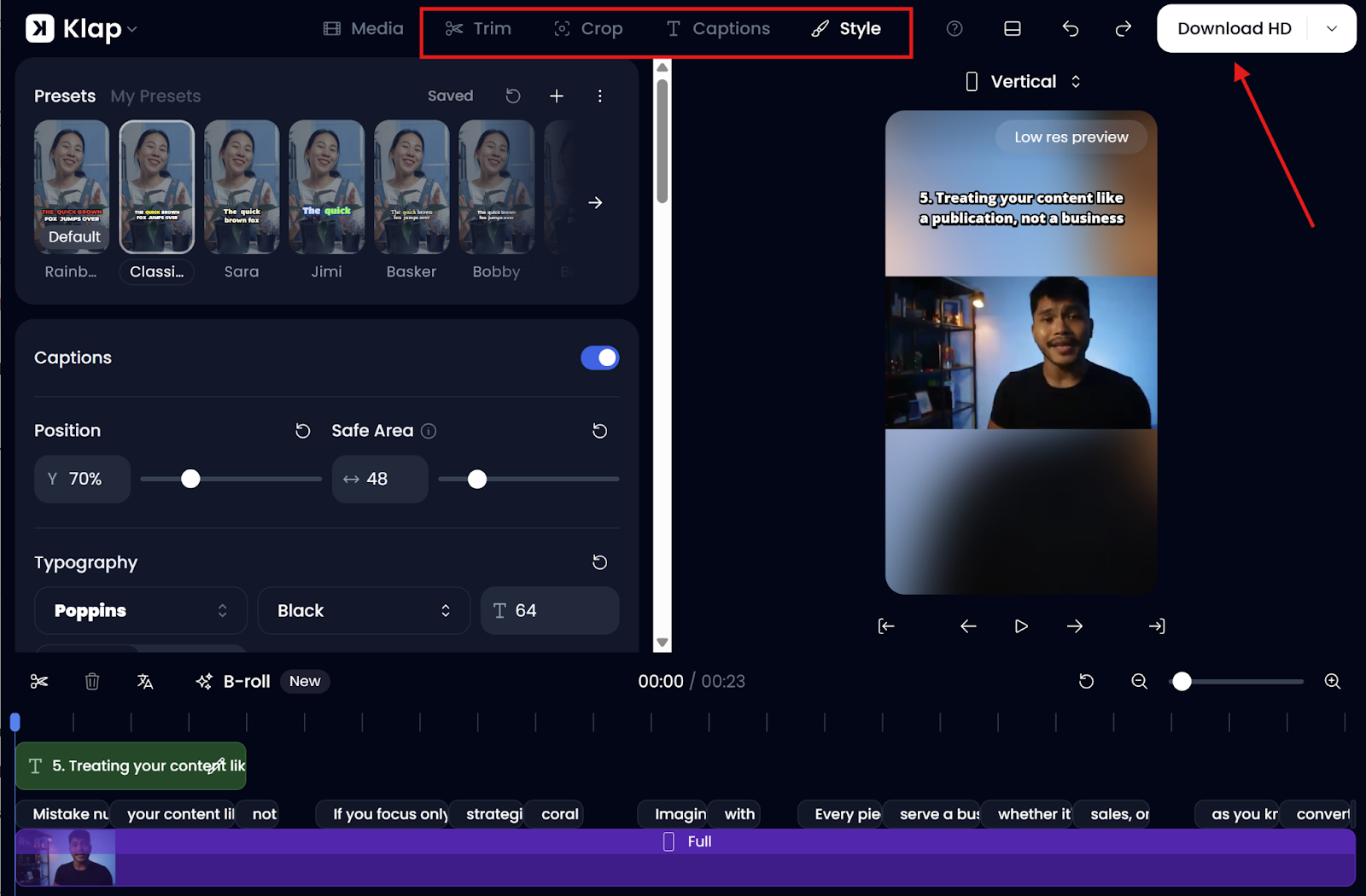
- What it does best: AI clip extraction, vertical reframing, captions, and quick Shorts-ready outputs from long videos
- Best for: podcasters, interview-based channels, education channels, marketers repurposing webinars, and anyone with a backlog of finished long-form content
- Why it stands out: it is built around repurposing, not around being a full editor first
If I had to simplify the decision, Klap is the first tool I would test when your bottleneck is not filming or scripting. It is choosing moments, reformatting them, and getting enough usable Shorts out of one source video.
Who should skip Klap: creators who still need heavy pre-cleaning, detailed manual story shaping, or deeper timeline control before clipping. It also becomes a weaker fit if your content does not naturally break into strong, self-contained short moments.
Pricing snapshot: Klap’s public pricing page currently starts around $23/month billed yearly for 10 uploads, up to 45-minute videos, and 100 clips, with higher tiers for more uploads, longer source videos, 4K downloads, and AI dubbing. For many solo creators, that makes sense only if you are repurposing consistently, not occasionally.
2) Gling: best if your source video still needs cleanup before it becomes a Short
Gling is a different kind of fit. It is less about “find viral moments from a finished asset” and more about “clean up the messy parts of creator footage faster so the usable parts are easier to work with.”
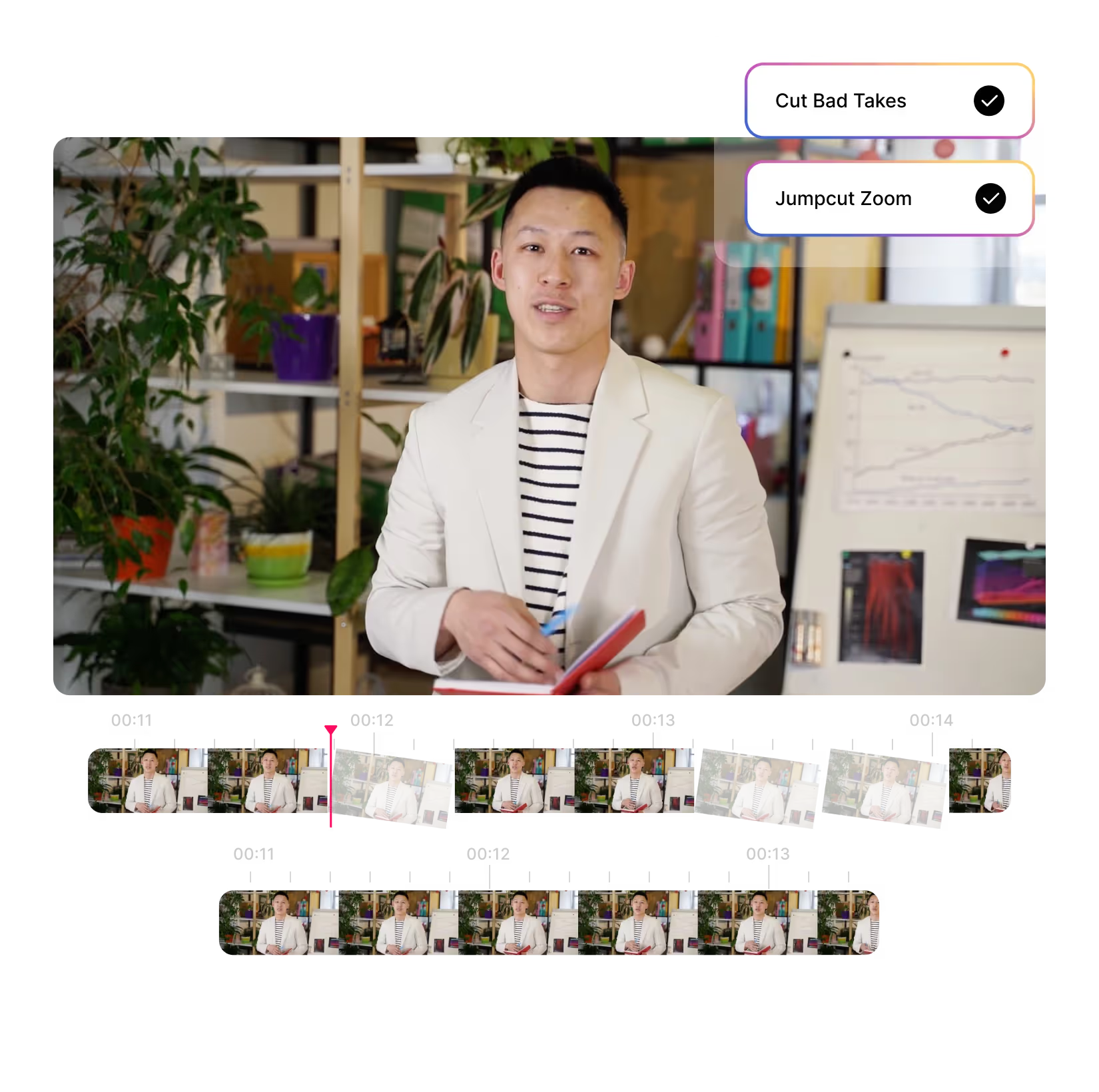
That distinction matters more than it first sounds. A lot of YouTube creators do not start with polished webinars or completed podcast episodes. They start with talking-head footage, retakes, pauses, filler words, rough delivery, and a lot of dead space. Gling is strong in that environment because it removes bad takes, silences, filler words, and other cleanup tasks that would normally slow down editing.
- What it does best: clean talking-head or creator footage before you turn it into clips
- Best for: solo YouTubers, course creators, commentators, educators, and anyone recording lots of direct-to-camera video
- Why it stands out: transcript-style cleanup, captions, auto framing, and export options that fit creator post-production workflows
What usually happens with tools like this is that people judge them by the headline AI promise, then miss the practical value. Gling is not the most exciting tool in the category. But for the right workflow, it can remove some of the least enjoyable parts of editing and make clip creation less painful after that.
Who should skip Gling: teams that mainly want automatic highlight extraction from already-finished long videos, or creators who want a dedicated repurposing engine more than an AI cleanup editor. It is also less compelling if your source footage is already tightly edited before it gets clipped.
Pricing snapshot: Gling currently has a free plan, then paid tiers starting around $20/month annually for lighter usage, with higher plans at roughly $40/month and $100/month annually for heavier creator workloads. That makes it easier to try than some repurposing-first tools, but the value shows up only if you record often enough to benefit from recurring cleanup.
3) Pictory: best if your Shorts workflow sits inside a broader repurposing system
Pictory is the most flexible option in this shortlist, and that is both its strength and its limitation. It supports existing videos, URLs, articles, blogs, scripts, audio, and Shorts generation, which makes it more useful when your content pipeline is not only video-to-video repurposing.
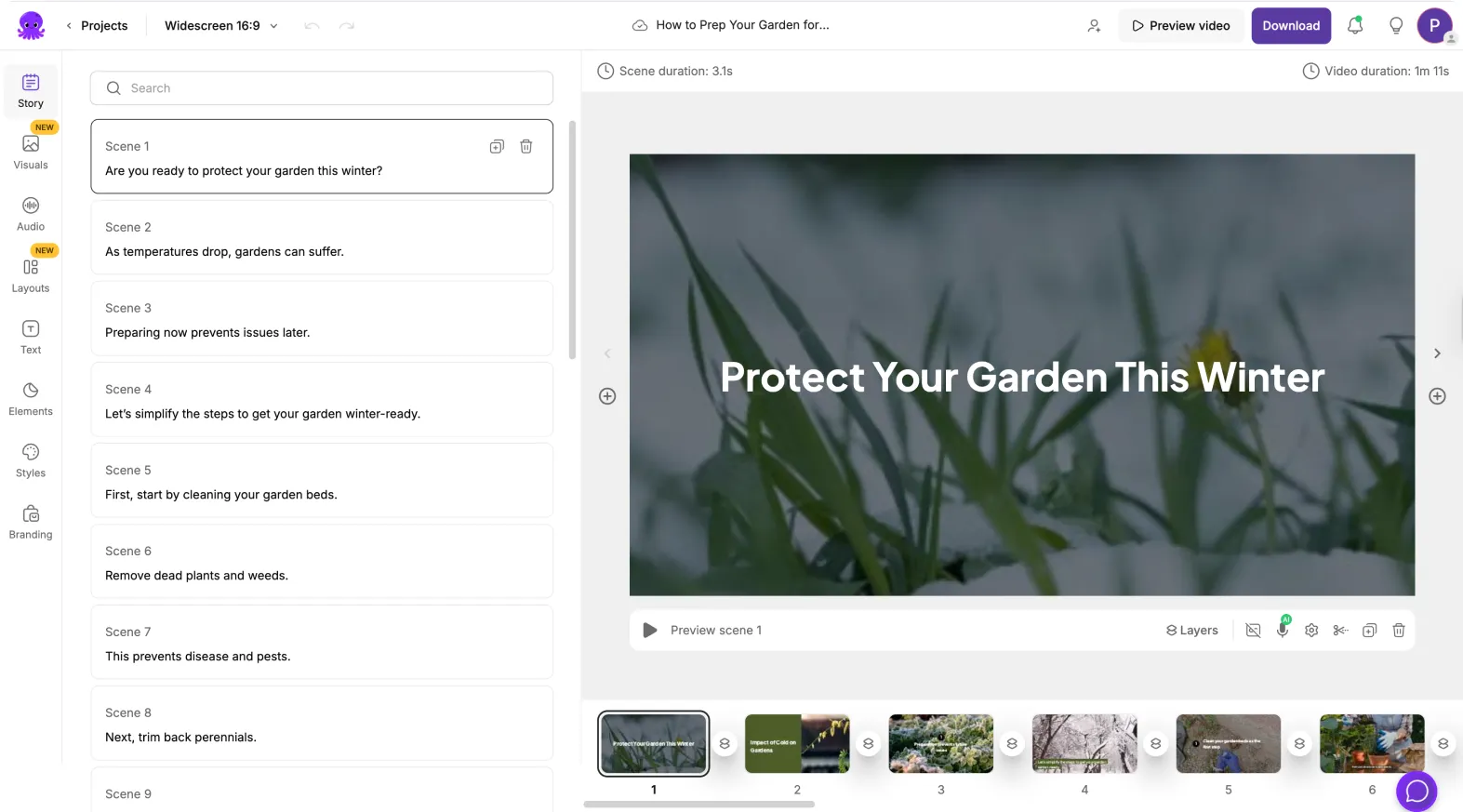
For this specific article, Pictory becomes interesting when your YouTube Shorts are part of a larger content engine. Maybe you publish webinars, blog posts, podcasts, product pages, or scripts and want to turn several of those inputs into video assets. In that case, Pictory can do more than a narrow clip extractor.
- What it does best: multi-input repurposing across existing videos, blogs, URLs, audio, and social outputs
- Best for: content marketers, educators, small teams, repurposing-heavy businesses, and creators who want more than Shorts alone
- Why it stands out: it is not boxed into one input type, so it fits broader content operations better
The trade-off is straightforward. Pictory is often a better “content repurposing platform” than a pure “YouTube Shorts from existing videos” specialist. That is good when you want flexibility. It is less ideal when all you want is the shortest path from one long YouTube upload to multiple vertical clips.
Who should skip Pictory: creators who only care about extracting Shorts from long-form footage as quickly as possible and do not need article-to-video, URL-to-video, or broader asset repurposing. In that narrower use case, it can feel broader than necessary.
Pricing snapshot: Pictory’s public pricing page currently starts at about $29/month billed annually for Starter and around $59/month billed annually for Professional, with higher team and enterprise plans. It is easier to justify when you will use several of its workflows, not just one.
How to choose the right tool for your YouTube Shorts workflow
Before paying for anything, I would judge these tools by workflow fit more than by feature count.
- Choose Klap if you already have finished long videos and want the fastest path to multiple vertical clips with captions and reframing.
- Choose Gling if your source content is still messy and your real bottleneck is cleanup before clipping.
- Choose Pictory if Shorts are only one output inside a broader repurposing system that also uses blogs, URLs, scripts, audio, or multiple social formats.
This is also where a lot of people overbuy. A common pattern here is that the tool looks broad at first, but its real value is much narrower in practice. If you only publish one long video every few weeks, a heavy repurposing subscription can be harder to justify. If you publish interviews, podcasts, or creator videos constantly, the math changes quickly.
What matters more than the feature list
The interesting part is not whether a tool can output a vertical video. Most tools in this category can. The more useful question is whether the output is usable fast enough to save you time without creating a new review burden.
- Source quality: weak pacing, weak delivery, and weak hooks do not become strong just because AI clipped them.
- Editorial control: some creators need deeper timeline control than an AI-first tool really wants to offer.
- Packaging: captions, framing, and styling help, but they do not replace a clear point or a strong opening line.
- Volume: these tools make more sense when you repurpose often enough for the subscription to replace repeated manual work.
This is where a lot of subscriptions quietly stop making sense. The problem is rarely that the tool does nothing. It is that the user expected it to do the wrong job.
Who should skip this category altogether
You may not need any of these tools yet if:
- you do not have a backlog of long-form content to repurpose
- you publish Shorts rarely and can clip them manually without much friction
- your content depends on heavy custom editing, motion design, or complex narrative restructuring
- your source videos are weak enough that extracting more clips only creates more low-quality output
That last point is worth saying directly. More clips is not the same thing as better content. If the underlying video is flat, the AI may simply help you publish flat content faster.
Final verdict
If your goal is to turn existing long videos into YouTube Shorts as quickly as possible, Klap is the strongest first tool to try. Its fit is narrower than the marketing promise, but that narrowness is also the reason it feels right for repurposing-heavy channels.
If your footage still needs cleanup before it deserves to become a Short, Gling is the better fit. It solves an earlier bottleneck, and for many solo creators that matters more than raw clipping speed.
If your content pipeline includes existing videos but also blogs, URLs, audio, scripts, and broader repurposing needs, Pictory is the more flexible option. It is less specialized for this one job, but more useful if this job is only part of a bigger system.
For related decision pages, you can also read Best AI Tools for Turning Long Videos into Shorts, Pictory vs Klap, and Gling vs Klap. If you want the full cluster, go back to the AI Video & Creator hub.
FAQ
What is the best AI tool for YouTube Shorts from existing videos overall?
For most finished long-form video repurposing workflows, Klap is the best first tool to test because it is purpose-built for turning longer videos into multiple vertical short clips quickly.
Is Gling good for YouTube Shorts?
Yes, but in a narrower way. Gling is best when your source footage still needs cleanup first. It is stronger as an AI editing helper for creators than as a pure highlight-extraction engine.
Is Pictory better than Klap for Shorts?
Not usually if your only goal is repurposing long videos into Shorts fast. Pictory becomes more attractive when your wider workflow also includes blogs, URLs, audio, scripts, and broader repurposing needs.
Can AI tools make weak long-form content perform well as Shorts?
Not on their own. They can save editing time, improve formatting, and speed up production, but they do not replace strong hooks, good delivery, or clear ideas.
PromoCodeRadar helps users find cleaner coupon codes, official deals, annual billing savings, free trials, and better ways to save on software, AI tools, and online services.
If you found a broken code or outdated listing, contact us at contact@promocoderadar.com.