
How to Choose an AI Design Tool That Actually Fits
Choosing an AI design tool sounds easy until you realize most of them are solving different jobs.
Some tools are built to clean up existing images fast. Some are better for ecommerce product visuals. Some are really AI image generators with light editing added on. And some, like product prototyping tools, sit in a different lane entirely even though they still get labeled “AI design.”
Table of Contents
That is why this guide starts with the real decision, not the feature list. If you are trying to figure out how to choose an AI design tool, the better question is this: what kind of visual work keeps showing up in your workflow? If you want the broader category overview first, start with the AI Design hub. If you already want the shortlist view, go to Best AI Design Tools.
The short version: choose by workflow, not by hype
- Choose an image editing tool if you mostly start with an existing photo or graphic and need to clean, cut out, retouch, upscale, or reframe it.
- Choose an ecommerce visual tool if your real bottleneck is turning plain product shots into listing-ready or campaign-ready assets.
- Choose an image generation tool if you need fresh concepts, ad visuals, hero graphics, or rapid creative exploration from prompts.
- Choose a UI prototyping tool if your “design” problem is actually product exploration, screen ideas, or interactive mockups.
- Choose an all-in-one platform if your bigger problem is switching between too many tools for design, writing, scheduling, and lightweight video work.
If I had to be blunt, this is where most bad tool decisions begin. People buy what looks the most impressive in a demo, not what matches the job they repeat every week. That usually ends with a subscription that felt exciting on day one and unnecessary by week three.
Step 1: Start with the asset, not the tool
Before comparing brands, ask a simpler question: what are you usually starting with?
- An existing photo or visual asset → you probably need editing, cleanup, or enhancement.
- A plain product image → you may need ecommerce-focused product photography workflows.
- A blank canvas and a rough idea → you may need image generation.
- A product idea, screen flow, or feature concept → you may need UI prototyping.
- A content workflow that spans design, copy, social, and maybe video → you may need an all-in-one platform.
This sounds obvious, but it is the most useful filter in the whole article. A lot of buyers treat every AI design tool as if it should generate, edit, publish, and organize everything. In practice, the best tools are usually narrower than that. The upside is that narrow tools often do their core job better.
Step 2: Decide whether your workflow is editing-first or generation-first
This is the first real fork in the road.

Choose editing-first if you already have assets
Editing-first tools are better when you are working with existing images and want to improve them fast. That usually means background removal, object cleanup, upscaling, expand, retouching, shadow fixes, or small generative edits.
Pixelcut is a good example of this path. It makes sense when you already have a product image, thumbnail, portrait, or marketplace photo and the task is to make it usable faster. If that sounds like your real bottleneck, Pixelcut is the kind of tool to evaluate first. When speed matters more than experimentation, Check Pixelcut.
Choose generation-first if the visual does not exist yet
Generation-first tools are better when you need new ideas, not just better versions of an existing file. That can mean ad concepts, social graphics, concept art, hero visuals, brand experiments, or lightweight campaign images.
Aitubo sits closer to this side of the category. It still has editing tools, which is useful, but the stronger reason to look at it is when you want room to generate, test, edit, and explore without committing to a very narrow workflow from the start.
The expectation-vs-reality turn here is simple: many tools claim to “do both,” but one side usually feels more natural than the other. When evaluating them, do not just ask whether a feature exists. Ask whether the feature feels central to the product, or just included because buyers expect it.
Step 3: Separate ecommerce visuals from general image editing
This is one of the easiest distinctions to miss, and it matters more than people think.
General image editing tools help with cleanup and speed. Ecommerce visual tools are more specific. They are built around product imagery, listing consistency, retail-ready backgrounds, on-model or lifestyle outputs, and sometimes automation for volume.

Claid AI is the cleanest example. It is much easier to understand once you stop treating it like a general creative app. Claid makes more sense when the real problem is product photography at scale, catalog consistency, marketplace readiness, or transforming basic product shots into higher-quality commercial visuals.
If your work involves storefront images, PDP visuals, marketplace listings, or large product sets, you should not treat Claid and Pixelcut as interchangeable. They overlap a bit, but the workflow fit is different. For a direct breakdown, see Pixelcut vs Claid AI. If ecommerce visuals are the job, Open Claid AI.
A common mistake here is buying a broad editor when the real need is repeatable product-photo output. The reverse is also true. Some solo sellers buy an ecommerce-focused tool when all they really need is faster background cleanup and a simple way to rework a few images each week.
Step 4: Ask whether you are solving a design problem or a product problem
This is where UI prototyping tools need to be separated from everything else.
If your work is about features, user flows, mockups, and fast interface exploration, you are not really shopping in the same category as image editors or AI art tools. You are solving a product design problem.
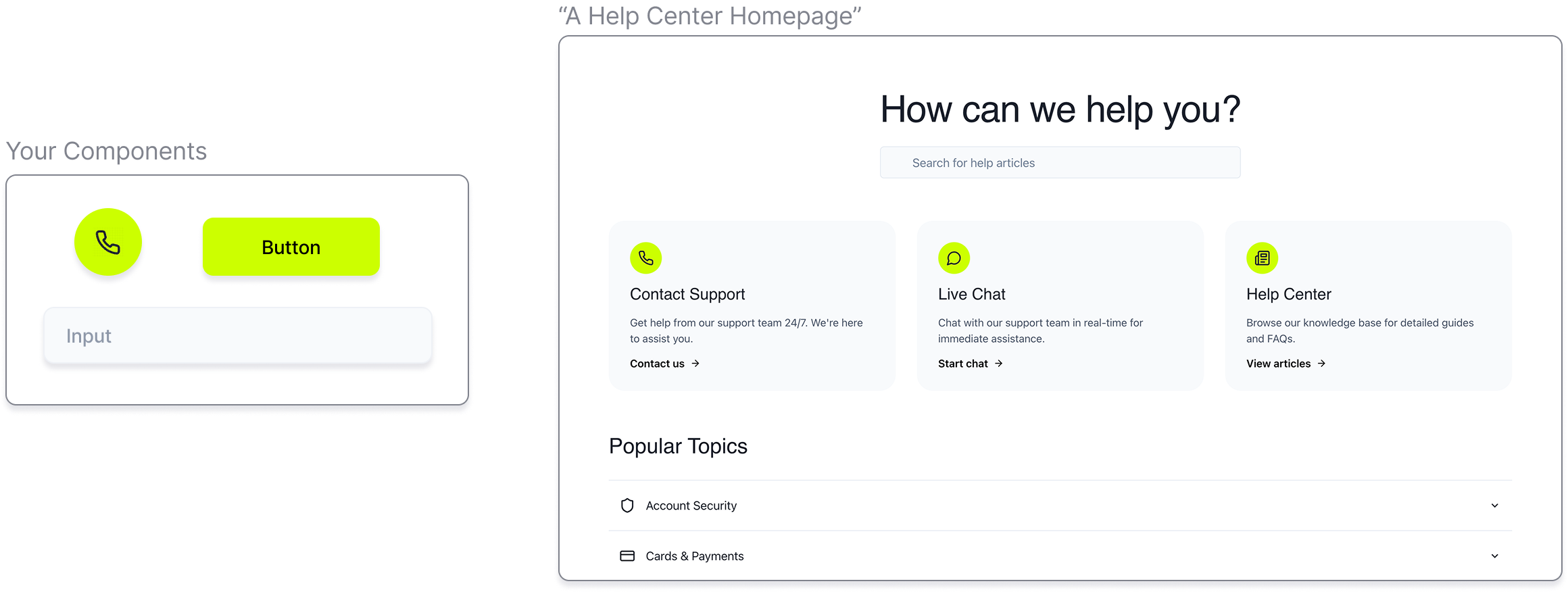
Magic Patterns is a strong example of that distinction. It is built around AI prototyping, design-system-aware outputs, and faster early exploration for product teams. That makes it very relevant for founders, PMs, designers, and software teams. It also makes it the wrong category for marketers who just want social graphics or product image cleanup.
On the surface, “AI design” makes all of these tools sound related. In practice, Magic Patterns belongs in a narrower lane. That is not a weakness. It is actually a good sign. If prototype speed is what matters, Magic Patterns is a much cleaner starting point than a general visual tool. If that is your bottleneck, Explore Magic Patterns.
Step 5: Decide whether breadth is a benefit or a distraction
Some people genuinely need a specialist tool. Others need fewer tabs open.
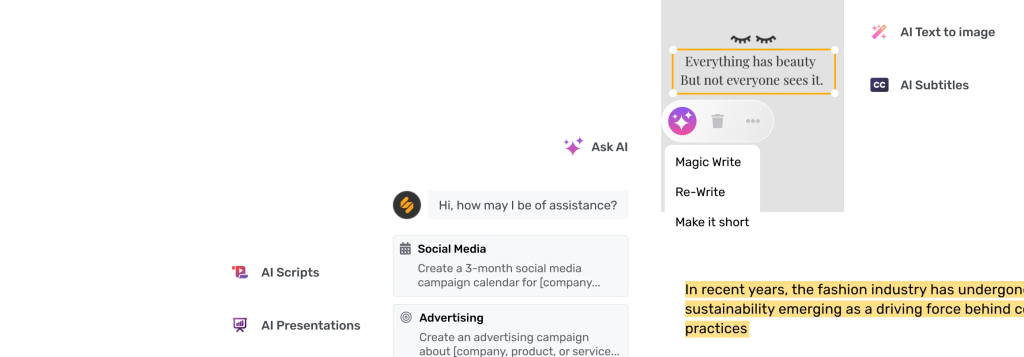
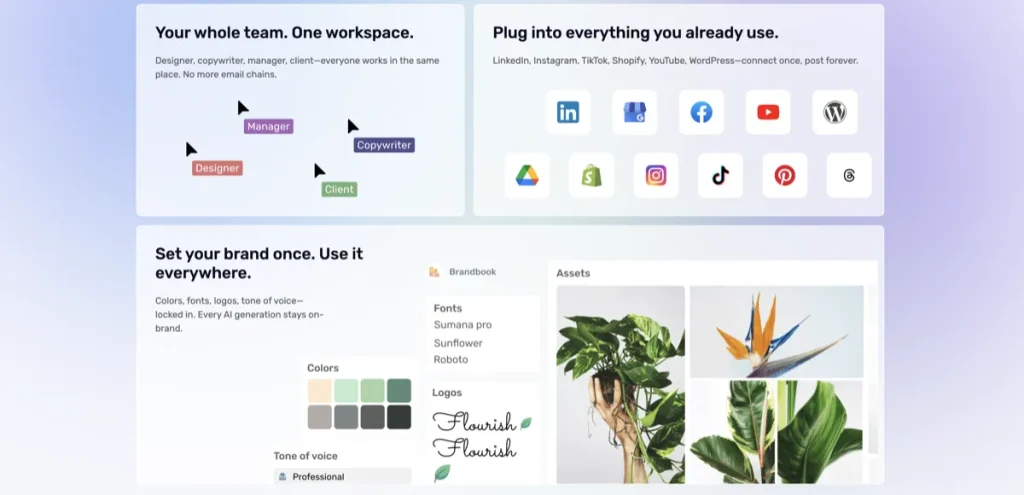
This is where all-in-one platforms like Simplified come in. Simplified combines AI design, writing, video, collaboration, and social workflow features in one product. That sounds appealing because it is. But it is also where buyers can confuse convenience with depth.
The better question is whether your daily work actually crosses those functions. If your team designs posts, writes copy, resizes graphics, schedules social content, and occasionally creates video in the same workflow, then breadth is a real advantage. If you only need one precise task solved well, broad platforms can become unnecessary overhead.
Simplified is strongest when the problem is workflow fragmentation, not when you need the most advanced niche tool in one category. That is a subtle difference, but it matters. For neutral context, see Simplified. If all-in-one matters more than specialist depth, Check Simplified.
A practical framework for comparing AI design tools
Once you know the category, compare tools using a framework that reflects actual work.
- Starting asset: do you begin with an existing image, a product photo, a prompt, or a product idea?
- Output type: do you need a cleaned image, a retail-ready visual, a generated concept, or a prototype?
- Frequency: is this a daily workflow or an occasional task?
- Team shape: are you a solo creator, marketer, seller, or product team?
- Control vs speed: do you need detailed steering, or just fast usable output?
- Workflow breadth: do you need one specialized function or a multi-format content stack?
- Onboarding friction: will the team actually adopt it, or will it become shelfware?
If a tool scores well only on “looks impressive in demos,” that is not enough. The tools people keep are rarely the most exciting ones. They are the ones that remove the most repeated friction.
What to look at on a pricing page before you decide
Pricing is not just about the number. It tells you what kind of user the tool is built for.
- Free plan vs free trial: a free plan is good for gradual adoption; a free trial is better if you already know the job to test.
- Credit-based usage: this can be fine for occasional work, but it is easy to underestimate if usage becomes frequent.
- Team logic: look for whether collaboration is built in or treated as an add-on.
- Workflow alignment: cheap is not useful if you need features that only appear at higher tiers.
This is also where generic comparisons fall apart. A tool can look inexpensive until you realize your workflow is much more image-heavy, team-based, or volume-driven than the default plan assumes.
Who should skip which type of AI design tool?
- Skip editing-first tools if your real issue is generating new creative concepts from scratch.
- Skip ecommerce-focused tools if you only edit a few visuals a week and do not operate a product image workflow.
- Skip image generators if you already know your job is cleanup, consistency, and speed on existing assets.
- Skip UI prototyping tools if you are not working on screens, features, or product ideas.
- Skip all-in-one suites if your workflow is simple enough that one specialist tool already solves the main bottleneck.
That may sound stricter than most buying guides. Good. It should be. A useful recommendation should also give you permission to skip categories that do not fit.
The most common mistake when choosing an AI design tool
The mistake many people make is treating output quality as the whole decision. Output matters, obviously. But in this category, the real difference often shows up in how quickly you can get from bottleneck to usable result.
An image generator may create a beautiful concept and still be the wrong purchase if your team spends most of its time cleaning product shots. A broad content suite may sound efficient and still be the wrong fit if you only need a reliable product-photo workflow. A UI prototyping tool may feel exciting and still be irrelevant if your work never touches software screens.
This sounds good on paper, but daily workflow reality is usually less glamorous than the landing page. That is where better decisions are made.
Best-fit summary
- Start with Pixelcut if your workflow is editing-first and you work from existing visuals.
- Start with Claid AI if ecommerce product imagery is the real job.
- Start with Magic Patterns if your design work is really product prototyping.
- Start with Simplified if too many tools are slowing down content operations.
- Start with Aitubo if you want lower-friction experimentation around generation plus editing.
The softer human verdict is this: the best AI design tool is usually the one that fits the narrowest repeated problem in your workflow. Not the one with the longest feature page.
FAQ
What is the first question to ask before choosing an AI design tool?
Ask what kind of asset you usually start with. If you begin with an existing image, you probably need editing. If you begin with a blank idea, you may need generation. If you begin with product images or screen ideas, the category changes again.
Are AI image generators and AI design tools the same thing?
No. Some AI design tools are really image generators, but others focus on editing, ecommerce visuals, prototyping, or broader content workflows. Treating them as the same category usually leads to the wrong purchase.
Should I choose an all-in-one platform or a specialist tool?
Choose an all-in-one platform when your workflow genuinely spans design, copy, social, and lightweight video. Choose a specialist tool when one repeated bottleneck matters more than everything else.
How do I know if I need an ecommerce-focused AI design tool?
If your job revolves around product photography, listing visuals, catalog consistency, or retail-ready outputs, you are closer to an ecommerce visual workflow than a general editing workflow.
When should I choose a UI prototyping tool instead of a visual design tool?
Choose a UI prototyping tool when your real work is about screens, flows, features, and product exploration. If you mainly need social graphics, product images, or ad visuals, that is a different category.
Still comparing paths? Go next to Best AI Tools for Background Removal and Image Cleanup if you are leaning editing-first, or Best AI Tools for UI Mockups and Prototyping if your work is product-focused.
PromoCodeRadar helps users find cleaner coupon codes, official deals, annual billing savings, free trials, and better ways to save on software, AI tools, and online services.
If you found a broken code or outdated listing, contact us at contact@promocoderadar.com.