
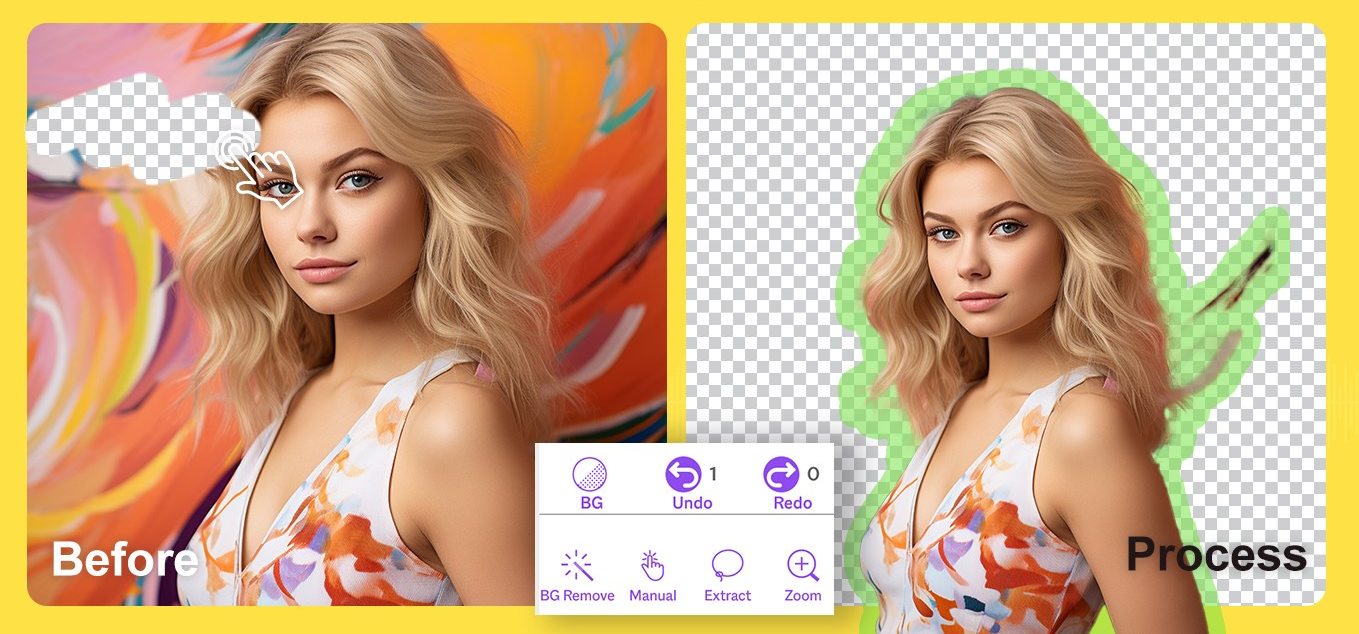
Best AI Tools for Background Removal and Cleanup
If you are looking for the best AI tools for background removal and image cleanup, the real challenge is not finding tools that can remove a background. Almost all of them can do that now. The harder part is figuring out what kind of cleanup workflow you actually need.
Table of Contents
Some tools are best when you want fast cutouts, quick retouching, simple shadows, and better-looking assets from images you already have. Some are better when the cleanup job sits inside a product-photo workflow and the goal is more polished commercial output. Others are broader creative platforms that still make sense if you want background removal plus image editing and experimentation in one place.

That is the lens for this roundup. It is not a generic “best background remover” list. It is a workflow-first guide to tools that help you clean, isolate, improve, and polish images quickly. If you want the wider category first, start with the AI Design hub. If you want the broader shortlist, go to Best AI Design Tools.
Quick verdict: the best AI tools for background removal and image cleanup
- Best overall for quick cleanup: Pixelcut
- Best for product-photo polish: Claid AI
- Best for free-friendly experimentation: Aitubo
If I had to simplify the decision, I would put it this way: choose Pixelcut if your work is editing-first and you want the fastest path from messy image to usable asset, Claid AI if cleanup is part of a more serious ecommerce product-image workflow, and Aitubo if you want a broader image-plus-editing sandbox with lower-friction testing.
What counts as image cleanup in practice?
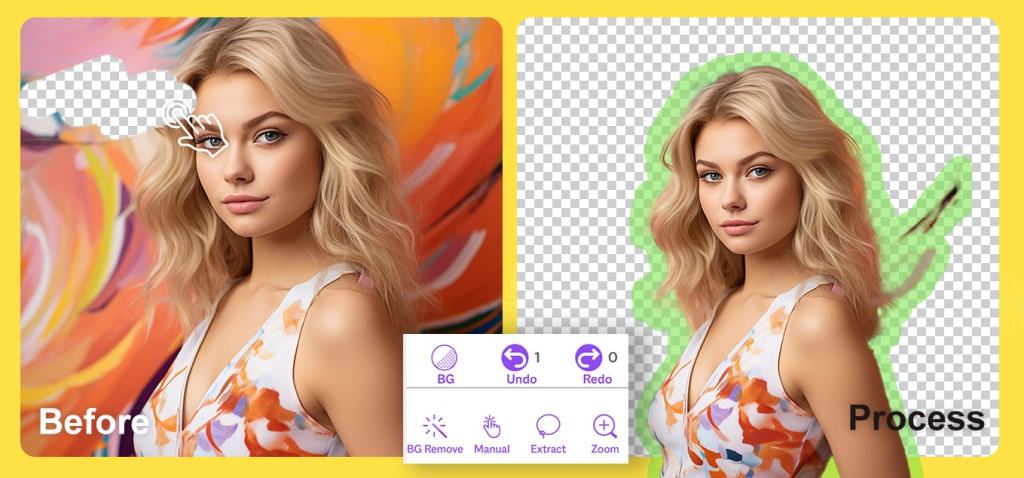
In this category, cleanup usually means more than just deleting a background. It often includes:
- removing or replacing backgrounds
- cleaning up edges around products or people
- upscaling low-resolution images
- fixing lighting, color, or clarity
- removing distractions or small unwanted objects
- adding shadows or simple polish so the result looks usable
- preparing images for listings, marketplaces, social posts, or ads
That sounds straightforward, but this is where buyers often choose the wrong tool category. A common pattern here is that someone buys a broad image generator because it looks impressive, when the real job is just cleaning up assets they already have. The reverse happens too. People buy a cleanup tool when they are really trying to generate brand-new visual concepts.
The better question is not “can this tool remove backgrounds?” The better question is “what kind of cleanup does this tool make easier every week?”
How I picked the tools in this roundup

- Cleanup-first usefulness: each tool had to make sense for real background removal or image cleanup work, not just have the feature buried somewhere.
- Current positioning: the official site still had to support cleanup, editing, or enhancement clearly.
- Workflow difference: I wanted one broad editing-first tool, one more product-photo-focused option, and one lower-friction experimentation pick.
- Commercial realism: the free entry, trial path, or plan logic had to make sense for testing the workflow.
- Cluster discipline: I kept this page distinct from ecommerce product-image pages and from broader image-generation roundups.
That last part matters. Background removal and image cleanup sound broad, but the page gets worse if you stuff it with tools that do not actually solve repeated cleanup work well.
1) Pixelcut — best overall for background removal and quick cleanup
Pixelcut is the cleanest overall recommendation here because it sits right where most users need help: fast background removal, quick polish, straightforward edits, and repeated image cleanup without much friction. That is what makes it easy to recommend first.

Pixelcut, now under the broader Pixa brand, is still strongest when your workflow starts with an existing image. Product photo. Portrait. Marketplace listing. Thumbnail. Social creative. The real appeal is not that it does one dramatic thing. It is that it handles common cleanup tasks quickly enough to stay useful day to day.
- Best for: creators, small shops, resellers, marketers, and ecommerce operators who need everyday cleanup on existing visuals
- Why it stands out: fast background removal, shadows, upscale, retouching, and batch editing all sit inside a workflow that is easy to understand
- What it does especially well: quick cleanup, isolated product images, simple polish, and repeated edits across many files
- What to watch: if your main need is a more specialized product-photo system, Pixelcut can feel broader than necessary
- Who should skip it: teams whose real bottleneck is ecommerce image consistency at scale rather than broad cleanup speed
The real difference shows up when cleanup is frequent. Pixelcut is one of those tools that can sound less exciting than a generator-heavy platform, but it keeps earning its place because the workflow is obvious. Upload, remove the background, fix what needs fixing, export, move on.
For neutral brand context, see Pixelcut. If quick cleanup is the main priority, Check Pixelcut.
Where Pixelcut wins
Pixelcut wins when the workflow is mixed. You are not only cleaning product images. You may also be fixing portraits, social visuals, thumbnails, marketplace photos, and other existing assets. That kind of breadth makes it more practical than a narrower product-photo specialist for many users.
2) Claid AI — best for product-photo cleanup and polish
Claid AI ranks second here because it is not really the broadest cleanup tool. It is the strongest specialist when cleanup sits inside a product-photo workflow. That difference matters.
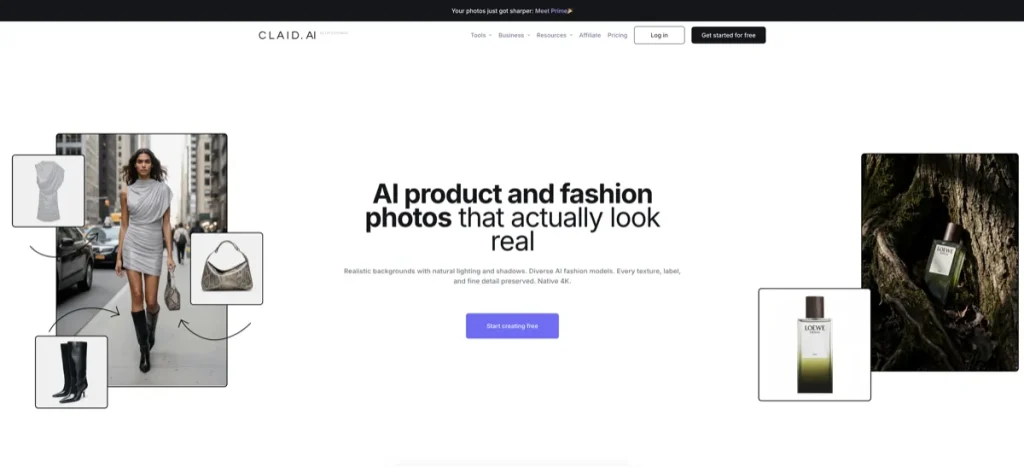
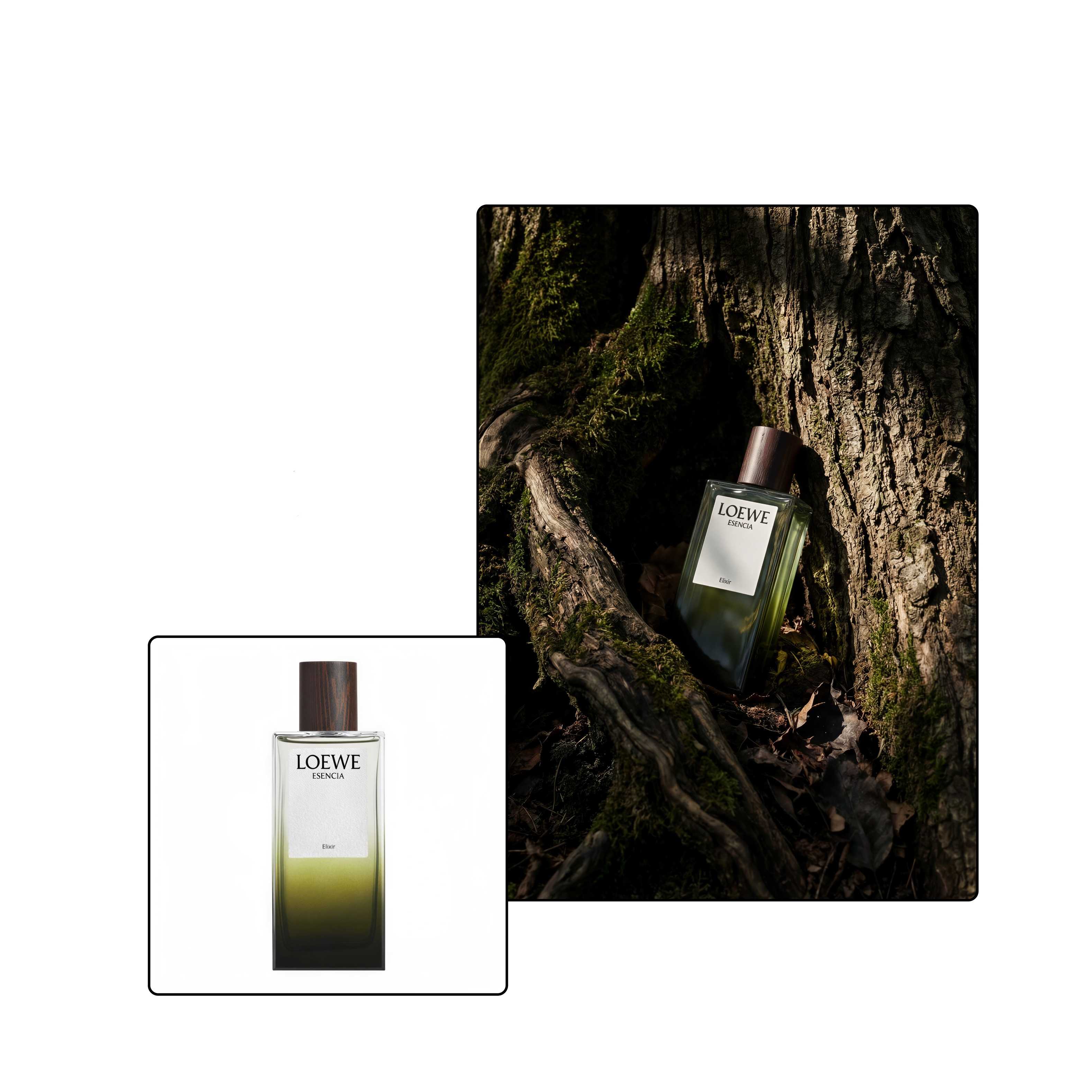
Claid’s background removal, enhancement, upscale, and background generation all make more sense once you see the product as a commerce image system rather than just an editor. It is built around product imagery, cleaner edges, better detail retention, custom backgrounds, and more polished retail-ready results.
- Best for: ecommerce brands, marketplaces, product marketers, and sellers who want product images to look more polished and consistent
- Why it stands out: cleanup is tied to stronger commercial output, not treated like a stand-alone utility
- What it does especially well: preserving product edges, improving image quality, building cleaner backgrounds, and producing more listing-friendly results
- What to watch: it is more specialized than many casual users need
- Who should skip it: users who mainly want quick cutouts and basic visual cleanup across mixed kinds of assets
What makes me cautious with tools like this is how often people buy them before the workflow is actually there. Claid is best when the cleanup job is serious enough to justify a dedicated product-image path. If you only clean a few images a week, Pixelcut may still be the simpler fit.
For neutral brand context, see Claid AI. If product-photo cleanup is the real bottleneck, Open Claid AI.
Where Claid beats Pixelcut
Claid beats Pixelcut when your cleanup task is not really about cleanup alone. It is about getting closer to a finished commercial image. That is the narrowing move that matters. If the final standard is marketplace- or catalog-ready product photography, Claid’s specialization becomes more attractive.
3) Aitubo — best for lower-friction cleanup plus experimentation
Aitubo is the most flexible, lowest-pressure inclusion in this roundup. It is not the sharpest specialist here, but it earns a place because it combines background removal, image editing, upscaling, and broader creative tools in a way that is easy to try.
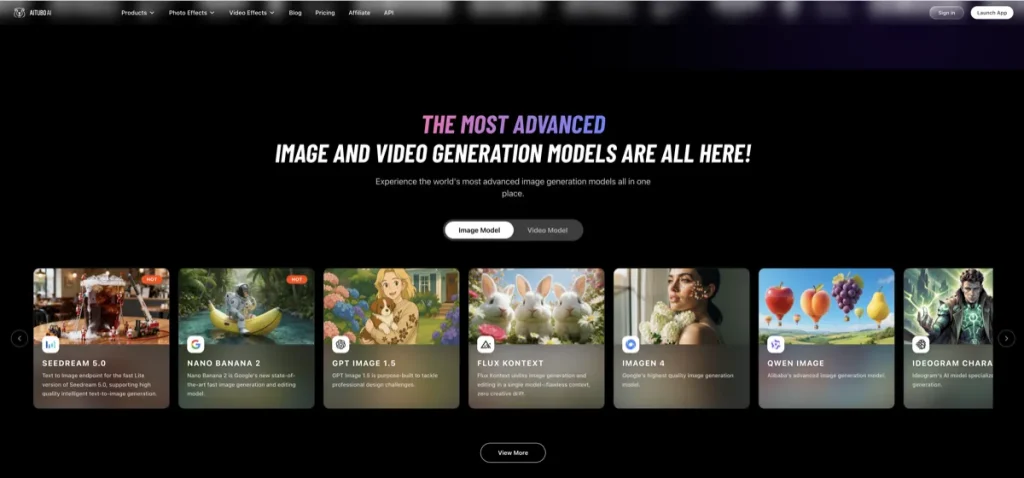
The expectation-vs-reality turn is useful here. Aitubo can look like a broad AI playground at first glance. Sometimes that is a weakness. Sometimes it is exactly the point. If you are still figuring out whether you need simple cleanup, light enhancement, or broader image experimentation, Aitubo gives you room to test without locking into a narrower workflow too early.
- Best for: solo creators, early-stage marketers, and users who want cleanup plus broader creative flexibility
- Why it stands out: it combines image editing, background removal, upscaling, and generation-friendly features inside a more accessible starting point
- What it does especially well: lightweight cleanup, experimentation, and moving between editing and broader image tasks without changing tools
- What to watch: broad platforms can feel less disciplined when your workflow is already clear and professionalized
- Who should skip it: teams that need stronger product-photo polish or the fastest dedicated cleanup path
Aitubo is not the strongest recommendation if you already know exactly what you need. It is one of the better choices if you do not. For neutral context, see Aitubo. If cleanup plus experimentation is the appeal, See Aitubo.
How to choose between these three tools
- Choose Pixelcut if you want the best overall cleanup tool for mixed image-editing work.
- Choose Claid AI if your cleanup workflow is tightly tied to ecommerce product imagery.
- Choose Aitubo if you want a more flexible, lower-friction platform that combines cleanup with broader experimentation.
If I were trimming the noise, that is the framework I would keep in front of me. The best tool here is not the one with the longest feature page. It is the one that removes the most repeated friction from the kind of images you actually work with.
What most buyers get wrong with background removal tools
The mistake many people make is judging these tools on the cutout alone. That is part of the job, but rarely the whole job.
The real question is what happens after the background disappears. Do you still need shadows, cleanup, edge fixes, upscaling, background replacement, object removal, or a more polished final image? That is where the workflow starts to separate. Pixelcut usually wins on broad cleanup speed. Claid usually wins when the result needs to feel more commerce-ready. Aitubo wins when you want room to test and combine cleanup with other image tasks.
This is one of those categories where the tool can sound more useful than it feels, depending on how often you actually use it. Frequency matters. Cleanup tools earn their place when they keep saving time after the first week.
Who should skip this category?
You should probably skip this category for now if your real need is not cleanup, but fresh visual generation from scratch. In that case, the better next read is Best AI Image Generators for Marketing Visuals.
You should also skip this page if your workflow is much more about ecommerce product imagery than mixed cleanup. In that case, go next to Best AI Design Tools for Ecommerce Product Images. And if your work is actually UI exploration or product prototyping, this is the wrong category altogether.
Best-fit summary
- Best overall for background removal and cleanup: Pixelcut
- Best for product-photo polish: Claid AI
- Best for cleanup plus experimentation: Aitubo
The softer human verdict is this: Pixelcut is the easiest broad recommendation because it fits more mixed cleanup workflows. Claid AI is the better specialist if product-image polish is the real job. Aitubo only wins when flexibility and low-friction testing matter more than specialist depth.
If you want the cleaner next step for broad image cleanup, See Pixelcut. If product-photo polish is the priority, See current options for Claid AI. If you want a more flexible cleanup-and-editing platform, Open Aitubo.
FAQ
What is the best AI tool for background removal?
For most mixed cleanup workflows, Pixelcut is the best overall fit because it combines fast background removal with useful cleanup features like upscaling, retouching, shadows, and batch edits. Claid AI is stronger when the workflow is more product-photo-specific.
Is Claid AI better than Pixelcut for cleanup?
Only if cleanup is tied to a stronger ecommerce product-image workflow. For broader editing and fast mixed-use cleanup, Pixelcut is usually the easier recommendation.
Can Aitubo remove backgrounds and clean up images?
Yes. Aitubo includes background removal, image editing, and upscaling, which makes it useful for lighter cleanup work and broader experimentation.
What should I read next after this page?
If your work is mostly ecommerce imagery, read Best AI Design Tools for Ecommerce Product Images. If you need generation instead of cleanup, read Best AI Image Generators for Marketing Visuals.
When should I skip a cleanup tool and choose a generator instead?
You should choose a generator instead when the visual does not exist yet and the real job is concept creation, ad ideation, or new image generation. Cleanup tools are best when you already have an image and need to improve it quickly.
Still comparing categories? Go next to Best AI Design Tools for Ecommerce Product Images or back to Best AI Design Tools.
PromoCodeRadar helps users find cleaner coupon codes, official deals, annual billing savings, free trials, and better ways to save on software, AI tools, and online services.
If you found a broken code or outdated listing, contact us at contact@promocoderadar.com.