
AI & Software → AI Productivity
The best AI tools for slide and doc productivity are the ones that shorten the path from rough notes to polished output. That usually means less time staring at a blank document, less time turning a draft into a deck, and less friction getting ideas out of your head in the first place.
Table of Contents
If you are searching for best AI tools for slide and doc productivity, the real question is not just which tool can generate text or build slides. It is which tool helps you move through the full workflow with less drag: capture → draft → refine → present.
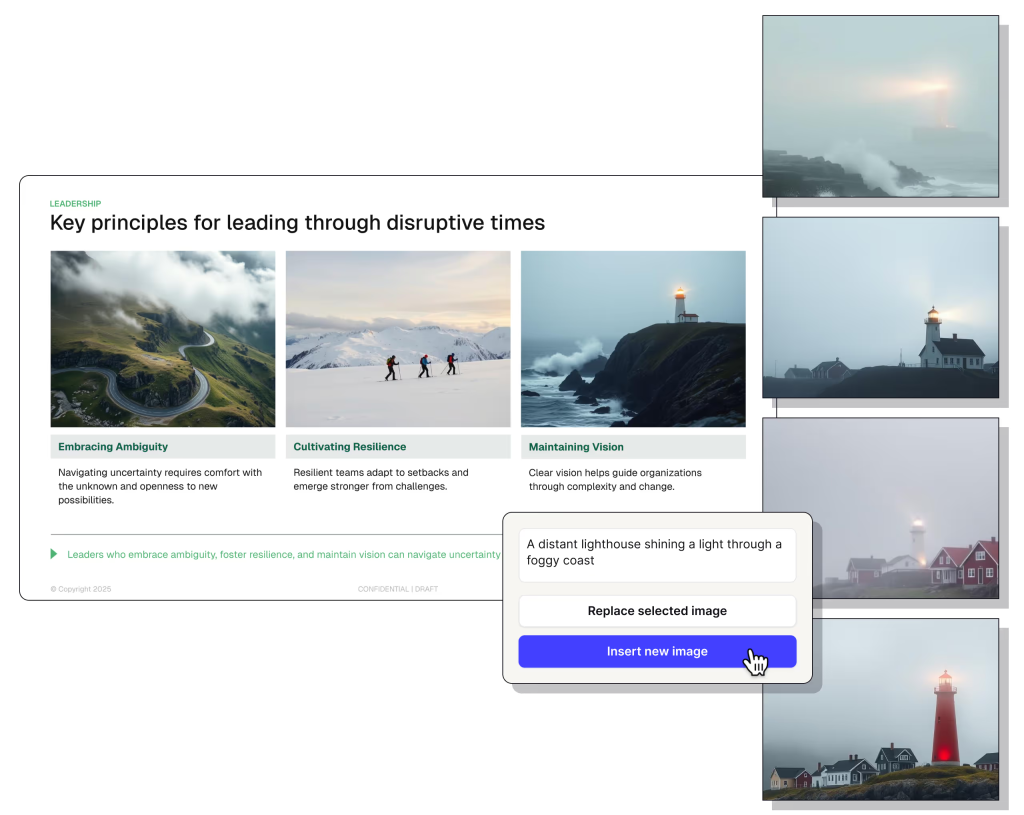
This category sounds broader than it really is. Some tools help you write faster. Some help you turn documents into slides. Some do not create the output directly, but make the desktop side of the workflow smoother enough that you spend less energy switching, searching, and reorganizing while you work.
That is the logic behind this shortlist. Plus AI is the strongest direct fit for turning ideas and documents into presentations. Wispr Flow is the strongest fit when the bottleneck is getting words out quickly enough to shape the draft. Raycast is the best adjacent desktop-side layer when the pain is not generation itself, but the friction around moving through the work.
If you want the broader cluster view first, go to Best AI Productivity Tools. If your work is more generally information-heavy, read Best AI Productivity Tools for Knowledge Workers. If you want the wider decision framework, use How to Choose an AI Productivity Tool.
Quick picks
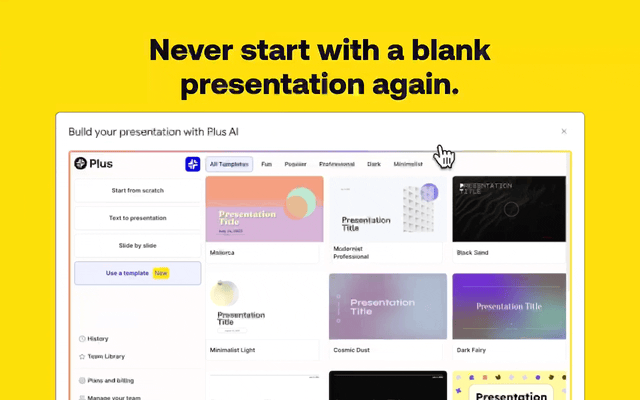
- Best overall for turning notes and docs into presentations: Plus AI
- Best for faster drafting and voice-first document creation: Wispr Flow
- Best adjacent desktop layer for document productivity: Raycast
The short version: choose Plus AI if your bottleneck is slide creation, choose Wispr Flow if your bottleneck is writing speed, and choose Raycast if your bottleneck is the desktop friction around documents, snippets, notes, and workflow movement.
What slide and doc productivity tools are actually for
A lot of people land in this category because they feel blocked by the blank page or the blank deck. But there are usually three different problems hiding underneath that feeling.
- Input friction: getting rough ideas, notes, or first drafts out quickly enough.
- Formatting friction: turning messy raw text into something that looks presentable.
- Workflow friction: moving between capture, drafting, editing, and presentation without losing momentum.
The mistake is assuming one tool has to solve all three equally well. Usually it does not. A slide generator is not automatically a better writing tool. A voice dictation app is not automatically a better presentation builder. A launcher is not automatically a slide creator. But each can still be the right tool for a different part of the same note-to-doc-to-deck chain.
The better question is not “which one has more AI?” It is “where does this workflow keep slowing down?” That is the question that makes the shortlist more useful.
How to choose an AI tool for slide and doc productivity
Use this faster framework before you choose:
- You already have notes or a rough document and need to turn it into a deck: start with Plus AI.
- You know what you want to say but typing is the bottleneck: start with Wispr Flow.
- You already write plenty, but the desktop side of the workflow feels slower than it should: start with Raycast.
This sounds simple, but it is where a lot of buyers go wrong. They choose a slide tool when the real pain is drafting. Or they choose a drafting tool when the real pain is turning material into a polished presentation. Or they choose a general productivity layer when what they really want is a more direct creation tool.
The better question is not “which tool looks smartest?” It is “which step in the note → doc → slide chain is still too manual?”
Best AI tools for slide and doc productivity by workflow fit
These are the mapped tools I would shortlist first, with the fit kept honest instead of forcing them into the same lane.
1) Plus AI — best overall for slide creation and doc-to-deck work
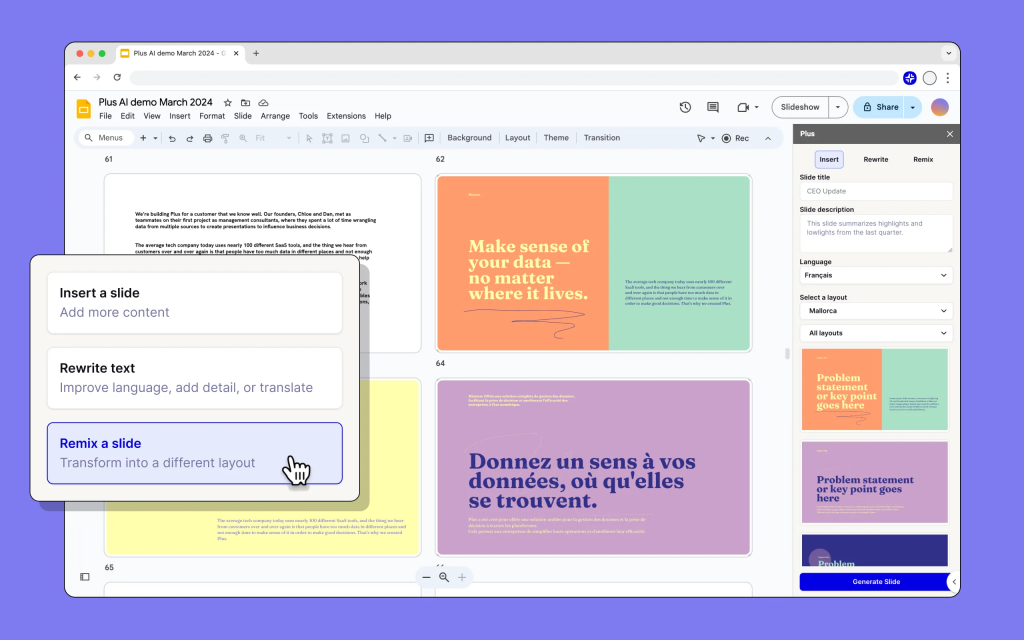
Plus AI is the clearest primary fit on this page because it works directly inside Google Slides and PowerPoint instead of asking you to generate content in one place and rebuild it manually somewhere else. That matters more than it sounds. A lot of AI slide tools save time on ideation, then give some of that time back through formatting cleanup or export friction.
Best for: consultants, marketers, founders, sales teams, educators, and anyone who repeatedly turns notes, docs, or raw ideas into presentation-ready decks.
Why it stands out: it sits closest to the final output. Plus AI is strong when the expensive part of the workflow is not writing the first sentence. It is shaping the deck, designing the slides, and getting the presentation into a usable form without starting from zero. The fact that it runs natively in Slides and PowerPoint is a real advantage here, not just a feature bullet.

Who should skip it: people who rarely make decks, or people whose main pain is drafting itself rather than presentation work. Plus AI is very good when presentations are a repeated job. It is much easier to overbuy when decks are only an occasional task.
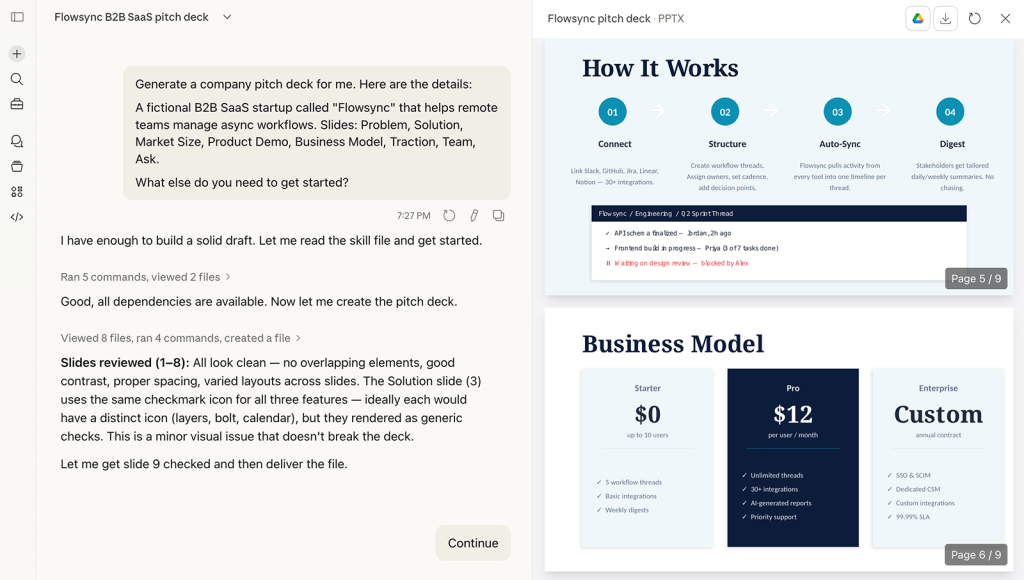
It also helps that Plus AI has a fairly clear value story. The free trial is enough to test whether the workflow actually fits, and the product’s team features make more sense when presentation creation is something a group repeats, not just a solo one-off task. That is where this starts to feel like a workflow tool rather than a novelty generator.
2) Wispr Flow — best for faster drafting and doc productivity through voice
Wispr Flow solves a different bottleneck. It is not trying to build the slides for you. It is trying to remove the friction between what you are thinking and what actually gets onto the page. For a lot of document-heavy work, that matters more than people expect. The blank page problem is often not a lack of ideas. It is a lack of speed between idea and draft.
Best for: writers, operators, founders, consultants, researchers, and anyone who thinks faster than they type and wants rough docs or internal drafts out more quickly.
Why it stands out: it attacks input friction directly. Voice dictation sounds like a small optimization until you hit the point where email drafts, notes, outlines, and first-pass documents keep bottlenecking on typing speed. That is where Wispr Flow starts to make sense. The cross-device support and broad language coverage also make it easier to fit into modern writing habits than older dictation tools typically do.
Who should skip it: people whose real pain is formatting or deck creation, not drafting. Wispr helps when the document does not exist yet or exists only as scattered ideas. It is much less relevant if the problem is turning an already decent doc into a polished presentation.
This is one of those tools that can sound narrower than it actually is. The strongest case for Wispr is not “voice instead of typing” in the abstract. It is “faster first drafts across docs, email, chat, and notes without breaking flow.”
3) Raycast — best adjacent desktop layer for document workflows
Raycast is the least direct fit on this page, and that is worth saying plainly. It is not a slide maker and it is not a voice drafting tool. But it still deserves a place here because a lot of document productivity is lost in the spaces around the document: searching, switching, reusing snippets, triggering actions, finding files, and keeping the desktop side of the workflow tight enough that writing and editing feel smoother.
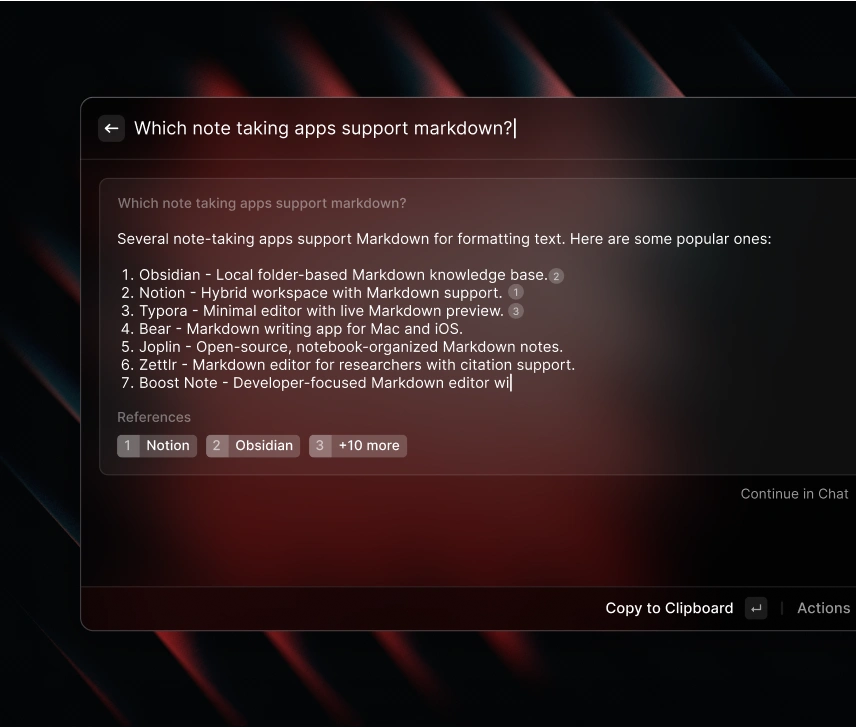
Best for: Mac-first and desktop-heavy users who write or edit a lot and want a faster launcher layer with AI, notes, and command-driven workflow support around document creation.
Why it stands out: it reduces workflow drag around the output rather than generating the output itself. That is easy to underestimate. A faster launcher, reusable snippets, note access, and AI inside the OS can matter more than another text generator if your actual pain is all the micro-switching around the writing process.
Who should skip it: people looking for a direct document-to-slide or voice-drafting solution. Raycast is an adjacent pick. A good one. But still adjacent. If your problem is literally “I need a deck from this doc,” Plus AI is the clearer answer. If your problem is “I need to get this draft out of my head faster,” Wispr is the clearer answer.
Raycast earns its place when you already know the desktop is the bottleneck. Not because it is the broadest tool on the list. Because it is the one that makes the surrounding workflow feel less wasteful.
When these tools actually save time
The category saves time when one of these is true:
- You repeatedly turn raw notes into decks and waste too much time on formatting and structure.
- You repeatedly know what to say but lose momentum because drafting is slower than your thinking.
- You repeatedly lose time in the desktop workflow surrounding writing and editing rather than in the content itself.
What usually fails is the opposite pattern. People buy a slide maker when decks are only occasional. They buy a voice tool when they actually dislike revising more than drafting. They buy a general launcher when the real issue is not desktop friction at all, but document structure or design.
The anti-hype version is simple: these tools save time when they remove one repeated drag. They do not save time just because they have AI somewhere in the product.
Who should skip these tools, or at least buy more slowly
- Skip or slow down if presentations are rare and docs are simple enough already.
- Skip or slow down if you still cannot tell whether the bottleneck is drafting, formatting, or workflow movement.
- Skip or slow down if you want one tool to be voice drafting app, doc editor, slide designer, and desktop shell all at once.
- Skip or slow down if you are mostly attracted to AI convenience rather than a repeated note-to-doc or doc-to-slide pain.
I would not call that a reason to avoid the category. I would call it a reason to be more precise. The strongest tool here is usually the one that solves the exact step you repeat most, not the one that sounds most flexible.
Practical limitations to keep in mind
- Plus AI is strongest when slides matter often. It is easier to justify when decks are recurring work, not occasional output.
- Wispr Flow helps most at the draft stage. It will not replace the need for editing, structuring, or presentation design judgment.
- Raycast is an adjacent productivity layer. It improves the environment around doc work more than the doc itself.
- None of these tools replaces clear thinking. They reduce friction. They do not automatically produce a good argument, a good memo, or a good deck.
The better question is not “which one does the most?” It is “which one removes the most expensive friction in my note → doc → slide workflow?” That is usually where the answer gets much clearer.
Fit summary: where I would start
- Start with Plus AI if the expensive job is turning material into polished slides.
- Start with Wispr Flow if the expensive job is getting drafts out fast enough.
- Start with Raycast if the expensive job is all the switching, searching, and workflow clutter around document work.
That is the honest shape of the decision. There is no universal winner here. There is only the best fit for the stage of the workflow that keeps slowing down.
Best next step
If your workflow ends in slides often, Plus AI is the strongest first click. If your friction starts earlier at the draft stage, Wispr Flow is the better place to begin. If you already create enough documents but the desktop side still feels messy, Raycast is the cleaner adjacent layer.
FAQ
What is the best AI tool for slide and doc productivity?
There is not one universal answer. Plus AI is the strongest fit for turning notes or docs into presentations, Wispr Flow is better for faster drafting, and Raycast is better as a desktop-side productivity layer around document work.
Should I choose a slide maker or a drafting tool first?
Choose a slide maker if your main pain is turning material into a presentable deck. Choose a drafting tool if your main pain is getting the first usable version of the document out fast enough.
Is Plus AI better than ChatGPT for slides?
It can be a better workflow fit when you want editable slides directly inside Google Slides or PowerPoint rather than raw slide text you still have to rebuild manually.
Who should use Wispr Flow for document work?
People who think faster than they type, especially writers, founders, operators, and note-heavy users who need rough drafts, internal docs, or messages out with less input friction.
Why is Raycast included in a slide and doc productivity list?
Because some document productivity losses happen around the document rather than inside it. Raycast helps when desktop switching, command friction, snippets, notes, and workflow movement are slowing the process down.
When should I skip these tools for now?
Skip or slow down when slides are rare, drafting is not actually painful, or you still cannot tell whether the real problem is input, formatting, or workflow clutter. Buying by category label alone usually leads to the wrong fit.