
The best AI productivity tools for knowledge workers are the ones that help you move through information with less drag. That usually means reading faster, summarizing better, finding what matters sooner, and turning raw input into something usable without losing the thread.
Table of Contents
If your day is built around documents, tabs, notes, drafts, recordings, PDFs, slides, and constant context switching, this category can help. It can also get messy fast. A lot of tools sound helpful because they do a little bit of everything. The better question is narrower: which part of knowledge work is actually slowing you down right now?
That is the frame for this shortlist. I am not ranking tools by AI hype or by how many models they mention on the homepage. I am ranking them by workflow fit for people who read, write, summarize, research, and manage information all day. If you want the broader cluster view first, open the AI Productivity hub. If you want the wider category shortlist, go to Best AI Productivity Tools.
Quick picks
- Best overall for research-heavy knowledge work: Mindgrasp
- Best for desktop-heavy knowledge workers: Raycast
- Best for browser-side reading and summarizing: Merlin AI
- Best for saved research and reusable browsing context: Sider AI
- Best for active learning from source material: YouLearn AI
- Best for faster drafting without more typing: Wispr Flow
What knowledge workers actually need from an AI productivity tool
Knowledge work is not one job, but it usually has the same kinds of friction.
- Too much input and not enough clean synthesis
- Too much reading without a reliable way to extract what matters
- Too much switching between notes, tabs, files, and drafts
- Too much time spent turning raw material into usable outputs
- Too many moments where you know the answer is “somewhere” but cannot surface it quickly
This is where many AI tool roundups miss the point. They treat knowledge workers like generic office users. But people who spend most of the day handling information need something more specific. They need tools that reduce information friction, not just tools that generate text.
The real difference shows up when the tool helps you move from input → understanding → output with less wasted motion. That is why the shortlist here looks a little different from a generic productivity page.
How I picked the best AI productivity tools for knowledge workers
I used a simple filter for this list:
- It had to fit information-heavy work. Not every productivity tool belongs here.
- It had to solve a real bottleneck. Reading, summarizing, drafting, finding, or structuring information.
- It had to feel distinct. I did not include tools that end up doing the same job with a different logo.
- It had to be believable in daily use. A good landing page is not enough. The workflow role has to be clear.
- It had to earn its place for a knowledge worker specifically. Not a sales rep, not a support team, not a meeting-heavy manager by default.
That last point matters. Some tools in the broader AI Productivity cluster are strong products, but they belong more naturally in inbox, team, CRM, or support workflows. This page is for people whose work mainly runs through information.
The strongest tool for knowledge workers is usually not the broadest one. It is the one that removes the most repeated information friction.
Best AI productivity tools for knowledge workers by workflow fit
These are the tools I would shortlist first if your job is built around reading, writing, summarizing, and managing knowledge.
1) Mindgrasp — best overall for research-heavy knowledge work
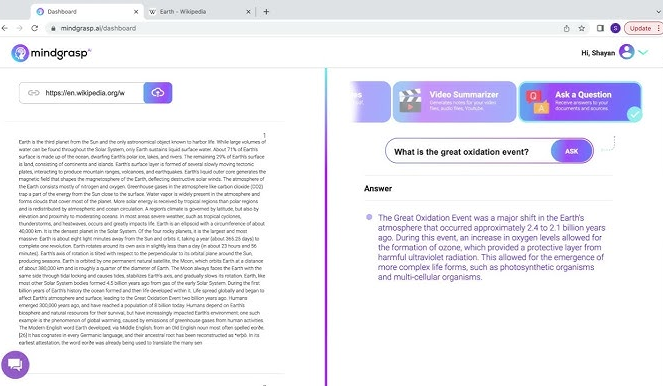
Mindgrasp makes the strongest case here when your work starts with long material and ends with usable understanding. It is built around turning lectures, readings, videos, links, slides, and uploaded content into notes, summaries, flashcards, quizzes, and AI-guided explanations. That makes it more focused than a general browser assistant and more practical than a generic chatbot.
Best for: researchers, analysts, consultants, students, educators, and knowledge workers who regularly digest long source material into usable takeaways.
Why it stands out: it is one of the clearest “input to understanding” tools in this cluster. It does not just help you ask questions. It helps structure the material around those questions.
Who should skip it: people whose bottleneck is speed across apps, quick browser convenience, or faster drafting. Mindgrasp is strongest when you are trying to learn and synthesize, not when you are trying to move faster through UI or communication layers.
2)Raycast — best for desktop-heavy knowledge workers
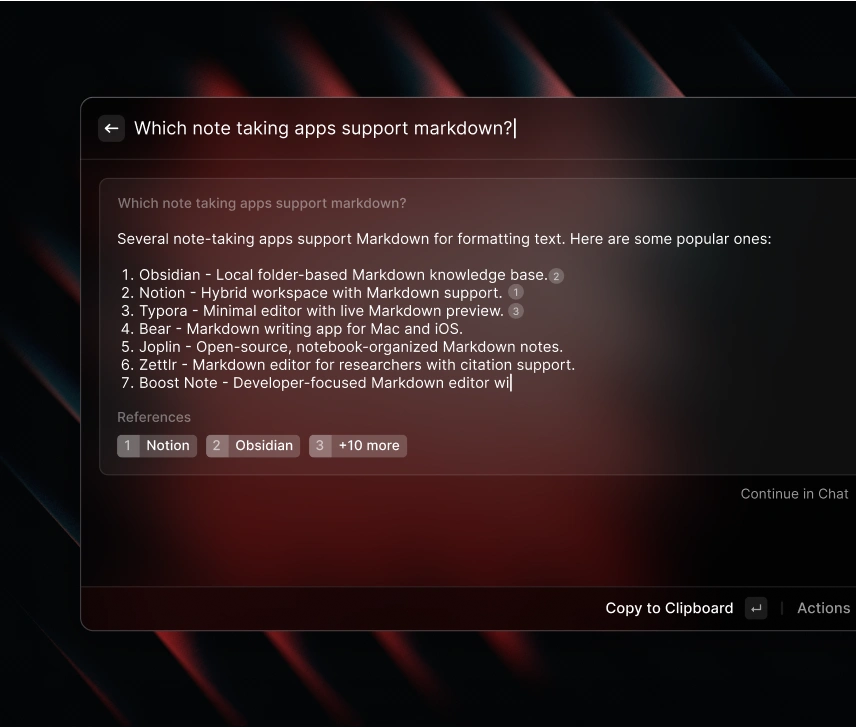
Raycast belongs here because not all knowledge work is about summarization. A lot of it is about moving faster through apps, files, snippets, commands, and context. If your day is heavy on switching, searching, capturing, and acting from the keyboard, Raycast can function like a productivity shell rather than a one-off assistant.
Best for: writers, editors, product people, operators, developers, and research-heavy users who work across many desktop apps and want AI inside a launcher, not just inside a browser tab.
Why it stands out: it helps knowledge workers reduce friction around the environment itself. That is easy to underestimate. A tool that helps you move through work faster can matter more than a tool that just generates better summaries.
Who should skip it: users who mostly live in Chrome tabs and do not naturally work in a launcher-driven way. Raycast is excellent when it fits. It is also easy to overrate if your workflow is mostly browser-first.
3) Merlin AI — best for browser-side reading, summarizing, and quick synthesis
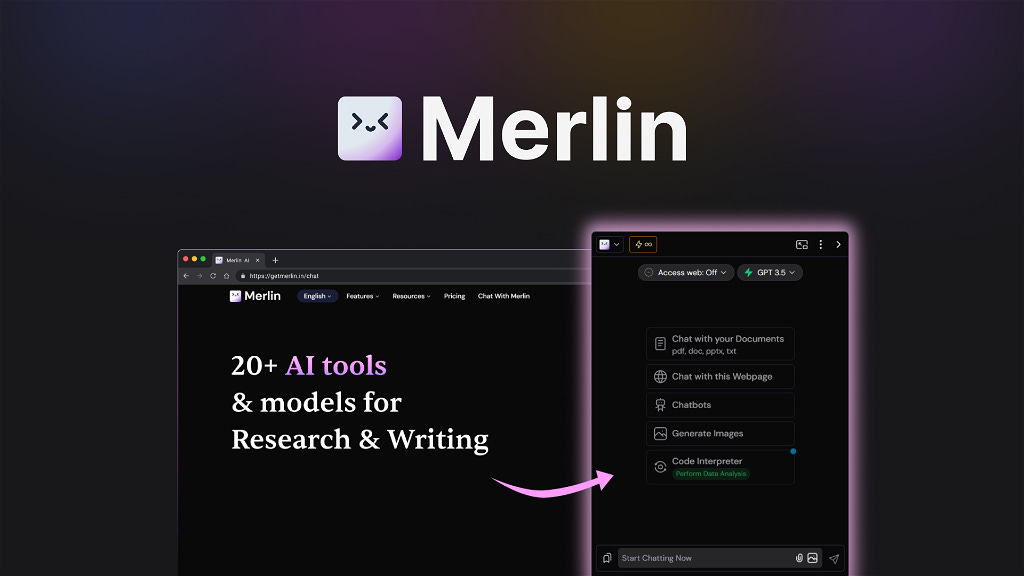
Merlin AI is one of the easier starting points for knowledge workers who do most of their work in the browser. It can summarize articles, websites, YouTube videos, and documents, answer questions about what you are reading, and provide quick writing help without forcing you into a separate system.
Best for: people who spend most of the day inside tabs and want a broad assistant layer for reading, questioning, summarizing, and drafting.
Why it stands out: low setup friction. It is the kind of tool you can start using quickly, which matters when your actual problem is not “I need a new system.” It is “I need a faster way to handle what I am already reading.”
Who should skip it: people who want more structure than a broad browser helper. Merlin is convenient. That is also its limit. Some users want a more reusable research layer instead of a wide assistant.
4) Sider AI — best for knowledge workers who want saved research, not just quick answers
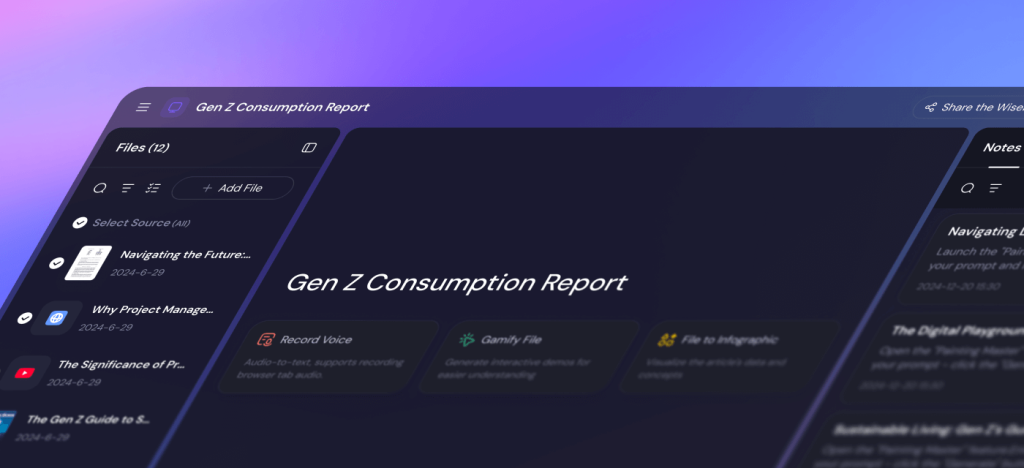
Sider AI overlaps with Merlin at first glance, but the better question is where it diverges. Sider is stronger when the browsing work needs to turn into something searchable and reusable later. Its Wisebase layer is the key difference. That makes it more interesting for analysts, researchers, and source-heavy knowledge workers who care about building a trail instead of prompting from scratch every time.
Best for: browser-heavy research, source collection, multi-model comparisons, and knowledge work that benefits from organized recall later.
Why it stands out: it is less disposable. A lot of browser assistants help in the moment and vanish from memory. Sider makes more sense when you want the outputs to stick around.
Who should skip it: users who just want the fastest lightweight helper and do not care about building a research base. Merlin often feels lighter in that situation.
5) YouLearn AI — best for active learning from PDFs, videos, and lectures
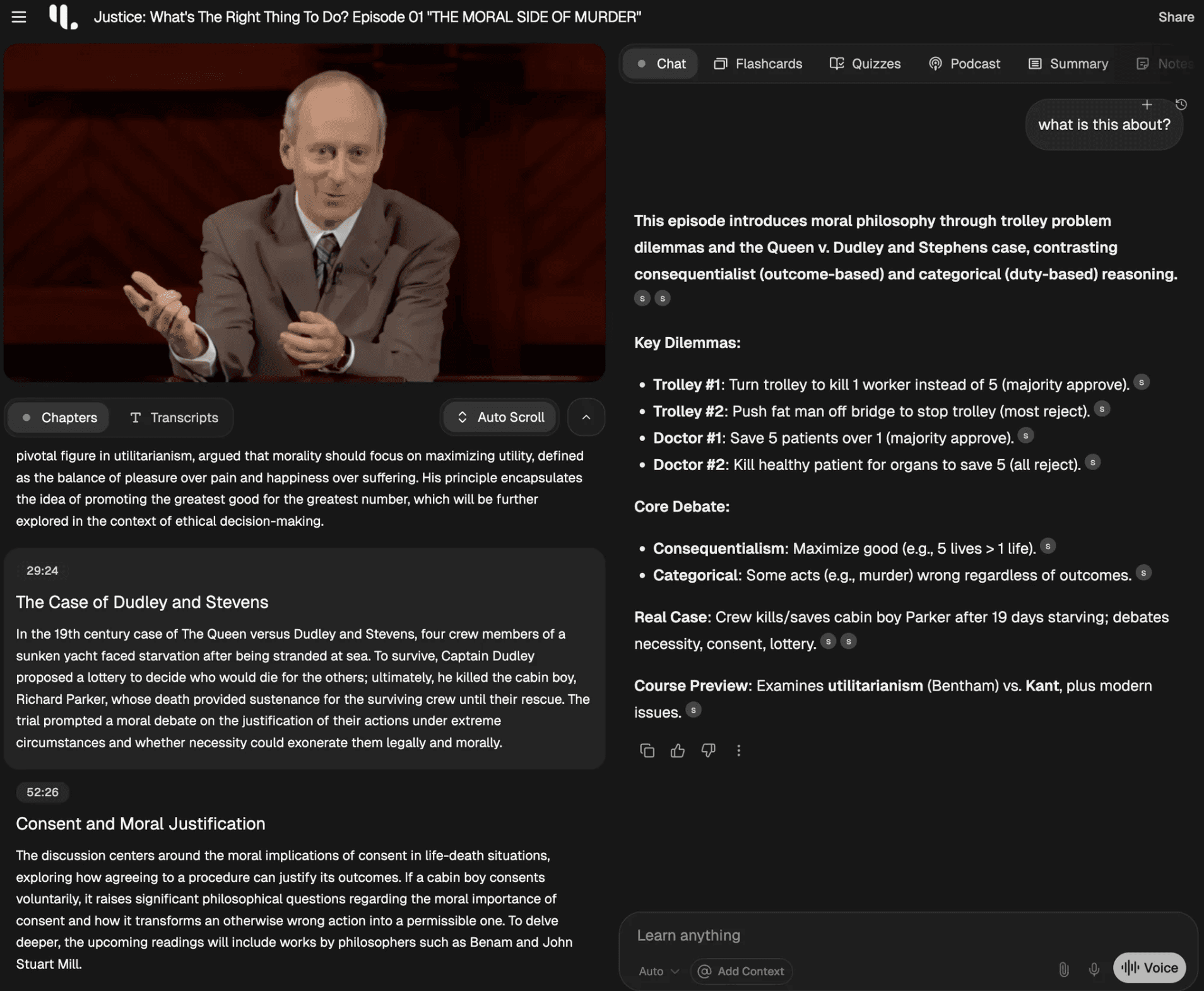
YouLearn AI is a little more learning-shaped than broad workplace productivity, and that is exactly why it belongs here. A lot of knowledge workers are not only processing information. They are learning from it continuously. YouLearn turns PDFs, YouTube videos, lectures, slides, and files into notes, quizzes, practice-style outputs, and AI tutoring. That makes it useful when “understanding faster” is not enough and you need retention too.
Best for: self-learners, students, researchers, consultants, and knowledge workers who want to turn content into active recall, not just passive notes.
Why it stands out: it pushes beyond summarization into practice and retention. That is a meaningful difference for people who work through dense material regularly.
Who should skip it: users who mainly need a general AI assistant for writing or browsing. YouLearn is more specialized. That is a strength when it matches the job and a mismatch when it does not.
6) Wispr Flow — best for writers and thinkers who draft faster by speaking
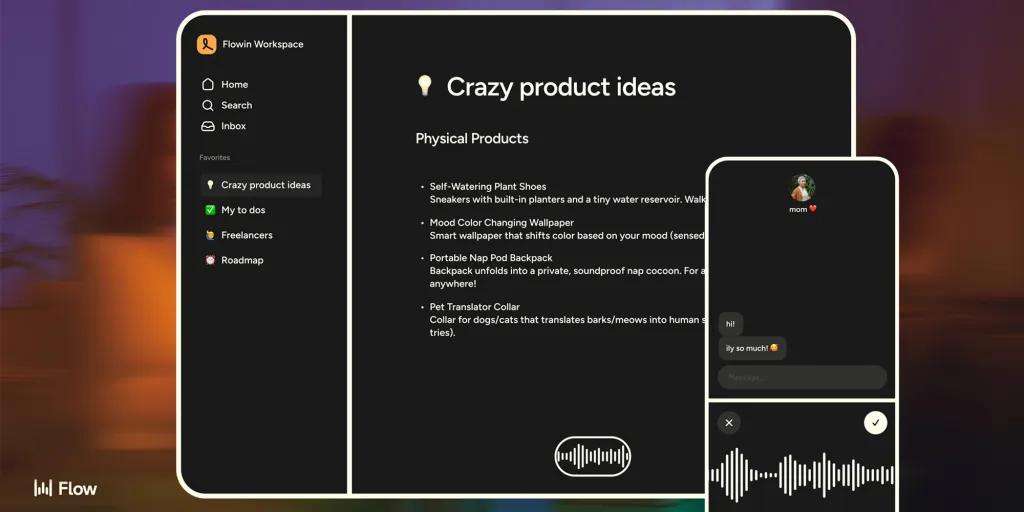
Wispr Flow is the most different tool on this list, but it still fits knowledge work well. A lot of information workers do not struggle with ideas. They struggle with turning those ideas into words at the pace they think. Wispr Flow is built around voice dictation that becomes cleaner, more polished writing inside the apps you already use.
Best for: writers, researchers, founders, consultants, and note-heavy users who think faster than they type.
Why it stands out: it attacks a different bottleneck than the rest of the list. Not understanding. Not summarizing. Not searching. Just getting words out with less friction.
Who should skip it: people who want research help, browser assistance, or deeper knowledge organization. Wispr Flow is an input-speed tool, not a research system.
How to choose the right one by knowledge workflow
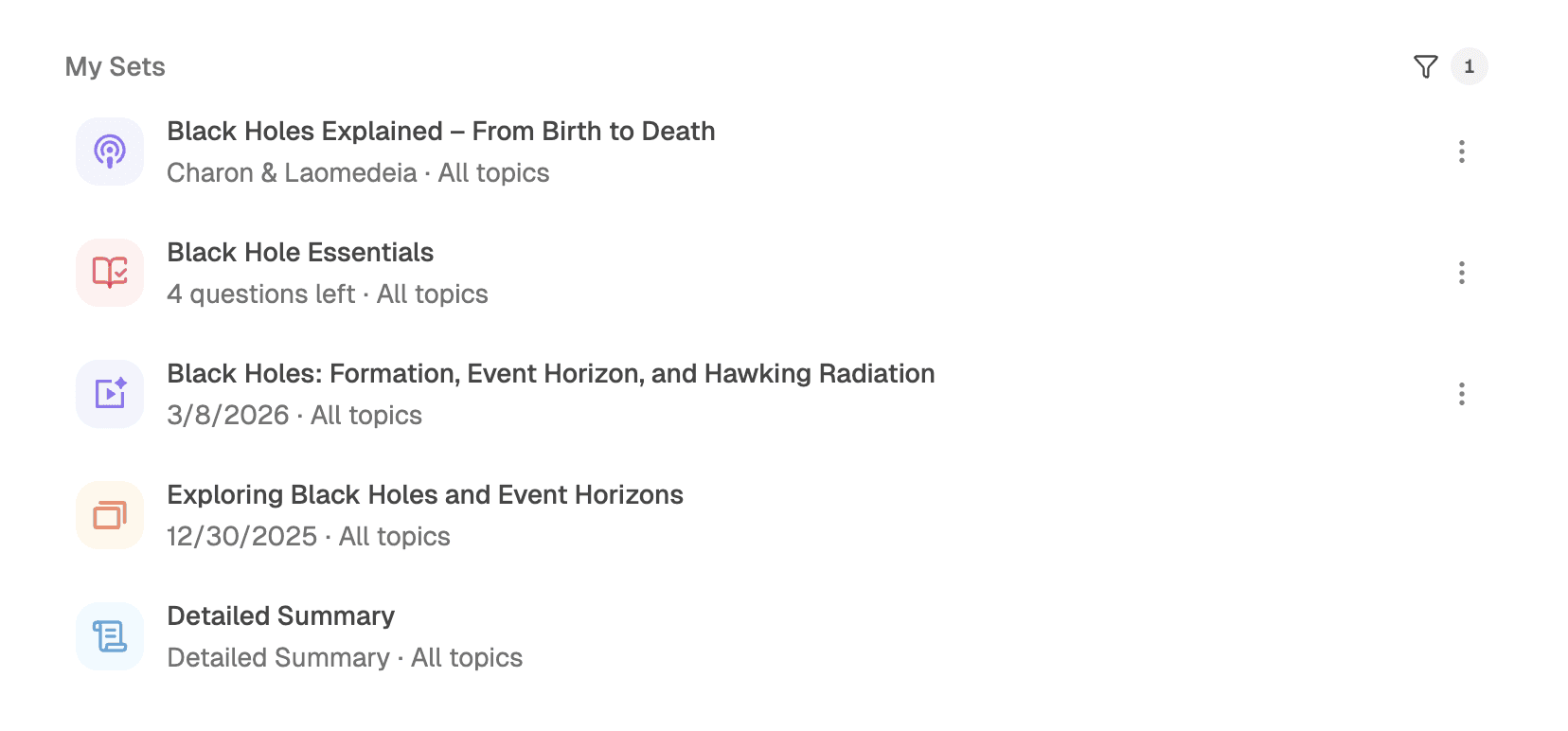
If you are deciding between these tools, use this shorter framework:
- Your work starts with long, dense source material: start with Mindgrasp.
- Your work lives across desktop apps and shortcuts: start with Raycast.
- Your work lives in the browser and you want easy help right now: start with Merlin AI.
- Your work lives in the browser and you want to save and reuse what you find: start with Sider AI.
- Your work requires learning and retaining information, not just summarizing it: start with YouLearn AI.
- Your main bottleneck is getting thoughts into text quickly: start with Wispr Flow.
If that still feels broad, the simpler version is this: choose the tool that best matches your biggest repeated information drag. Not the tool with the widest promise.
If your work is more research- and learning-heavy than broad knowledge work, this is the cleaner next read: Best AI Tools for Research and Learning Workflows. If your question is whether these tools truly save time in practice, go next to When an AI Productivity Tool Actually Saves Time.
Who should skip these tools, or at least buy more slowly
You should probably slow down if:
- your main bottleneck is not information work at all, but meetings, inbox overload, or team coordination,
- you are mostly attracted to “AI for everything” rather than a specific workflow problem,
- you want one tool to handle research, browser help, note-taking, drafting, and retention equally well,
- your workflow is still simple enough that another layer may create more friction than relief.
I would not treat that as a reason to avoid the category forever. It is just a reminder that good fit matters more than broad capability. A lot of disappointing AI subscriptions are really misfit subscriptions.
Practical limitations of AI productivity tools for knowledge workers
- They can speed up the wrong step. Better summaries do not help much if the real issue is unclear priorities or too many interruptions.
- They can overlap more than they first appear. Merlin and Sider can look close until you decide whether convenience or saved research matters more.
- They can sound broader than they feel. A general assistant may help often but still never become essential.
- They can require new habits. Raycast, YouLearn, and Mindgrasp tend to reward repeated use more than casual one-off use.
The anti-hype version is this: a useful AI productivity tool does not need to do everything. It just needs to remove one expensive drag reliably enough that you keep opening it.
Fit summary: where I would start
If I had to narrow it down for most knowledge workers, I would start like this:
- Start with Mindgrasp if understanding source material is the biggest drag.
- Start with Raycast if moving through desktop work is the biggest drag.
- Start with Merlin AI if in-browser reading and quick synthesis are the biggest drag.
- Start with Sider AI if browser-side research needs to become reusable knowledge.
- Start with YouLearn AI if retention and active learning matter more than one-off summaries.
- Start with Wispr Flow if writing speed, not thinking speed, is the bottleneck.
That is the honest shape of the decision. There is no single universal winner here. There is only the best match for the part of knowledge work you repeat most.
Best next step
If your knowledge work is mainly about research and synthesis, Mindgrasp is the cleanest place to start. If it is mainly about navigating and acting across apps, Raycast is the stronger fit. If your work is built around reading and drafting in the browser, start narrower with Merlin AI or Sider AI depending on whether you want convenience or memory.