
AI & Software → AI Productivity
Best AI Productivity Tools in 2026: 8 Picks by Workflow
The best AI productivity tools are not “the ones with the most AI.” They are the ones that remove a real bottleneck in your workflow. For some people that means faster desktop actions. For others it means inbox cleanup, better async updates, quicker research, or less painful slide creation.
If you strip away the marketing, this category is a little messier than it looks. Raycast, Merlin AI, Sider AI, Mindgrasp, Inbox Zero, Geekbot, Plus AI, and Wispr Flow all sit inside “AI productivity,” but they solve very different problems. That is exactly why people often buy the wrong tool first.
This guide keeps the shortlist practical. I am not ranking tools by hype, model count, or whatever sounds impressive on a landing page. I am ranking them by workflow fit: where they actually save time, where they merely sound helpful, and who should skip them.
Quick answer
- Start with Raycast if your work is desktop-heavy and you want one fast launcher layer that can trigger actions, search, and AI help without living in a browser tab.
- Start with Merlin AI if your day happens mostly in the browser and you want fast summarizing, question-answering, and page-level assistance across web pages, PDFs, and search.
- Choose Sider AI if you want a browser-first assistant but care more about saving research into a searchable knowledge layer instead of just chatting in the sidebar.
- Choose Mindgrasp if research, learning, and summarizing long material is the real bottleneck.
- Choose Inbox Zero if email triage is where your productivity falls apart every week.
- Choose Geekbot if your team loses time in standups, check-ins, and async follow-up.
- Choose Plus AI if you constantly turn notes or documents into decks.
- Choose Wispr Flow if writing speed is the bottleneck and you think faster than you type.
What AI productivity tools are actually for
A lot of pages in this category blur everything together. That is usually the first mistake. AI productivity tools are not one uniform bucket. In practice, they usually help with one of five jobs:
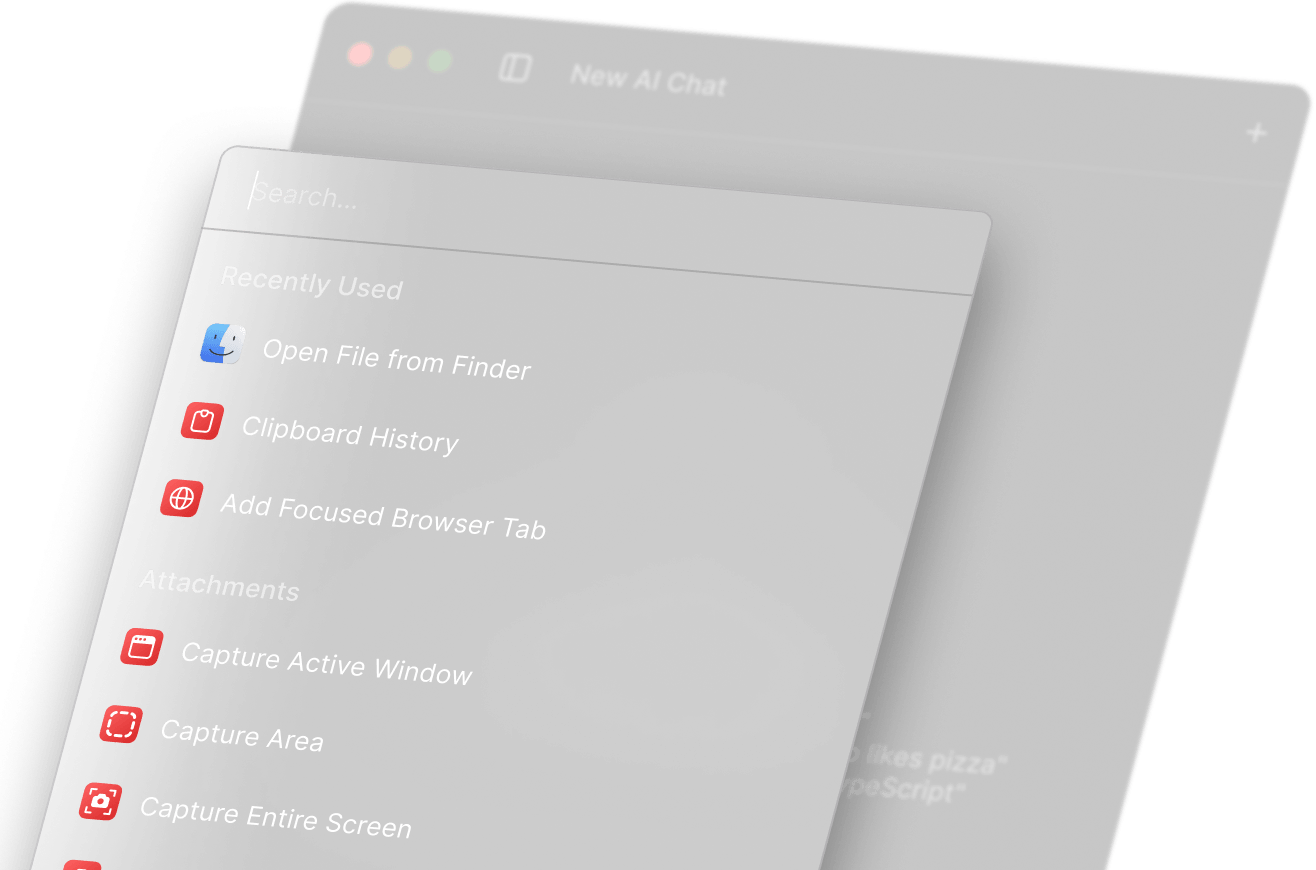
- Desktop execution: launching, switching, searching, and triggering actions faster.
- Browser assistance: summarizing pages, asking questions about what you are reading, comparing answers, or saving research.
- Research and learning: turning long material into notes, summaries, flashcards, or answers with references.
- Communication cleanup: triaging email, drafting replies, organizing updates, or running async standups.
- Output acceleration: turning raw notes into polished text, slides, or dictated drafts faster.
The better question is not “which AI productivity tool is best?” It is “which repeated step is wasting the most time in my week?” That is where this category starts to make sense.
For a broader cluster view, start here: AI Productivity hub. If you already know you need a framework before a shortlist, go next to How to Choose an AI Productivity Tool.
How I chose the best AI productivity tools
I used a simple filter for this list:
- Clear workflow job: the tool had to do something specific well, not just promise “AI for everything.”
- Practical fit: it had to slot into a real work pattern like desktop search, browser reading, email triage, async team updates, or slide building.
- Reasonable maturity: I favored tools with a clearer product surface and a more believable use case over vague or low-confidence names.
- Less friction than value: setup overhead matters. If a tool creates a new system you must babysit, the value drops fast.
- Distinct role in the stack: I did not include tools that feel interchangeable without a good reason.
This means a few things that are worth saying plainly. First, best here is context-dependent. Second, I am not forcing a winner where the workflows are different. Third, some very good tools are not in this first list because article one is the pillar page, not a dumping ground for every brand in the sub hub.
Best AI productivity tools by workflow fit
These are the tools I would shortlist first for most readers.
1) Raycast — best for desktop speed and AI-assisted execution
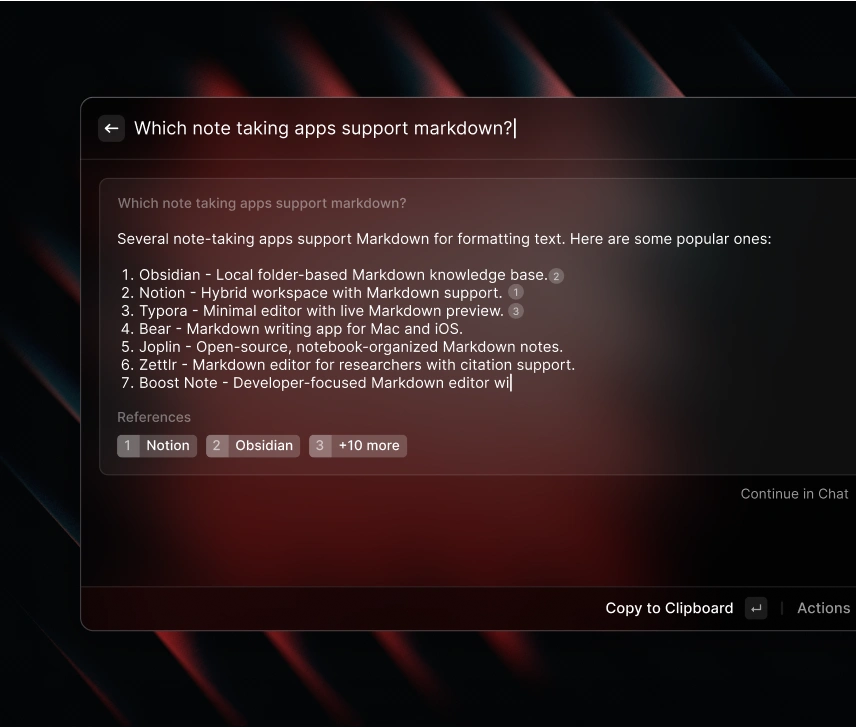
Raycast makes the strongest case when your work already happens across desktop apps and you want one fast control layer. The core product is an extendable launcher, and Raycast AI adds chat, web-enabled answers, attachments, and AI extensions that can interact with your OS and connected apps. That sounds good on paper, but the real difference shows up when you stop hopping between tabs just to do small things. Instead of “open app, search file, paste text, ask assistant,” you can often stay in one flow.
Best for: operators, product people, founders, developers, and heavy Mac users who live in shortcuts and want AI embedded into the launcher they already use.
Skip if: your work is mostly browser-based or you do not naturally use keyboard-driven launchers. Raycast is excellent when it fits. It is also easy to overvalue if you are not that kind of user.
2) Merlin AI — best for broad browser-side assistance
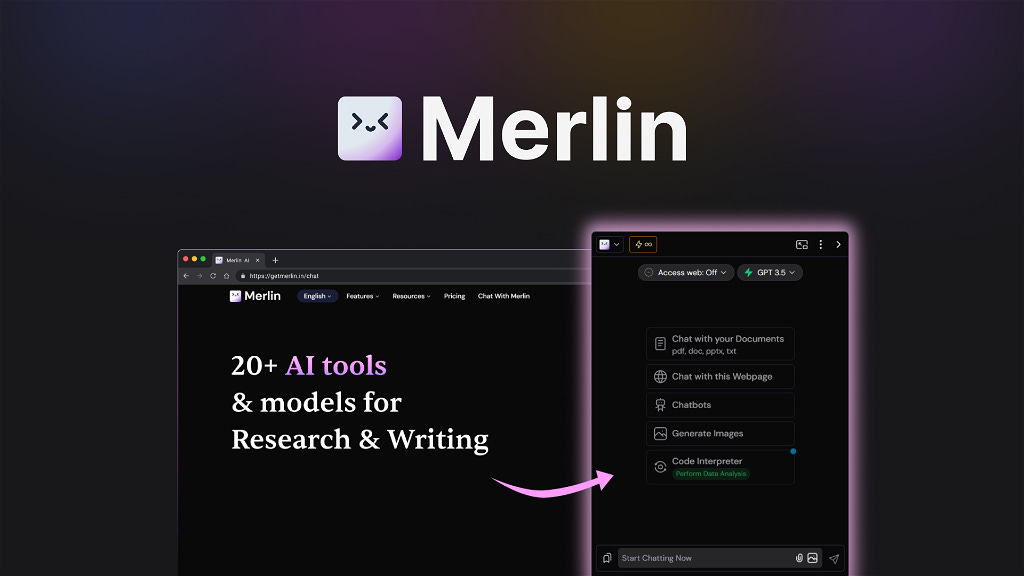
Merlin AI is one of the cleaner starting points if your productivity problem lives inside Chrome tabs, search results, articles, websites, PDFs, and quick drafting moments. Merlin leans into a wide toolkit: chat with the web, chat with PDFs and websites, summarize content, and access multiple models without leaving the page. For many users, that breadth is the appeal. You install it, and it starts helping almost everywhere.
Best for: people who want one browser-first assistant for reading, quick summaries, search-side help, and light drafting.
Skip if: you want a more opinionated workflow product instead of a broad AI layer. Merlin is useful, but it can feel like a wide toolset more than a deep system.
If you are choosing between the main browser-and-desktop assistants, this is the cleaner next read: Raycast vs Merlin AI vs Sider AI.
3) Sider AI — best for browser research with a knowledge layer
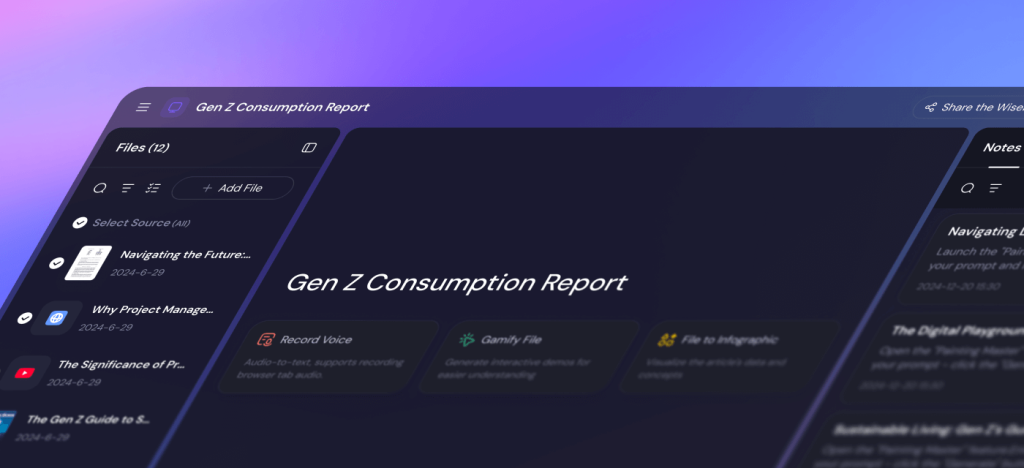
Sider AI overlaps with Merlin at first glance, but it is a little narrower in a useful way. Its side panel is built for browsing, summarizing pages and YouTube videos, explaining highlighted text, and saving research into Wisebase, which acts like a searchable knowledge layer for documents, web pages, notes, and clips. That storage-and-recall angle matters. A lot of AI browser tools are fine in the moment and forgettable a week later. Sider is stronger when you want to build a reusable research trail instead of firing off one-off prompts.
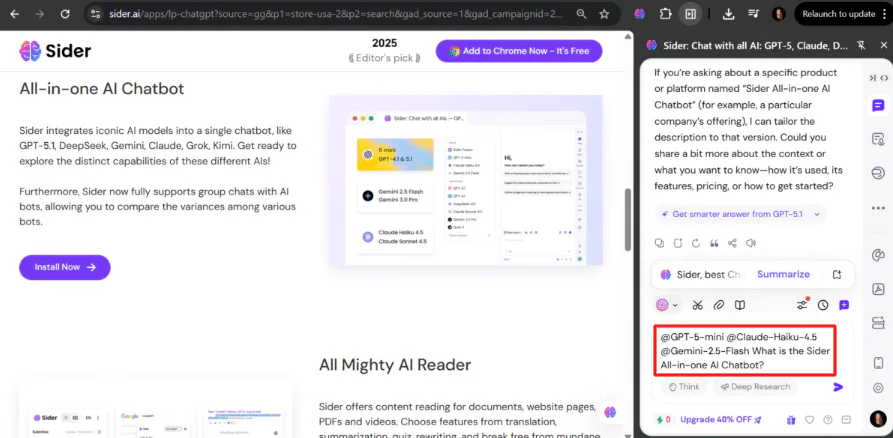
Best for: researchers, analysts, students, and knowledge workers who want browser help plus a real place to save source-backed notes.
Skip if: you mainly want quick inline help and do not care about storing research over time. In that case, Merlin may feel lighter.
4) Mindgrasp — best for research, learning, and summarization
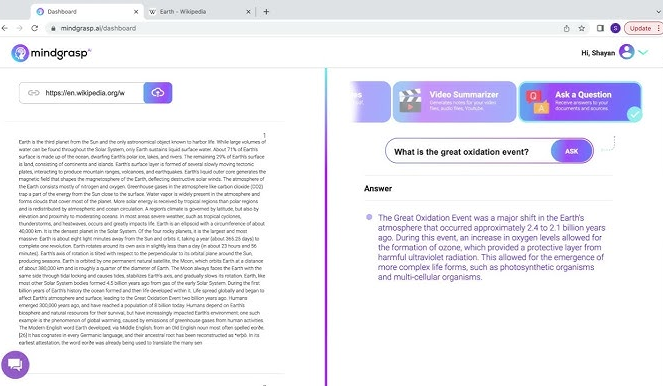
Mindgrasp is the clearest fit on this list when your job is “turn long material into understanding.” It can answer questions against uploaded content or the web with references, and it is built around notes, summaries, flashcards, quizzes, and uploaded materials such as PDFs, videos, audio, articles, and slides. That focus gives it a more specific role than a generic browser assistant. It is less about helping everywhere and more about helping deeply once you are inside a source-heavy workflow.
Best for: researchers, students, self-learners, consultants, and anyone who repeatedly digests long material into notes or takeaways.
Skip if: your main need is daily desktop acceleration or communication cleanup. Mindgrasp is strong, but it is not trying to be your all-purpose productivity shell.
This is also one of the stronger picks for the broader information-heavy use case covered in Best AI Productivity Tools for Knowledge Workers.
5) Inbox Zero — best for email and inbox triage
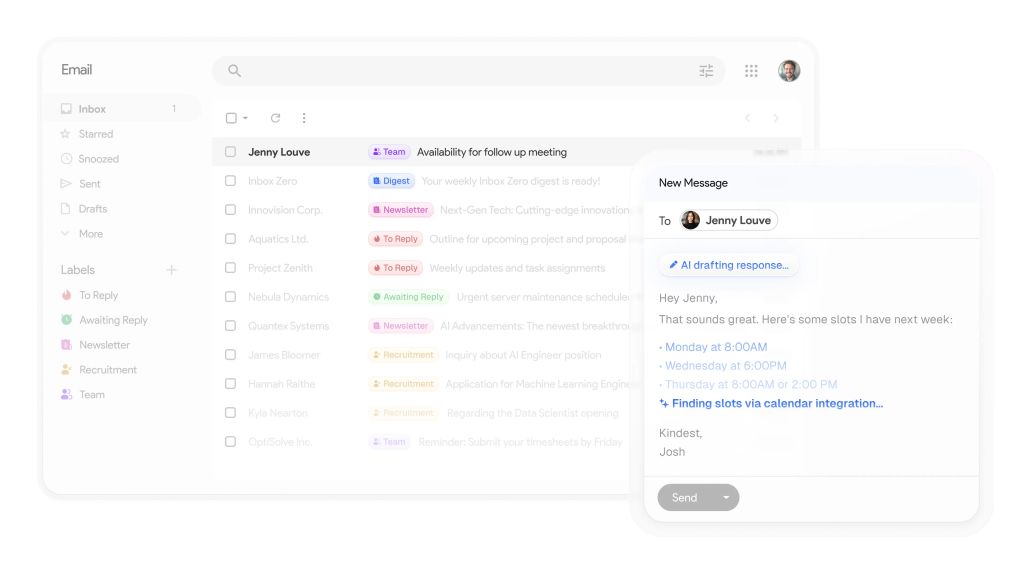
Inbox Zero is a good example of what this category looks like when the workflow is clear. It is not trying to be your general assistant. It works alongside your existing email client and focuses on the messier part of email: sorting and labeling, drafting replies in your voice, blocking cold emails, bulk unsubscribe/archive actions, analytics, and briefings. In other words, it targets the part people quietly hate doing by hand.
Best for: executives, operators, sales-adjacent roles, founders, and anyone whose inbox acts like a second full-time job.
Skip if: your email volume is light, or your real problem is task management rather than communication overload. A lot of buyers do not need a better inbox tool. They need fewer inbox-driven responsibilities.
6) Geekbot — best for async team updates
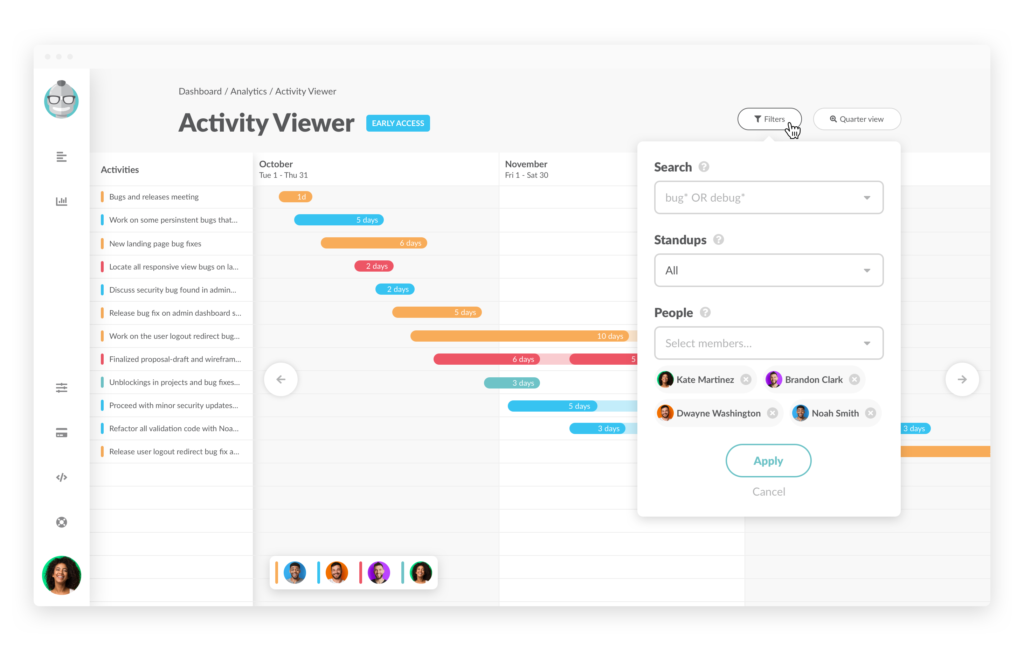
Geekbot belongs on this list because productivity is not only personal. It is also coordination. Geekbot runs async standups, polls, and surveys inside Slack and Microsoft Teams, which means it targets a very real problem: repeated status collection that interrupts focus and still fails to create clarity. This is one of those tools that looks narrower than the “AI productivity” label suggests, but that narrowness is exactly why it can earn its keep.
Best for: remote teams, distributed engineering groups, ops-heavy teams, and managers who need consistent updates without another meeting.
Skip if: you are a solo operator or your team already communicates cleanly without structured check-ins. Geekbot helps when async reporting is the friction. It does not fix a broken culture by itself.
7) Plus AI — best for slides and document-to-deck work
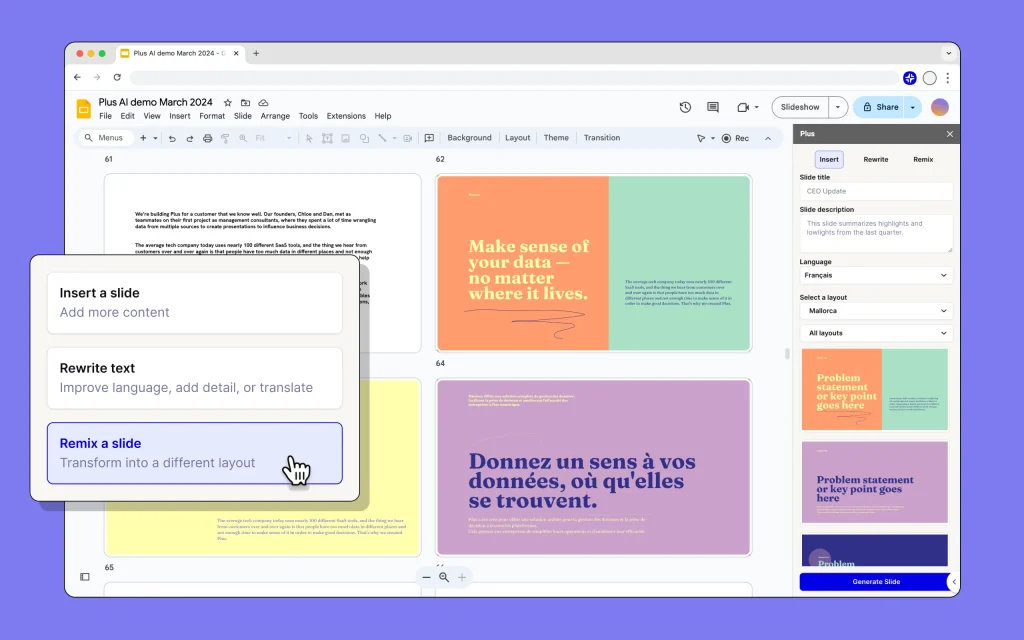
Plus AI is one of the better examples of AI productivity that is not trying to replace your existing app. It works directly inside Google Slides and PowerPoint, lets you start from a prompt or upload a file, and gives you tools to rewrite, remix, insert, and reformat slides. That matters more than it sounds. A lot of slide tools create another isolated workflow. Plus AI keeps the work where most teams already present.
Best for: consultants, founders, sales teams, marketers, educators, and anyone who repeatedly turns raw material into decks.
Skip if: you only need occasional one-off decks and are fine cleaning them up manually. This is more useful for recurring slide work than casual presentation making.
8) Wispr Flow — best for voice-first drafting
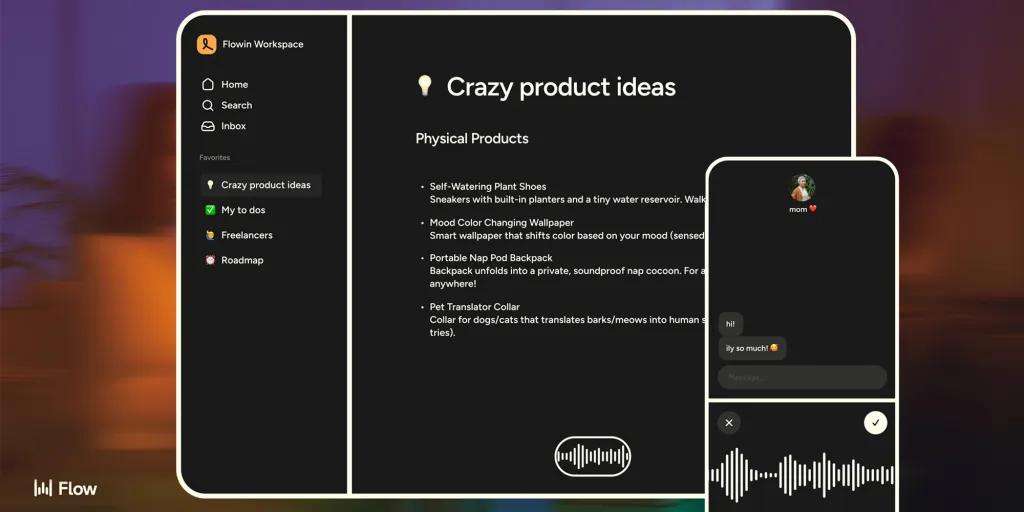
Wispr Flow is the most different tool on this list, and that is a good thing. It is built around voice dictation, cross-device writing, app-aware tone handling, and command/editing support. What usually happens with dictation apps is that people imagine a magical typing replacement and then bounce off the awkwardness. Wispr’s pitch is more grounded: speak naturally, let the app handle structure and cleanup, and move faster across email, docs, chat, and notes.
Best for: people who write a lot, think faster than they type, or want to draft replies, notes, and rough documents without sitting in the keyboard bottleneck all day.
Skip if: you do most of your work in quiet shared spaces, or you want a research or automation tool rather than a faster input method. Wispr is a workflow acceleration layer, not a knowledge tool.
How to choose the right tool by workflow

If you are still unsure where to begin, use this shorter framework:
- Your bottleneck is switching, launching, and acting across apps: start with Raycast.
- Your bottleneck is reading and asking questions while browsing: start with Merlin AI or Sider AI.
- Your bottleneck is long-form material, learning, and summarization: start with Mindgrasp.
- Your bottleneck is email triage and follow-up: start with Inbox Zero.
- Your bottleneck is async updates inside a team: start with Geekbot.
- Your bottleneck is turning documents into decks: start with Plus AI.
- Your bottleneck is drafting speed itself: start with Wispr Flow.
The mistake many people make is starting with the tool that sounds broadest. The strongest case for most of these tools is narrower than the homepage makes it sound. That is not a weakness. It is usually the sign that the product knows what job it is actually doing.
For the deeper decision framework, read How to Choose an AI Productivity Tool. If your day is more information-heavy than ops-heavy, move next to Best AI Productivity Tools for Knowledge Workers.
Who should skip these tools, or at least buy more slowly
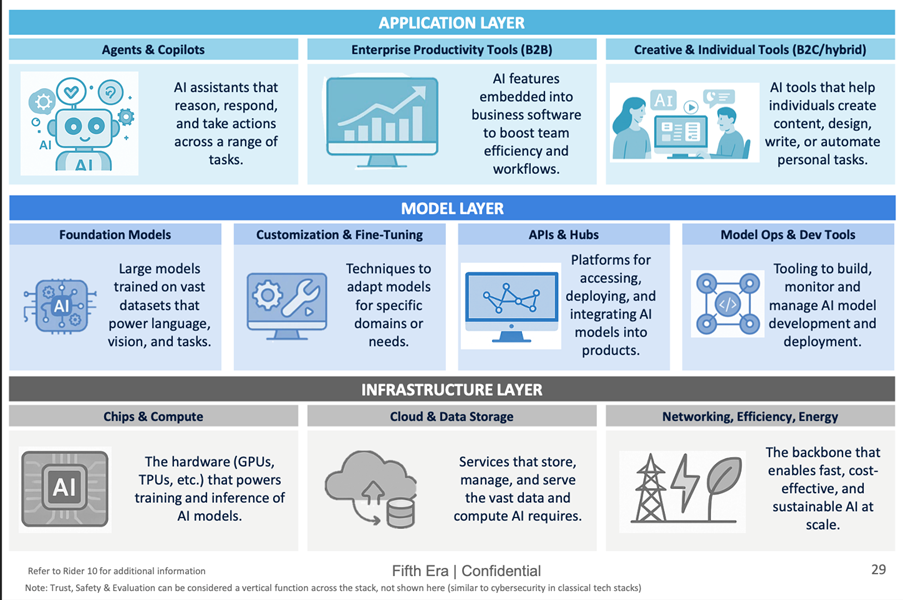
Not everyone needs an AI productivity stack. You should slow down if:
- your current workflow is still simple and the friction is not yet repeated enough to justify another tool,
- you are mostly attracted to “AI convenience” rather than a specific workflow problem,
- you want one tool to replace email, research, note-taking, meetings, slides, and writing all at once,
- you have not yet identified whether your bottleneck is input, research, triage, coordination, or output.
I would not call that a reason to avoid the category. It is a reason to buy more deliberately. A lot of subscriptions quietly stop making sense because the user picked a broad promise instead of a real bottleneck.
Practical limitations of AI productivity tools
There are four recurring limitations worth keeping in front of you:
- Tool overlap is real. Merlin and Sider can look similar until you get clear about whether you want “quick browser help” or “browser help plus saved research.”
- Setup friction matters. Tools that require new habits can still be good tools. But the value only appears if you actually keep using them.
- AI can speed the wrong step. Faster summaries do not help much if the real issue is too many meetings or unclear priorities.
- General AI is not the same as workflow fit. More models, more prompts, and more tabs do not automatically equal more productivity.
If your need is narrower than this page, you may be better served by a category-specific branch like AI Writing or AI SEO instead of a general productivity tool.
Fit summary: where I would start
If I had to simplify the decision, I would do it like this:
- Choose Raycast if your daily work is desktop-heavy and you want the strongest general productivity shell.
- Choose Merlin AI if you want the easiest broad AI layer for browser work.
- Choose Sider AI if saved research and source recall matter more than quick sidebar chat alone.
- Choose Mindgrasp if deep summarization and learning are the bottleneck.
- Choose Inbox Zero if email volume is the thing dragging your week down.
- Choose Geekbot if your team needs clearer async updates.
- Choose Plus AI if slide work is constant and repetitive.
- Choose Wispr Flow if typing speed, not thinking speed, is the real constraint.
Best next step
Start with the brand that matches your biggest workflow drag, then compare within that narrower lane. If you want the broader cluster map first, open the AI Productivity hub. If you already know you want a browser-vs-desktop decision, jump to Raycast vs Merlin AI vs Sider AI.
FAQ
What counts as an AI productivity tool?
An AI productivity tool helps reduce repeated work in a real workflow: searching, summarizing, drafting, triaging, coordinating, or turning rough inputs into cleaner outputs. A generic chatbot can help with some of that, but dedicated productivity tools usually fit a narrower job more cleanly.
Should I start with Raycast, Merlin AI, or Sider AI?
Start with Raycast if your workflow is desktop-first. Start with Merlin AI if you want broad browser help across pages, PDFs, and search. Start with Sider AI if you also want to save and organize research into a reusable knowledge layer.
Are AI productivity tools better than AI chatbots?
Not automatically. The difference is fit. A chatbot is flexible but often generic. A productivity tool is narrower, but when it matches the workflow, it usually creates less friction.
Can one AI productivity tool replace all the others?
Usually no. The category looks unified, but the jobs are different. Desktop execution, browser research, email triage, async updates, slide creation, and voice drafting are not the same workflow. One tool can cover two or three adjacent jobs, but very rarely all of them well.