
The best AI tools for research and learning workflows are the ones that help you move from raw material to real understanding faster. That usually means less time lost inside dense PDFs, long videos, scattered notes, and repetitive question-asking.
Table of Contents
If you are searching for best AI tools for research and learning, the real question is not just which tool can summarize. It is which tool helps you understand, retain, and reuse what you are studying or researching without turning the whole process into another messy app stack.
This category is broader than it first looks. Some tools are best for turning source material into structured study outputs. Some are better for quick browser-side synthesis. Some are strongest when the work is problem-heavy and you need step-by-step help rather than broad summaries. That is why this guide stays workflow-first instead of flattening everything into one generic shortlist.
If you want the broader category view first, go to Best AI Productivity Tools. If your work is more generally information-heavy, not purely study-oriented, read Best AI Productivity Tools for Knowledge Workers. And if you want the framework behind this page, use How to Choose an AI Productivity Tool.
Quick picks
- Best overall for deep source-based study: Mindgrasp
- Best for active learning from videos, PDFs, and lectures: YouLearn AI
- Best for browser-side research and fast synthesis: Merlin AI
- Best for step-by-step problem solving and lecture note support: Solvely.ai
The short version: choose Mindgrasp if you want a fuller study system, choose YouLearn if you want interactive learning from source material, choose Merlin if your workflow is mainly browser-side reading and summarizing, and choose Solvely if you care more about guided explanations and structured learning help than broad research tooling.
What research and learning tools are actually for
A lot of people land in this category because they feel buried under material. That could mean lecture recordings, long PDFs, academic articles, slide decks, YouTube explainers, or self-study resources. The real friction is usually not access to information. It is what happens after access.
- Compression: turning long material into notes, summaries, and key points.
- Interaction: asking questions against the material instead of rereading everything.
- Retention: converting content into flashcards, quizzes, or practice-style learning.
- Reuse: being able to come back later without starting from zero.
That is why not every AI productivity tool belongs here. Some tools are good at helping you move faster through a browser. Some are good at typing or writing speed. Those can still be useful, but research and learning workflows need something more specific. They need tools that help convert input into understanding.
The better question is not “which tool is smartest?” It is “what kind of learning friction am I repeating every week?” That is where the shortlist becomes practical instead of decorative.
How to choose an AI tool for research and learning workflows
Use this faster framework before you choose:
- You learn from many formats and want one structured study system: start with Mindgrasp.
- You want interactive learning from PDFs, lectures, videos, and files: start with YouLearn AI.
- You spend most of your time researching in the browser and want quick summaries and questions on the page: start with Merlin AI.
- Your work is more problem-solving and explanation-heavy than broad summarization-heavy: start with Solvely.ai.
This is where people often choose the wrong tool category first. They buy a general assistant when they really want an AI tutor. Or they buy a study system when the real need is quick browser-side synthesis. The tools can all look helpful. The fit is narrower than the label suggests.
The better question is not just “can it summarize?” It is whether the tool helps you move through input → understanding → review → output with less friction. That is where this category starts to make sense.
Best AI tools for research and learning workflows by fit
These are the mapped tools I would shortlist first, with the differences kept clear instead of blurred together.
1) Mindgrasp — best overall for deep source-based learning
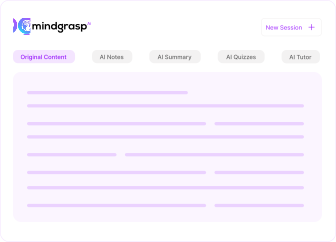
Mindgrasp is the strongest overall fit here when your workflow starts with dense material and ends with study outputs. It is built to turn lectures, readings, videos, slides, links, and uploaded files into notes, summaries, flashcards, quizzes, and question-driven review. That makes it more complete than a lightweight summarizer and more focused than a general AI assistant.
Best for: students, self-learners, researchers, educators, and anyone who repeatedly has to digest long material into usable understanding.
Why it stands out: it behaves like a study system rather than a one-off helper. That matters. A lot of tools in this category are great for quick compression but weaker when you need the material to become something reviewable and reusable later.
Who should skip it: people whose real need is quick browsing help or lightweight on-page summarization. Mindgrasp is strongest when you want a deeper learning workflow, not just a fast shortcut.
2) YouLearn AI — best for interactive learning from videos, PDFs, and lectures
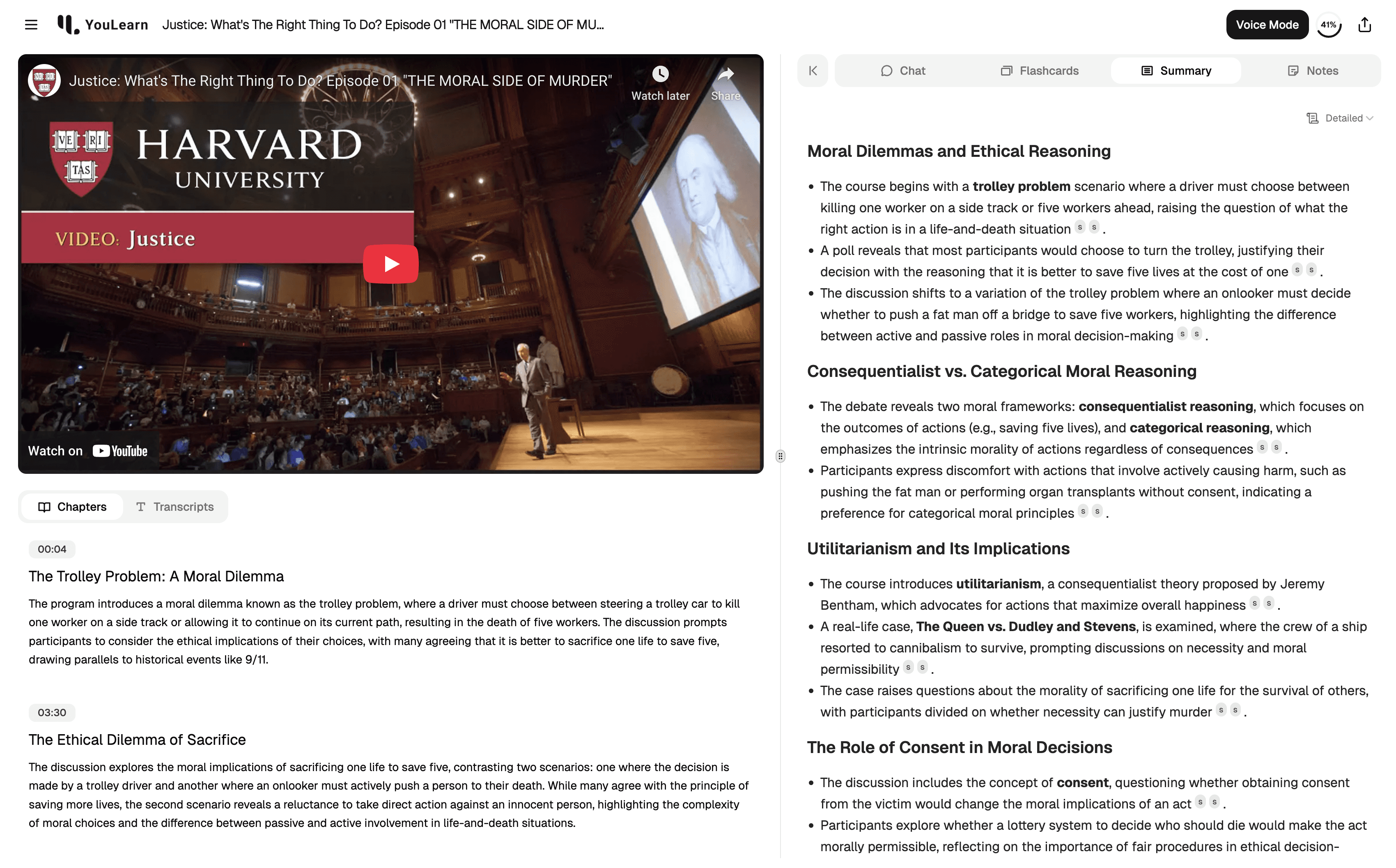
YouLearn AI makes the most sense when you want learning material to turn into an interactive workspace rather than just a summary. Its strength is not only compression. It is the combination of notes, chat, quizzes, and learning-oriented interaction around the source material itself. That gives it a more tutor-like feel than a plain summarizer.
Best for: self-learners, students, technical learners, and anyone who studies heavily from videos, lecture-style material, slides, and PDFs.
Why it stands out: it feels more active than passive. If Mindgrasp often feels like a strong study system, YouLearn often feels like a learning workspace. That difference is subtle, but it matters once you are trying to retain rather than just compress.
Who should skip it: people who mainly want browser-side convenience or a general AI assistant for many small tasks. YouLearn is more specialized, which is exactly why it works well when the fit is right.
3) Merlin AI — best for browser-side research and fast synthesis
Merlin AI sits differently from the two tools above. It is broader, lighter, and easier to drop into a workflow when most of your research happens in the browser. Merlin works well when you want to summarize websites, ask questions about PDFs and documents, get quick help on Google Search, or compress YouTube and article reading without moving into a separate study system.
Best for: browser-first researchers, content-heavy readers, students doing web-based study, and anyone who wants a flexible AI layer during browsing.
Why it stands out: setup friction is low. That matters more than people admit. Some research tools only become valuable after you commit to a new workflow. Merlin can be useful much earlier because it helps where you already are.
Who should skip it: people who want a more structured learning system with stronger retention mechanics. Merlin is a very capable assistant, but it is still an assistant layer more than a dedicated study framework.
This is also why Merlin can feel stronger for research than for formal learning. It excels at helping you move faster through material. That is not quite the same as building a review cycle around that material.
4) Solvely.ai — best for guided explanations and problem-heavy learning
Solvely.ai is the most specialized tool in this group, and that is worth saying clearly. It makes more sense when your learning workflow is explanation-heavy and problem-heavy rather than broad research-heavy. Its value is in step-by-step help, interactive follow-up, and guided study support for learners who need more than a quick answer.
Best for: students, self-learners, and test-prep users who want structured explanations, guided problem solving, and lecture note support rather than broad knowledge-work tooling.
Why it stands out: it is more direct. Some tools summarize a lot and still leave you with “okay, but how do I actually understand this?” Solvely is better when the need is explanation and progression, not just compression.
Who should skip it: researchers and knowledge workers looking for a general research cockpit. Solvely is much better when the workflow is learner-centric and problem-centric.
When these tools actually save time
Research and learning tools save time when they remove one repeated burden:
- turning long material into something scannable,
- reducing rereading by making the material interactive,
- helping you ask sharper questions against the source,
- converting material into notes, quizzes, or guided review before it disappears from memory.
What usually fails is the opposite pattern. People buy a flashy AI study tool and then use it like a one-off chat tab. Or they pick a browser summarizer when what they really need is a deeper review workflow. Or they expect a problem-solver to behave like a research system. The tools are not the problem. The mismatch usually is.
The better question is not whether these tools can save time in theory. It is whether they cut the right learning friction often enough that you keep coming back. That is where the value becomes real.
Who should skip these tools, or at least buy more slowly
- Skip or slow down if your real bottleneck is inbox overload, meetings, or team coordination rather than research or learning.
- Skip or slow down if you mainly want one broad AI assistant for everything and do not actually have a repeated study or research problem.
- Skip or slow down if your workflow is still simple enough that another layer will create more process than value.
- Skip or slow down if you expect one tool to handle summarization, retention, explanation, research, and writing equally well.
I would not call that a reason to avoid the category. It is a reason to buy with more precision. A lot of learning tools sound powerful because they do a lot. The better ones usually earn their place because they solve one repeated type of friction very clearly.
Practical limitations to keep in mind
- Summaries are not the same as learning. Fast compression can still leave retention weak if the tool does not support review or interaction.
- Browser helpers can feel useful without becoming essential. Convenience alone is not always enough to change outcomes.
- Study systems ask for more commitment. Tools like Mindgrasp or YouLearn can be stronger long term, but only if you actually use them as systems.
- Problem-solvers can be too narrow for broad research work. Solvely is better when the workflow is explanation-heavy, not when the goal is general synthesis across many materials.
The anti-hype version is simple: the best tool here is usually not the one that does the most. It is the one that removes the most repeated learning friction without creating a new layer you never end up opening again.
Fit summary: where I would start
- Start with Mindgrasp if you want the strongest all-around source-based study system.
- Start with YouLearn AI if you want learning to feel more interactive and retention-focused.
- Start with Merlin AI if your research mostly happens in the browser and speed matters more than study structure.
- Start with Solvely.ai if your work is more about guided explanations and solving through difficult material step by step.
That is the honest shape of the decision. There is no universal winner here. There is only the best fit for the kind of learning friction you repeat most often.
Best next step
If your workflow is mostly source-heavy and study-heavy, Mindgrasp is the cleanest place to start. If you want a more active learning environment around videos, lectures, and PDFs, YouLearn is the better lane. If you mainly need faster web-based research help, Merlin is the lighter starting point.
FAQ
What is the best AI tool for research and learning workflows?
There is not one universal answer. Mindgrasp is the strongest all-around fit for source-heavy study, YouLearn is stronger for interactive learning, Merlin is better for browser-side research speed, and Solvely fits best when the workflow is explanation-heavy and problem-heavy.
Should I choose a browser assistant or a study system?
Choose a browser assistant if you mostly want quick summaries and question-answering while reading online. Choose a study system if you want the material to become notes, quizzes, flashcards, and reusable review outputs instead of just a one-time summary.
Is Merlin AI good for research and learning?
Yes, especially when your workflow is browser-first. Merlin is useful for summarizing websites, YouTube videos, and PDFs and for asking quick questions against material while you read. It is less structured than a dedicated study system, but that can also make it easier to start using immediately.
Is Mindgrasp better than YouLearn AI?
Not in a universal sense. Mindgrasp is better when you want a fuller source-based study system. YouLearn is better when you want learning to feel more interactive and tutor-like around the material. The fit depends on whether structure or interactivity matters more to your workflow.
Who should use Solvely.ai instead of a broader research tool?
Use Solvely when your learning workflow is explanation-heavy and problem-heavy. It is a stronger fit for learners who need guided understanding, worked solutions, and structured help rather than broad summarization across many kinds of source material.
Are these AI learning tools worth paying for?
They can be, but only when they cut the right friction often enough to become part of your actual workflow. A useful tool reduces repeated reading drag, question-asking drag, or review drag. A mismatched tool usually becomes another tab you stop opening after the novelty fades.