
AI & Software → AI Productivity
The best AI productivity tools for teams are not the ones that simply add more AI into the stack. They are the ones that reduce repeated coordination, routing, follow-up, and shared-context friction without creating another system your team has to babysit.
If you are searching for best AI productivity tools for teams, the real issue is usually not “our team needs AI.” It is one of these: updates keep interrupting focus, customer conversations scatter across channels, follow-up lives in too many places, or shared context breaks every time work moves from one person to another.
That is why this page is deliberately workflow-first. A standup bot, a shared AI workspace, a support inbox, a chatbot platform, a Gmail-native CRM, and a personal command-center tool can all help teams. But they help in different parts of team work. Flattening them into one vague “team AI” category is how buyers end up disappointed.
For the broader category map, start with the AI Productivity hub. If you want the wider shortlist first, go to Best AI Productivity Tools. If you want the adjacent async angle, read Best AI Tools for Meeting Notes and Async Updates.
Quick picks
- Best overall for async team coordination: Geekbot
- Best for shared AI collaboration across people and context: BoodleBox
- Best for customer-facing team inbox productivity: Freshchat
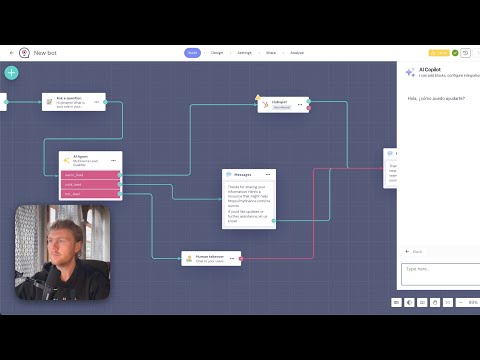
- Best for no-code chat workflows and human handoff: Landbot
- Best for Gmail-based team follow-up and pipeline discipline: NetHunt CRM
- Best adjacent pick for managers handling notes, tasks, and follow-up personally: Saner AI
What team productivity tools are actually for
Team productivity is not one problem. It is usually a mix of these:
- Coordination friction: repeated status collection, async updates, and progress visibility
- Conversation routing friction: getting the right message to the right agent or teammate without losing context
- Follow-up friction: turning incoming messages and leads into tasks, reminders, and next steps
- Shared context friction: keeping people, notes, knowledge, and AI outputs in one place instead of scattered across tabs and chat threads
The important part is that no single tool on this page solves all four equally well. That is not a weakness. It is just the reality of the category. A tool that is very good for async standups may be mediocre for support chat. A tool that is strong for support routing may not help your internal status workflow much at all.
The better question is not “which team AI tool is best?” It is “where does our team repeatedly lose clarity, time, or handoff quality?” That is where this category becomes useful instead of noisy.
How to choose an AI productivity tool for teams
Use this faster framework before you choose:
- You need recurring updates without more meetings: start with Geekbot.
- You need multiple people and multiple AI helpers working in the same shared context: start with BoodleBox.
- You need a support or customer messaging team to handle conversations in a unified agent workflow: start with Freshchat.
- You need no-code chat automation with human handoff across website or WhatsApp flows: start with Landbot.
- You need team follow-up, contact history, and pipeline work inside Gmail: start with NetHunt CRM.
- You mainly need a team lead or manager to keep notes, tasks, and personal follow-through organized: Saner AI is the more honest fit.
That sounds more segmented than a typical “best team tools” article. Good. It should. One of the most common mistakes in this category is pretending all team productivity tools are interchangeable just because they all mention AI.
If your team’s issue is mostly async status collection, a chatbot builder is the wrong first buy. If your issue is customer conversation routing, a standup bot is not going to help much. If your issue is Gmail follow-up discipline, a shared AI workspace may feel interesting but still miss the job.
Best AI productivity tools for teams by workflow fit

These are the tools I would shortlist first, with the fit kept practical rather than flattened.
1) Geekbot — best overall for async team coordination
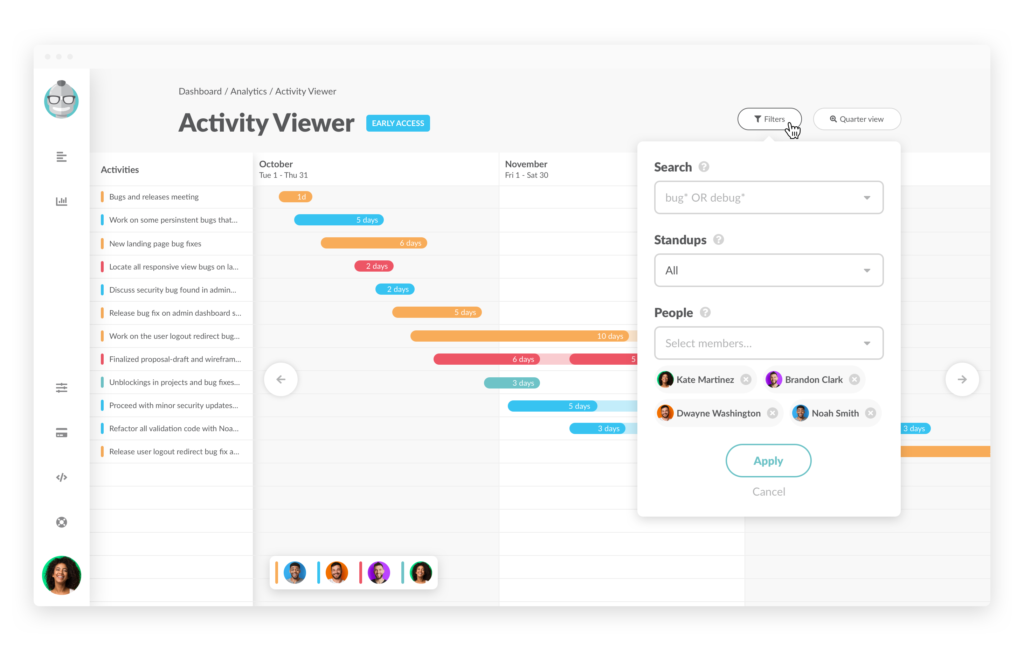
Geekbot is the cleanest fit on this page when the team problem is recurring updates. It runs async standups, retros, polls, and surveys directly inside Slack and Microsoft Teams, which matters more than it sounds. Good team tools do not just automate a task. They reduce context-switching by showing up where the team already works.
Best for: remote teams, hybrid teams, engineering groups, ops teams, and managers who need consistent updates without adding another meeting.
Why it stands out: it solves one expensive coordination drag very clearly. The value here is not flashy AI. It is fewer interruptions, better visibility, and cleaner reporting.
Who should skip it: teams whose main issue is customer conversations, CRM follow-up, or shared knowledge work rather than recurring internal updates.
2) BoodleBox — best for shared AI collaboration and team context
BoodleBox is not a classic project-management or standup tool. It is more interesting when your team needs a shared AI workspace where multiple people, multiple AI helpers, and multiple sources of knowledge can all work in the same conversation. That makes it a better fit for collaborative thinking, draft development, knowledge sharing, and team-side AI experimentation than for routine operations.
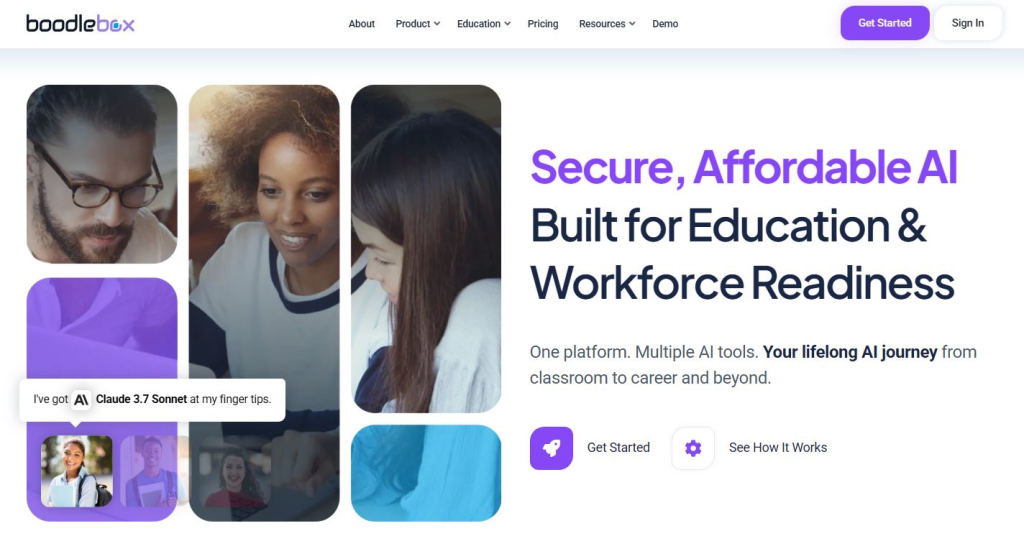
Best for: teams that want shared AI workspaces, collaborative ideation, team prompt workflows, and reusable context rather than one-person chat threads.
Why it stands out: it treats AI use as something the team can do together, not as a pile of isolated individual chats. That is a more useful model for some teams than adding more solo assistant tools.
Who should skip it: teams that simply need cleaner status reporting, support inbox routing, or pipeline management. BoodleBox is more collaborative than operational.
3) Freshchat — best for customer-facing team inbox productivity
Freshchat makes the most sense when “team productivity” really means handling customer conversations more efficiently. It combines AI-powered bots, omnichannel messaging, and a unified agent workspace so teams can collaborate around support and messaging without juggling separate channels and context tabs all day.
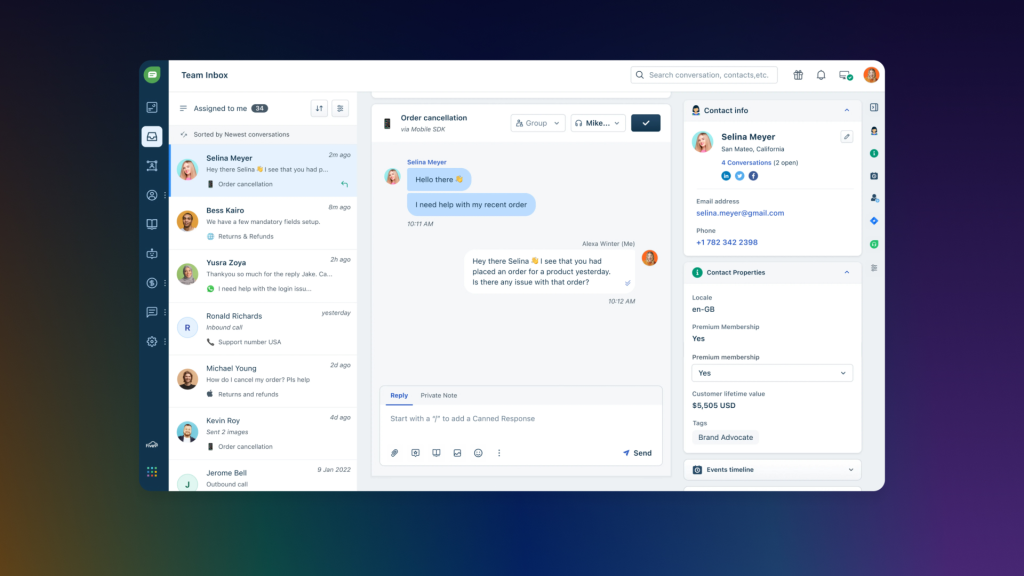
Best for: support teams, CX teams, and revenue teams that need faster response flow, better agent handoff, and cleaner customer messaging operations.
Why it stands out: it is closer to team productivity through conversation handling than through internal coordination. That is an important distinction. If your team loses time because customer messaging is fragmented, Freshchat is a better fit than a generic collaboration tool.
Who should skip it: internal teams that are not dealing with customer messaging or shared inbox workflows. Freshchat is powerful, but it is not a universal team productivity layer.
4) Landbot — best for no-code chat automation and human handoff
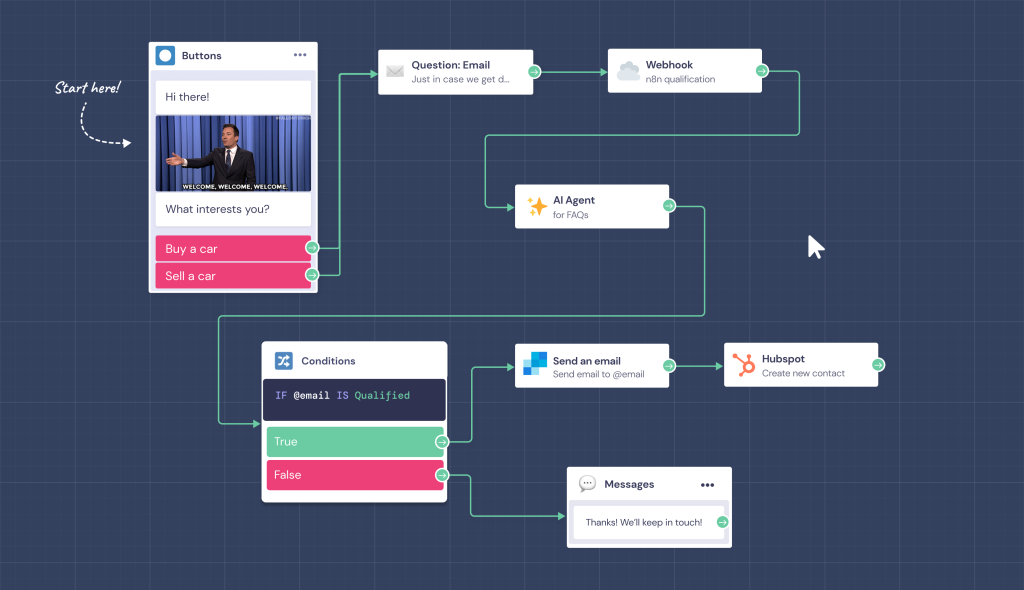
Landbot sits a little differently again. It is not an internal team coordination tool. It is a no-code chatbot and AI agent platform for web and WhatsApp flows, with a team inbox that lets agents manage conversations and step in when automation needs a human handoff. That makes it useful for teams whose work depends on conversational automation rather than pure internal productivity.
Best for: marketing teams, support teams, growth teams, and operations teams that want to automate conversation flows while keeping human takeover available.
Why it stands out: it gives teams a structured way to combine AI conversation, rule-based flows, and a centralized inbox. That is more practical than bolting a generic chatbot onto the site and hoping the workflow takes care of itself.
Who should skip it: internal teams mainly trying to improve standups, follow-up discipline, or meeting coordination. Landbot is stronger for external conversational workflows.
5) NetHunt CRM — best for Gmail-based team follow-up and shared pipeline work
NetHunt CRM is the strongest fit on this page when team productivity is really about shared follow-up. It turns Gmail into a CRM workspace where contacts, deals, tasks, pipelines, and activity history stay attached to the inbox. That matters because a lot of teams do not need another communication tool. They need clearer follow-through inside the communication tool they already live in.
Best for: sales teams, agencies, account teams, founders, and relationship-driven teams managing pipeline work inside Gmail.
Why it stands out: it keeps team context close to the conversation. Instead of bouncing between Gmail, spreadsheets, notes, and reminders, the workflow stays more visible and shared.
Who should skip it: teams that simply want inbox cleanup or async updates. NetHunt is not an inbox-zero product and not a standup system. It is stronger when email is part of a coordinated revenue or relationship workflow.
6) Saner AI — best adjacent pick for team leads managing their own follow-through
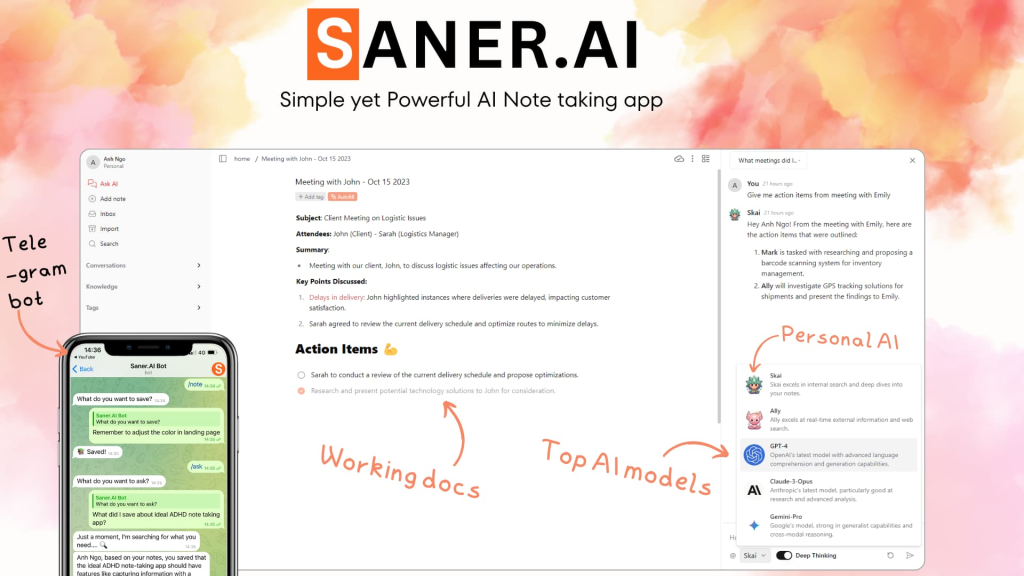
Saner AI is the least team-native tool on this page, so it deserves a careful framing. Saner is better thought of as a personal assistant for notes, email, calendar, and tasks. So why include it? Because some team leads and managers do not actually need a team-wide platform first. They need a cleaner personal control layer for the flood of notes, messages, and follow-ups coming from team work.
Best for: managers, founders, and operators who personally handle a lot of team-derived information and need a clearer way to manage it.
Why it stands out: it is a good example of a tool that helps team productivity indirectly by improving one person’s command center. That is narrower than the rest of this list, but not useless.
Who should skip it: teams looking for a shared workspace, support inbox, chatbot builder, or collaborative CRM system. Saner is not that kind of product.
When team productivity tools actually save time
These tools save time when they remove one repeated handoff or coordination burden:
- collecting updates without another meeting,
- handling customer conversations without losing routing and context,
- keeping pipeline follow-up visible across teammates,
- letting people and AI work around the same shared material instead of starting from scratch.
What usually fails is the opposite pattern. Teams buy a broad collaboration promise when the real need is operationally narrow. Or they buy a support tool for an internal coordination problem. Or they buy a manager-side assistant and expect it to fix team process on its own.
If you want the deeper reality check on that, read When an AI Productivity Tool Actually Saves Time.
Who should skip these tools, or at least buy more slowly
- Skip or slow down if your team still cannot name where coordination actually breaks.
- Skip or slow down if you want one tool to handle standups, support, CRM, shared AI workspaces, and personal follow-through equally well.
- Skip or slow down if your real issue is not team workflow at all, but one person’s overloaded role.
- Skip or slow down if the team will not actually adopt the system where it needs to live.
I would not treat that as a reason to avoid the category. I would treat it as a reminder that team software fails more often from workflow mismatch than from feature weakness.
Fit summary: where I would start
- Start with Geekbot if the issue is internal async coordination.
- Start with BoodleBox if the issue is shared AI collaboration and team context.
- Start with Freshchat if the issue is customer-facing conversation handling.
- Start with Landbot if the issue is building automated chat workflows with team handoff.
- Start with NetHunt CRM if the issue is Gmail-based team follow-up and shared pipeline work.
- Start with Saner AI only if the issue is a team lead’s personal command load, not the whole team’s operating layer.
The honest version is that there is no single universal winner here. There is only the right fit for the layer of team work that keeps breaking.
Best next step
If your team issue is status collection and async reporting, start with Geekbot. If it is support and customer messaging operations, Freshchat is the cleaner next lane. If it is Gmail-based pipeline follow-up, NetHunt CRM is the stronger pick. And if you want the adjacent async article first, go to Meeting Notes and Async Updates.
FAQ
What is the best AI productivity tool for teams?
There is not one universal answer. Geekbot is the strongest fit for async coordination, Freshchat is stronger for customer-facing team messaging, NetHunt CRM is better for Gmail-based follow-up, and BoodleBox is better for shared AI collaboration.
Should teams start with a standup tool or a support inbox tool?
Start with the layer that is actually expensive. If the team loses time to internal updates and check-ins, start with a standup tool like Geekbot. If the team loses time handling customer conversations, start with a support workflow tool like Freshchat or Landbot.
Is BoodleBox a team productivity tool or just another AI chat app?
It is closer to a team productivity tool when the workflow involves shared AI collaboration. Its value comes from GroupChats where multiple people, multiple AI helpers, and shared knowledge can work together in one place.
When should a team choose NetHunt CRM?
Choose NetHunt CRM when team productivity is really about follow-up discipline inside Gmail. It is a stronger fit when contacts, tasks, deals, and email history need to stay visible across teammates in one workflow.
Is Saner AI really a team tool?
Not in the same sense as the others on this page. Saner AI is better seen as an adjacent tool for managers or founders who need to handle notes, tasks, email, and follow-up more cleanly on their own side of team work.
Do team AI productivity tools always save time?
No. They save time when they remove a repeated coordination or routing burden the team already feels. They waste time when the team buys the wrong category, ignores adoption friction, or expects one tool to fix unclear process by itself.