
AI & Software → AI Productivity
The best AI productivity tools for solo operators are the ones that help one person handle more work without creating a second job just to manage the tool. That usually means fast payoff, low setup, and a very clear workflow fit.
Table of Contents
If you are searching for best AI productivity tools for solo operators, the real question is not which tool has the most features. It is which tool removes the most expensive drag in a one-person workflow.

That distinction matters because solo operators do not have the same tolerance for software overhead that teams do. If you run a one-person business, freelance practice, creator workflow, consulting setup, or operator-style role, you usually do not need another system to maintain. You need something that makes today’s work lighter.
This page is built around that reality. Raycast is the strongest fit when the day is desktop-heavy and fragmented. Inbox Zero is the clearest fit when email quietly eats hours every week. Merlin AI is the easier browser-side all-rounder. Wispr Flow helps when the bottleneck is turning ideas into words. Mindgrasp makes more sense when you spend a lot of time learning, researching, and digesting long material.
If you want the broader cluster map first, start with the AI Productivity hub. If you want the wider shortlist, go to Best AI Productivity Tools. And if you want the reality check behind this page, read When AI Productivity Tools Actually Save Time or Best AI Productivity Tools for Desktop and Browser Workflows.
Quick picks
- Best overall for solo operators: Raycast
- Best for inbox-heavy solo work: Inbox Zero
- Best browser-first assistant for one-person workflows: Merlin AI
- Best for faster drafting and replies: Wispr Flow
- Best for research-heavy solo operators: Mindgrasp
The short version: choose Raycast if your week is slowed down by desktop friction, choose Inbox Zero if your inbox keeps derailing the day, choose Merlin if most of your work happens in the browser, choose Wispr Flow if writing speed is the bottleneck, and choose Mindgrasp if you spend a lot of time reading, researching, or learning from long material.

What solo operators actually need from an AI productivity tool
Solo operators work differently from teams. The tool is not just competing with manual work. It is competing with your attention.
- Low setup friction: the tool has to start helping quickly.
- Clear workflow role: it needs to solve a repeated drag, not a vague possibility.
- Minimal maintenance: if it creates another system to manage, the value drops fast.
- High reuse: the outputs should keep helping after the first use.
This is why some tools that make sense for teams feel heavy for solo operators. One person does not need an elaborate operating layer unless the workflow is already big enough to justify it. In most one-person setups, the better tool is usually the one that removes a single expensive annoyance very cleanly.
The better question is not “what can this tool do?” The better question is “what part of my week keeps dragging, even though I already know what I need to do?” That is where the shortlist becomes useful.
How to choose as a solo operator

Use this faster filter before you choose:
- You work across many apps and want fewer tiny interruptions: start with Raycast.
- You lose hours to triage, reply drafting, and inbox clutter: start with Inbox Zero.
- You live in browser tabs and want a broad helper without much setup: start with Merlin AI.
- You think faster than you type and need faster drafts: start with Wispr Flow.
- You spend a lot of time digesting long material into usable notes: start with Mindgrasp.
This sounds almost too simple. It is also where most of the wasted subscriptions happen. Solo operators often overbuy broad capability when the real need is one narrow relief point. The stronger move is usually smaller: pick the tool that removes the most repeated drag first, then stop until the next bottleneck becomes obvious.
The anti-hype version is straightforward. A solo workflow does not improve because the tool is impressive. It improves because the tool earns a permanent place in a crowded week.
Best AI productivity tools for solo operators by fit
These are the mapped tools I would shortlist first, with the fit kept practical rather than flattened.
1) Raycast — best overall for solo operators who work fast on desktop
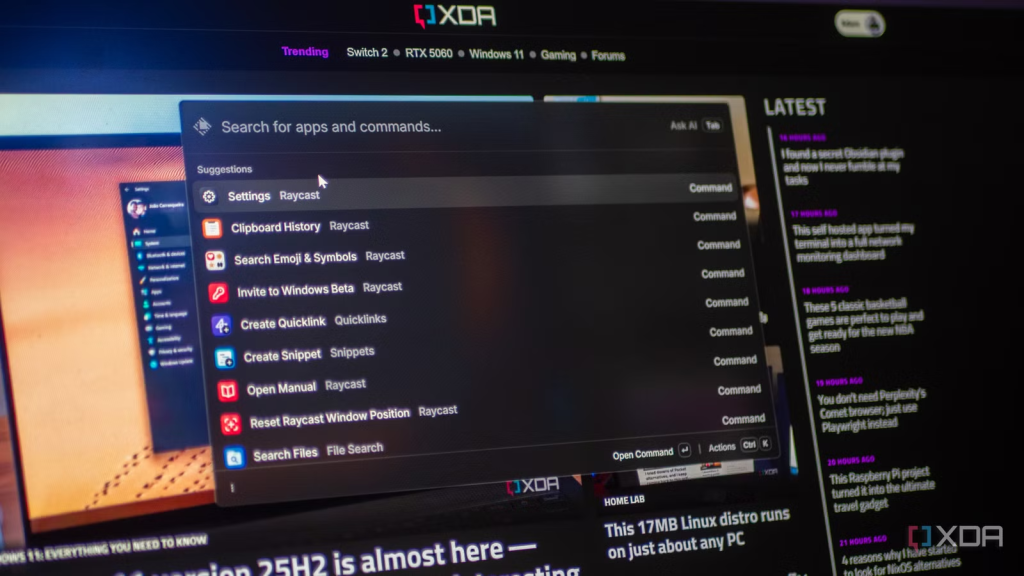
Raycast is the strongest overall fit here because solo operators often lose more time to small workflow breaks than to one giant bottleneck. Switching apps, finding files, running commands, pulling snippets, opening links, and juggling context adds up. Raycast is one of the few tools in this cluster that can make the surrounding environment feel materially lighter.
Best for: solo founders, consultants, indie makers, freelancers, writers, and operators who spend the day moving across apps, notes, and desktop tasks.
Why it stands out: it helps where solo work often breaks: in the thousand little interruptions. A lot of AI tools focus on one task. Raycast improves the shell around many tasks. That can be more useful for a one-person workflow than a more dramatic but narrower feature set.
Who should skip it: people whose work is almost entirely browser-based and who do not naturally use launcher-style tools. Raycast is excellent when it fits. It can feel abstract when the work mostly lives in tabs.
This is the kind of tool I would recommend to a solo operator only when the desktop is already the problem. In that scenario, it can reduce enough background friction to make the whole week feel cleaner.
2) Inbox Zero — best for solo operators buried in email
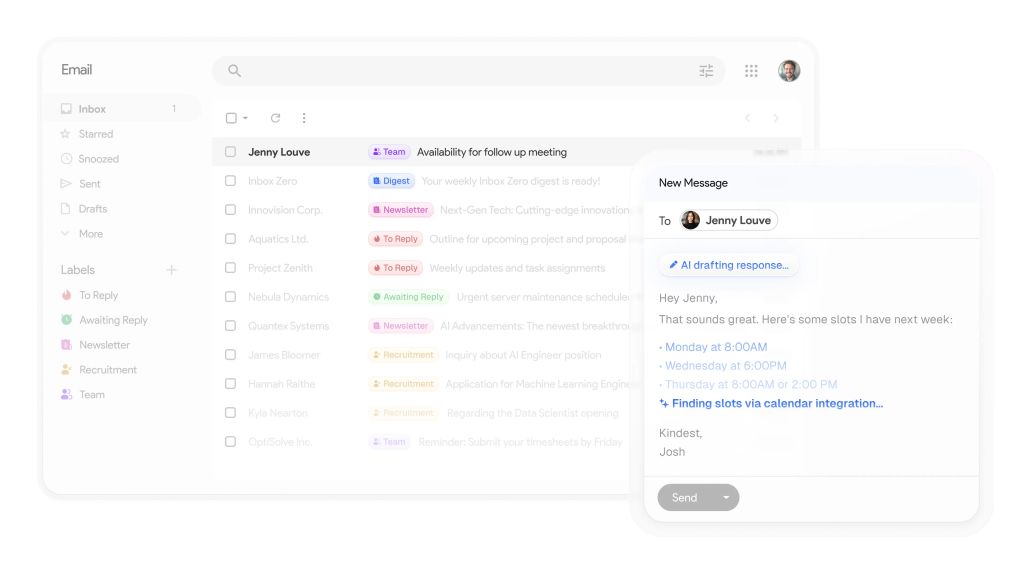
Inbox Zero makes the clearest case when the day keeps getting hijacked by email. Solo operators often do not have the luxury of separating ops, sales, support, scheduling, and follow-up into different roles. It all lands in one inbox. That is where a tool like Inbox Zero can be more valuable than it first sounds.
Best for: solo consultants, freelancers, creators, and operators whose inbox acts like a task manager, lead tracker, support queue, and scheduling layer at the same time.
Why it stands out: it targets a very visible solo bottleneck. Sorting, labeling, drafting replies, blocking low-value email, and cleaning up inbox clutter is not glamorous work, but it quietly steals a lot of hours. A tool that trims that burden quickly can pay back faster than a broader assistant.
Who should skip it: people with light email volume or people whose real bottleneck is research, writing, or desktop switching rather than communication overhead.
This is one of those tools that often saves time fastest because the pain is already obvious. There is not much theory here. If email is the drag, the value is easier to feel.
3) Merlin AI — best browser-first assistant for solo operators
Merlin AI is the easier recommendation for solo operators whose work happens mostly in the browser. If your week is built around reading websites, scanning PDFs, using search, checking docs, summarizing videos, and getting quick drafting help without leaving the page, Merlin makes more sense than a heavier system.
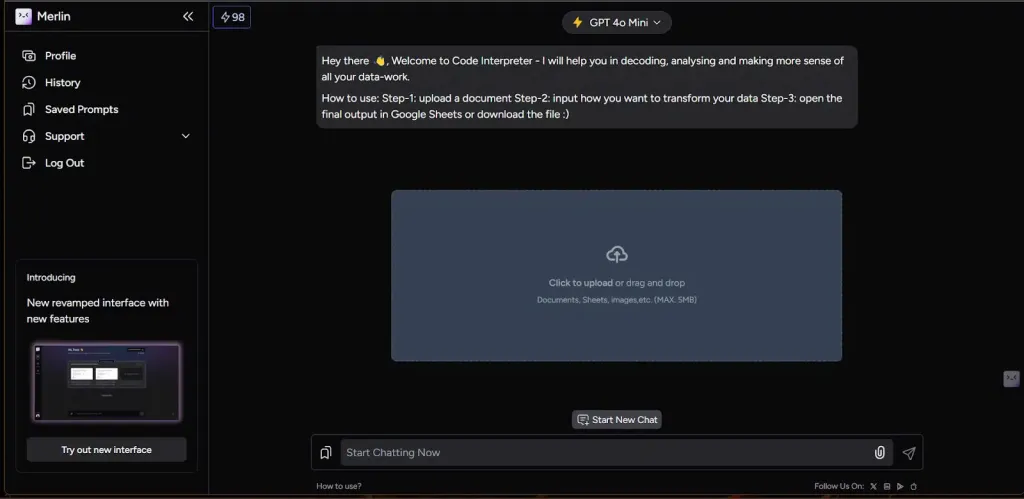
Best for: solo operators who live in tabs and want a broad helper for research, summarization, quick writing, and page-level AI help.
Why it stands out: low setup, wide usefulness. A one-person workflow often benefits more from a tool that starts helping immediately than from a tool that promises deeper structure but asks for new habits first. Merlin is one of the better examples of that trade-off.
Who should skip it: people who want a stronger desktop shell or deeper reusable research memory. Merlin is broad and convenient. That is also where its limits start to show for some users.
For a lot of solo operators, this is the tool that feels useful fastest. That matters when the week is already full and the tolerance for software learning curves is low.
4) Wispr Flow — best for solo operators who need faster output
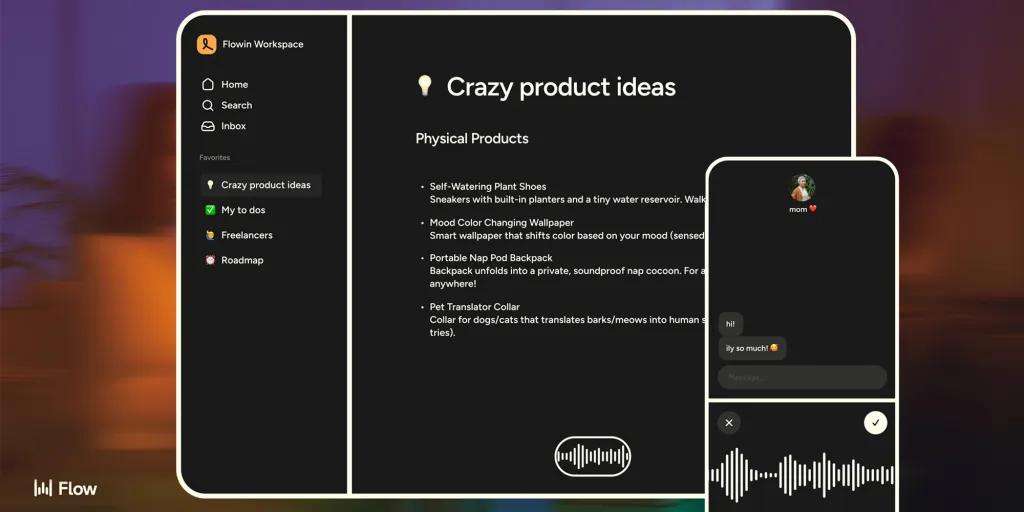
Wispr Flow solves a different solo-operator problem. Sometimes the bottleneck is not research, organization, or inbox chaos. It is simply getting your ideas out at the speed you think. That is where a voice-first drafting tool becomes more valuable than another browser assistant.
Best for: solo founders, coaches, writers, consultants, and operators who produce lots of emails, notes, replies, outlines, and first drafts.
Why it stands out: it attacks input friction directly. If typing is the thing slowing the day down, Wispr can unlock a surprising amount of momentum across email, docs, chats, and rough content. That is especially useful in one-person businesses where communication volume is high but there is no assistant to absorb it.
Who should skip it: people who work mostly in silence-sensitive environments, or people whose main problem is not writing speed but decision-making, prioritization, or follow-up structure.
Not everyone needs voice-first writing. But when it fits, it is one of the cleaner examples of a tool that gives a solo operator more throughput without much system overhead.

5) Mindgrasp — best for research-heavy solo operators
Mindgrasp is the strongest fit when the solo workflow depends on digesting long materials into usable understanding. If you are a consultant, analyst, researcher, student-founder, or information-heavy operator, a tool that turns files, links, videos, and notes into summaries, flashcards, quizzes, or follow-up answers can save more time than a general assistant.
Best for: solo operators who spend a lot of time reading, studying, researching, reviewing, or transforming source material into usable outputs.
Why it stands out: it helps the summary turn into something reusable. A lot of AI tools are good at shortening content. Mindgrasp becomes more useful when the material needs to stay useful beyond the first read.
Who should skip it: people who mainly need a broad browser helper or a faster inbox. Mindgrasp is strongest when the source material itself is the bottleneck.
This is not the first tool I would hand every solo operator. It is the first one I would hand the solo operator whose work depends on understanding a lot of information well enough to reuse it later.
A lightweight solo stack that actually makes sense
Most solo operators do not need a big stack. Two tools is often enough.
- Raycast + Merlin AI works well when the day is split between desktop movement and browser work.
- Inbox Zero + Wispr Flow works well when communication is the main load and you need replies, drafts, and messages out faster.
- Mindgrasp + Wispr Flow works well when you research heavily and then need to turn what you learned into notes, drafts, or client-facing work.
The mistake is adding all five at once. A solo workflow rarely gets better because the stack is larger. It gets better because the next painful step becomes less manual.
Who should skip these tools, or at least buy more slowly
- Skip or slow down if you still cannot name the main drag in your week.
- Skip or slow down if the workflow is still simple enough that the tool will create more process than relief.
- Skip or slow down if you want one product to be launcher, browser assistant, inbox manager, writing tool, and research system equally well.
- Skip or slow down if you are mostly buying because AI sounds helpful rather than because one repeated burden is clearly expensive.
I would not call that a reason to avoid the category. I would call it a reason to buy narrower. Solo operators usually get more value from one clean fit than from a broad stack that is theoretically powerful but practically distracting.
Practical limitations to keep in mind
- Raycast is strongest on desktop. If your work is almost entirely browser-first, the fit weakens.
- Inbox Zero needs real inbox pain. Light email volume rarely justifies another layer.
- Merlin can feel broad but not deep. That can be a strength or a limit depending on the workflow.
- Wispr Flow helps output, not prioritization. Faster writing does not fix unclear decisions.
- Mindgrasp is best when source material matters enough to revisit. It is easier to overbuy if you only need quick summaries.
The better question is not “which one does the most?” It is “which one removes the most repeated drag in a one-person workflow without adding another job to manage?” That is where the answer usually gets much clearer.
Fit summary: where I would start
- Start with Raycast if the drag is scattered desktop work.
- Start with Inbox Zero if the drag is email overload.
- Start with Merlin AI if the drag is browser-side research and quick help.
- Start with Wispr Flow if the drag is getting ideas into text.
- Start with Mindgrasp if the drag is turning long material into usable understanding.
That is the honest shape of the decision. There is no universal winner for solo operators. There is only the best fit for the burden you repeat most often.
Best next step
If the workflow is desktop-heavy, start with Raycast. If the inbox is the real problem, start with Inbox Zero. If the day is split between research and writing, Merlin AI or Mindgrasp will usually make more sense before anything more complex.
FAQ
What is the best AI productivity tool for solo operators?
There is not one universal answer. Raycast is the strongest overall fit when desktop friction is the main drag, Inbox Zero is better for email-heavy solo work, Merlin AI is better for browser-first workflows, Wispr Flow is better for faster drafting, and Mindgrasp is better for research-heavy work.
Which AI tool should a solo founder start with?
Start with the most painful repeated burden. If the founder’s day is buried in email, start with Inbox Zero. If the pain is switching across apps and tasks, start with Raycast. If the day is mostly browser work, Merlin AI is usually the easier first step.
Are AI productivity tools worth it for one-person businesses?
They can be, but only when they reduce a repeated burden clearly enough that the habit sticks. A good fit saves time quickly. A weak fit usually becomes another subscription you mean to use more later.
Should solo operators use one tool or a stack?
Usually one first. Solo operators get more value from a clean first fit than from building a stack too early. A second tool only makes sense once the next bottleneck becomes obvious.
Is Merlin AI or Raycast better for solo operators?
Raycast is better when the work is desktop-first and scattered across apps. Merlin AI is better when the work is browser-first and built around tabs, articles, PDFs, and search.
When should a solo operator skip AI productivity tools for now?
Slow down when you still cannot name the main bottleneck, when the workflow is simple enough already, or when the tool sounds exciting but the repeated pain is still vague. Buying by hype is where most low-value subscriptions start.