
-
Keyword
Before you chase “random codes,” start with the official 7-day free trial (it runs on Gold plan terms), then compare monthly vs yearly pricing on the official pricing page. If you’re in it for the long haul, NeuronWriter also lists lifetime plans with a one-time payment.
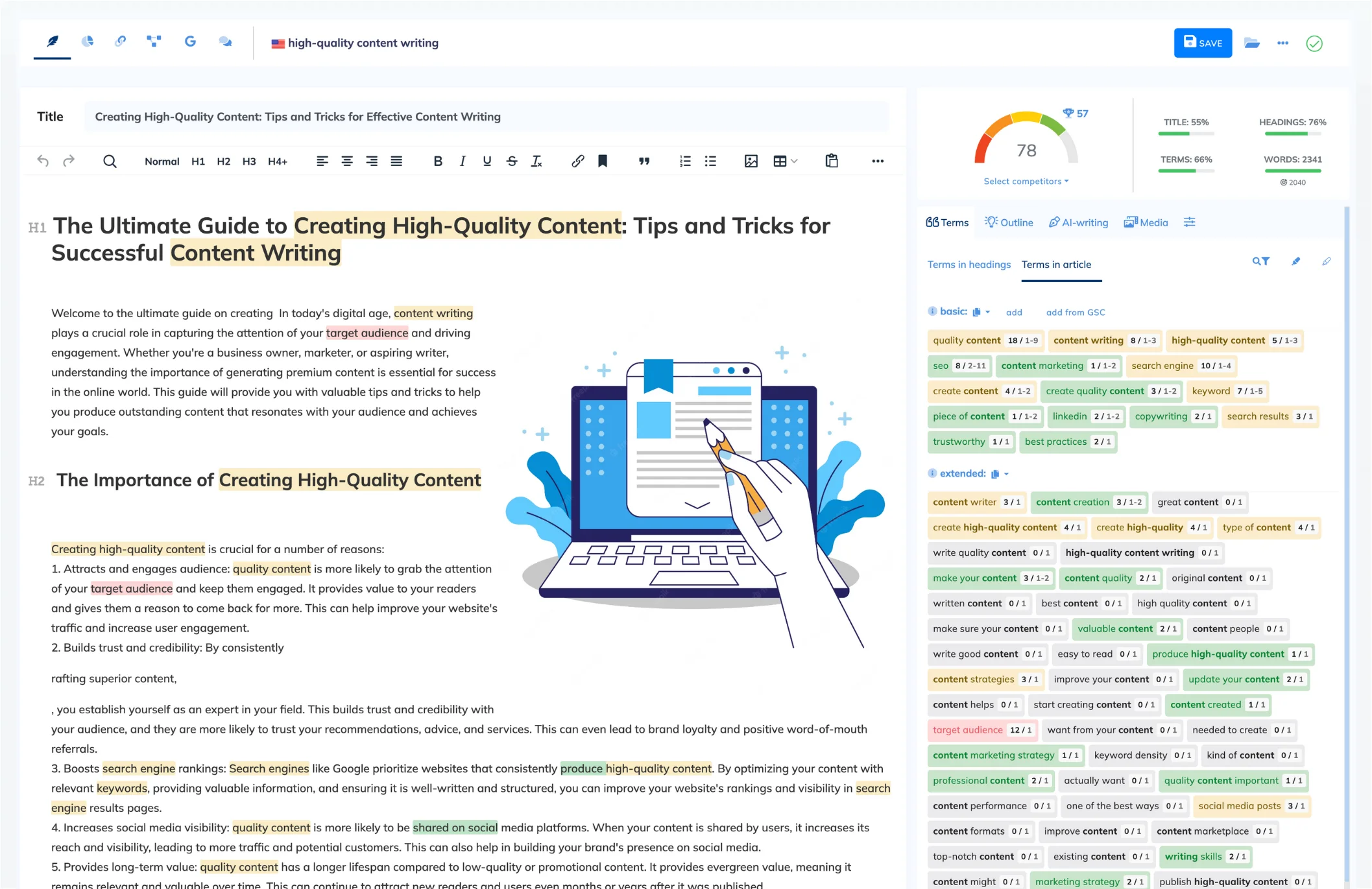
And if a promo code doesn’t apply, it’s usually a plan/term mismatch or an expired campaign—so the troubleshooting checklist below saves you time.
Read more: NeuronWriter discounts, code troubleshooting, and real ways to save
1) Policy: how we treat codes vs. deals
PromoCodeRadar imports coupon cards separately on this page. This guide focuses on what NeuronWriter publishes on its official pricing/FAQ/terms pages and what the checkout total shows in real time.
Operator note: If the total doesn’t change after you hit “Apply,” the discount didn’t apply. Move on fast.
2) About NeuronWriter (quick overview + realistic fit)
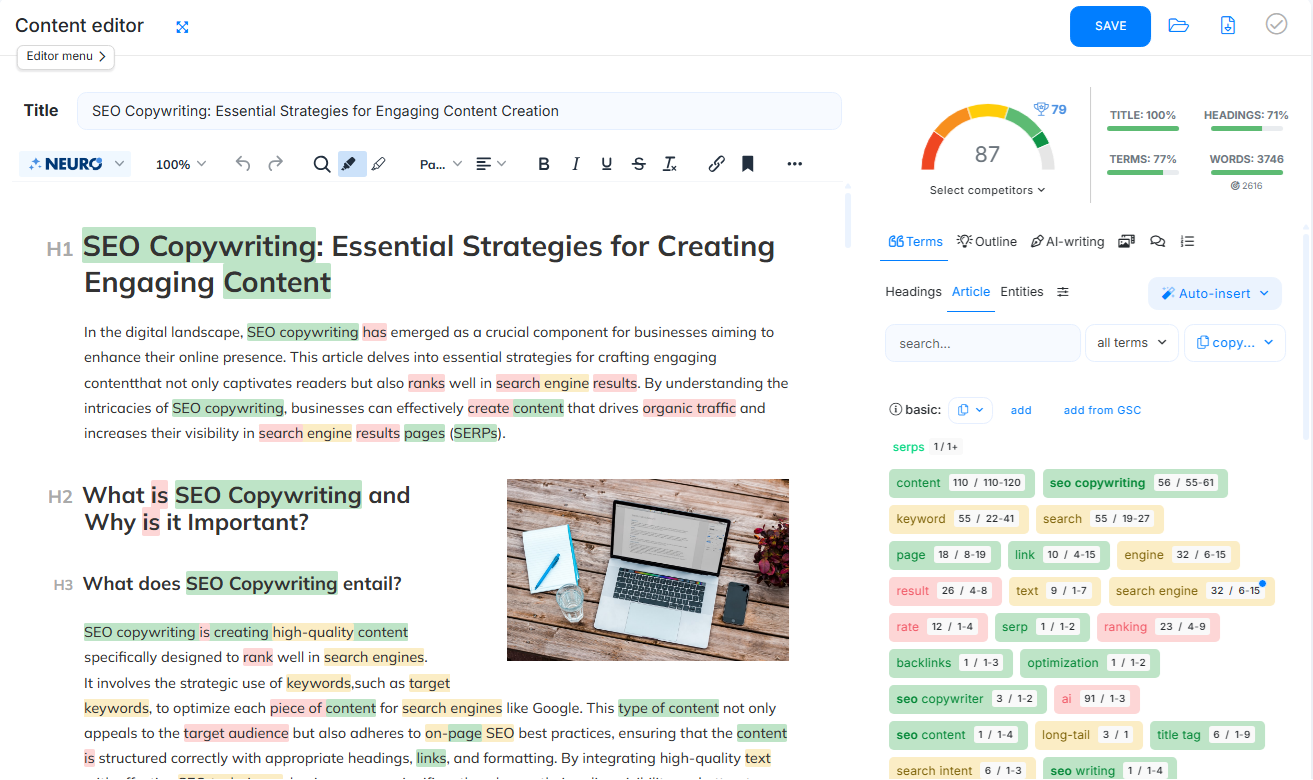
NeuronWriter (stylized as NEURONwriter) is built for SEO operators, agencies, and content teams who want a structured editor that ties your writing to SERP/competition data and NLP-style term guidance. It’s most valuable when you’re publishing consistently and need repeatable briefs and optimization checks.
Reality check: it won’t replace strategy. You still need good topics, a clear angle, and a human pass for accuracy and brand voice.
3) How to use NeuronWriter (step-by-step)
- Create an account and start the 7-day free trial (officially described as Gold plan terms for the trial period).
- Add a project/folder and enter your target keyword to generate analysis and guidance.
- Write/optimize inside the editor (use the term recommendations as guardrails, not a checklist you blindly stuff).
- If you use AI features, keep an eye on AI credits and your plan’s included limits.
- When upgrading, choose your plan (Bronze → Diamond) based on projects, analyses, and included credits.
- Compare Monthly vs Yearly pricing before paying (yearly shows a lower per-month price on the official pricing page).
- If a coupon field appears at checkout, enter the code once, apply it, and confirm the total updates.
- Manage billing later from your account area (Subscriptions & invoices) if you need to change plans.
4) Why your coupon code isn’t working (checklist + fast fix)
- Wrong billing term: many promos are yearly-only (or they don’t stack with the built-in yearly price).
- Wrong plan: a code may apply to one tier (e.g., Gold) but not another.
- Already discounted: if you’re on yearly pricing, stacking may be blocked.
- Expired campaign: if it’s not mentioned on an official landing/promo page, assume it may be dead.
- Formatting issues: hidden spaces and copied characters break codes—retype it.
- Session problems: cached checkout or multiple tabs—retry in an incognito window.
Fast fix: pick the correct plan + billing term → reopen checkout from the official pricing page → retype the code → only pay after the final total changes.
5) Ways to save beyond coupon codes (real levers)
- Use the 7-day free trial properly: run a real workflow (project → keyword → draft → optimize) before spending.
- Switch to yearly billing: the official pricing page lists lower per-month pricing when billed yearly (e.g., Bronze shows $23 monthly vs $19 x12 yearly).
- Consider lifetime plans: NeuronWriter advertises lifetime options with a one-time payment (credits/analyses reset monthly; projects are fixed per plan).
- Right-size your tier: don’t pay for 50 projects if you only manage a couple sites.
- Bring your own API key: NeuronWriter supports connecting your own OpenAI/Anthropic API key so you can control AI generation costs.
My rule of thumb: buy for the next month of publishing volume, not the “someday” content calendar.
Refunds & cancellation (important)
Refunds: NeuronWriter’s FAQ states a 30-day refund policy for new users (request within 30 days if it doesn’t meet expectations). The pricing page also frames this as applying to the first plan purchased on your account.
Cancel anytime: the Terms say you can cancel by logging into your account; cancellation takes effect at the end of the current paid term.
Free trial behavior: the Terms say the account is not charged during the 7-day trial and the subscription is suspended unless you upgrade.
6) Best time to get discounts (seasonality + practical advice)
The dependable “deal” is structural: yearly billing and (if it fits you) a lifetime plan. Coupon-style discounts tend to be short campaigns or event promos. Practical move: check the official pricing page and any official promo landing pages on the day you’re ready to buy—and decide based on the checkout total, not a code list.
7) Alternatives
- Surfer SEO – content editor + optimization workflows
- Frase – research + briefs + optimization angle
- Clearscope – premium content optimization
- MarketMuse – strategy-heavy content planning
- WriterZen / SE Ranking tools – broader SEO stacks with content features
Compare based on: workflow fit, cost predictability, and whether your team will actually use the editor every week.
8) FAQs
Does NeuronWriter have coupon codes?
NeuronWriter sometimes runs promo campaigns, but it doesn’t position “public coupon codes” as the main savings lever. Most consistent savings come from yearly pricing and (optionally) lifetime plans.
Is there a free trial?
Yes. The pricing page and Terms describe a 7-day free trial for new users, under Gold plan terms.
How much does NeuronWriter cost?
The official pricing page lists monthly plans from Bronze ($23/month) up to Diamond ($117/month), with lower per-month pricing when billed yearly (e.g., Bronze $19 x12 yearly).
Where do I enter a NeuronWriter coupon code?
Enter it in the promo/coupon field during checkout (when available). If there’s no field, the offer may be link-based/auto-applied—or there may be no active coupon program.
Does NeuronWriter offer refunds?
Yes for eligible cases: the FAQ states new users can request a refund within 30 days if the product doesn’t meet expectations.
Can I cancel anytime?
Yes. The Terms say you can cancel from your account, and the cancellation takes effect at the end of your current paid term.
Are there lifetime plans?
Yes. NeuronWriter advertises lifetime plans with a one-time payment; included credits/analyses reset monthly and project limits are fixed per plan.