Legacy Box coupon code searches are usually a sign you’ve got a closet full of VHS, film reels, photos, or audio tapes—and you want a clean, legit discount (not a fake code farm). Legacybox is a mail-in digitizing service: they ship you a crush-proof kit with barcodes and a prepaid UPS return label, then hand-digitize your items and deliver files via cloud access (free for 30 days) with optional thumb drive or disc add-ons. The real savings tends to come from kit size, voucher deals, and seasonal promos—not “mystery” coupons. Below is the practical playbook for applying codes, fixing checkout issues, and saving money even when codes don’t exist.
-
Keyword
I’m going to say the quiet part out loud: most “coupon code” pages for Legacybox are just noise machines. They’re built to rank, not to help. And when you’re shipping irreplaceable family memories through the mail, “noise” is not the vibe.
Here’s the confession from someone who maintains deal pages for a living: I don’t care how dramatic the discount looks. I care whether you can (1) place the order cleanly, (2) understand what you’re paying for, and (3) avoid accidentally signing up for something you didn’t mean to keep. That’s what prevents regret.

Legacybox is simple in concept: pick a kit size (2, 10, 20, 40, even 80 items), pack it with tapes/film/photos/audio, slap on barcodes, send it back with the prepaid UPS label, and get digital files delivered online (with a 30-day free cloud access window). The deal-hunting part is where people stumble—because discounts can show up as promo codes, vouchers, e-gift cards, or “built-in” sale pricing depending on the entry page. Let’s make it boring and controlled.
Read more: Legacy Box discounts, code fixes, and smart checkout tips
1) Codes vs. deals: how we treat Legacybox discounts (trust block)
I run coupon pages like an operator, not a cheerleader. So here’s the policy I use:
- A code is only “real” if it changes the total on the official Legacybox checkout. If nothing changes, the code is dead or fake.
- Legacybox often runs deal formats that aren’t “type-a-code.” Vouchers and e-gift cards can generate a unique single-use code, and some landing pages bake the discount into the displayed price.
- Promo codes typically don’t cover shipping or add-ons (thumb drives, disc sets, certain cloud/backup options) unless the offer explicitly says they do.
- We don’t promise discounts. We point you to the levers that actually move the number and the checks that keep you safe.
Affiliate note: If you use our link (promocoderadar.com/go/legacy-box), PromoCodeRadar may earn a commission. It doesn’t guarantee a discount—your price is determined by the official offer page you’re on.
Operator note: The best “deal” is the one you can explain to yourself: kit size + shipping cost + storage choice + timeline. If you can’t explain it, don’t buy it yet.
2) About Legacybox (what it is, who it fits, who should skip)
Legacybox is a mail-in digitizing service for analog media—think VHS/Hi8/MiniDV tapes, film reels (8mm/Super 8/16mm), photos/negatives/slides, and audio formats like cassette and reel-to-reel. You order a kit size based on how many “items” you want digitized (an item is typically one tape, one reel, or a pack of 25 photos), then Legacybox hand-digitizes everything and returns your originals.
Who it’s great for:
- People with a “memory backlog” who want a done-for-you process and don’t want to buy capture hardware.
- Families who need a shareable digital archive (especially if relatives live far apart).
- Anyone who values organization and tracking (barcodes + order tracking beats “hope and pray”).
Who should pause:
- If you need everything tomorrow—digitizing takes time, and rush options cost extra.
- If you’re extremely price-sensitive and willing to DIY—Legacybox is convenience + scale, not the cheapest path.
- If you hate subscriptions and never read checkout screens—because cloud/backup options can renew unless you cancel.
Emotional gradient: most people start this purchase feeling nostalgic… and then get anxious the moment “shipping” and “cloud access” enter the chat. That anxiety is normal. The goal is to replace it with a checklist.
3) How to use Legacybox (step-by-step, clean checkout)
Think of Legacybox as a three-stage project: buy → pack/label → wait/verify/download.
- Pick the kit size you’ll actually fill. Starter kits cover a few items; larger kits (Family/Closet/Trunk/Vault) cover more. If you’re guessing, count your tapes and reels first. Photos are usually counted in packs of 25.
- Choose your delivery method. Legacybox typically offers online cloud delivery (free access window) and optional add-ons like a thumb drive or disc set.
- Select digitizing time. Standard digitizing is usually included; expedited/rush options cost extra and can vary based on volume.
- At checkout, apply your code only if the discount box exists. Enter the coupon code in the discount field and click “Apply.” Then confirm the total changes.
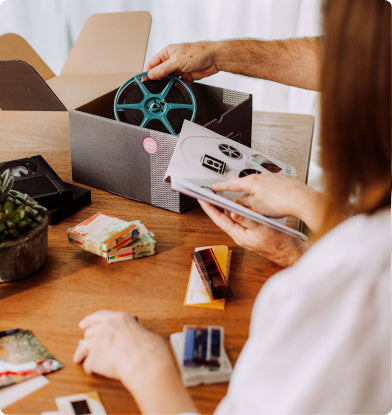
- When your kit arrives, barcode every item. Each tape/reel/photo pack needs a barcode sticker. Follow the guide: start with #1 and go sequentially. This is how your items stay tied to your order.
- Pack carefully and ship from a UPS Ground location. Use the prepaid UPS return label included in your welcome guide. (Don’t drop it in a dropbox if the instructions say in-store only.)
- Download your files during the access window. Treat this like a “do not procrastinate” step: save a local copy on your computer and a backup drive.
Operator note: Don’t wait until day 29 to download. Your future self will be busy, tired, and mildly annoyed at your present self.
4) Why your code isn’t working (checklist + fast fix)
This is where the internet tries to gaslight you: “Try 17 more codes!” No. Here’s the reality-based debug list.
Code-fail checklist (90 seconds)
- No discount box exists: some pages/flows don’t allow manual codes—your “deal” may be baked into the link or voucher instead.
- Shipping isn’t discounted: even valid promos often exclude shipping and add-ons, so you may “feel” like nothing happened unless you look at the right line item.
- Code doesn’t stack: if you’re already on a sale price, the promo may be blocked from combining.
- Wrong entry page: Legacybox runs different promos via different landing pages. If you bounced between tabs, you may have left the promo behind.
- Expired code: a shocking amount of coupon content is just old campaigns re-heated for SEO.
- Browser/session glitch: cached carts can behave oddly when you switch kit sizes or storage options.
Fast fix (2 minutes)
- Open an incognito/private window.
- Enter from one trusted link (official site or your chosen offer page) and pick your kit again.
- Proceed to the final checkout page and look for the discount box.
- Paste the code once (no spaces), hit “Apply,” and confirm the total changes.
Voice drift (operator → friend): If the code doesn’t apply, don’t spiral. Legacybox deals often live in vouchers/e-gift cards or on-page pricing—not in a secret password.
5) Ways to save beyond coupon codes (real levers that move the total)
This is the section that stays useful even if there are zero coupons today.
A) Use official voucher deals (often the biggest percentage savings)
Legacybox has run voucher-style deals where you buy a set value (e.g., $50/$250/$500/$1,000 toward digitizing) at a discount, then receive a single-use redemption code. This can be a strong “lock-in” move if you already know you’ll digitize a lot—just read the fine print about expiration and what the voucher can’t be applied to (shipping and add-ons are common exclusions).
B) E-gift cards can “freeze” a promo price (good for gifts)
Legacybox also sells e-gift card promos that are emailed quickly and include a unique code. These can be perfect when you want to gift the project to parents or grandparents without guessing exactly what formats they have. The typical catch: the promo value may need to be redeemed within a set window (often 90 days) to lock the promoted kit pricing.
C) Pick the kit size based on behavior, not optimism
This is where people accidentally waste money. Bigger kits lower the per-item cost if you actually use them. If you’re not sure you’ll follow through, start smaller and prove the process to yourself first. If you already have a labeled pile and momentum, then yes—bundling can be smarter.
D) Don’t “upgrade” your cart out of panic
Legacybox offers choices like digitizing speed upgrades and storage options (cloud access, optional drives/discs, backup plans). Some are useful; some are nice-to-have. The deal-detective move is to decide what you need before the checkout tries to emotionally upsell you.
E) Understand the recurring part (and cancel if you don’t need it)
Legacybox includes a free cloud-access window (commonly 30 days). After that, certain cloud/backup options may continue as a paid subscription unless you cancel. If you only need delivery, the simplest strategy is: download everything during the free window, back it up locally, then cancel any subscription you don’t want to keep. (You can usually cancel from your account settings.)
F) Shipping costs are real—budget them upfront
Legacybox typically charges for the initial shipment of the kit to you (price varies by kit size and shipping speed). The return shipment to Legacybox is covered by the prepaid UPS label, and the final shipment of your completed order back to you is typically covered. Promo codes often exclude shipping, so treat shipping as a separate budget line.
G) Returns/refunds: know the timeline before you buy
Legacybox’s support documentation states returns are generally accepted within a set window after order completion (commonly 30 days), with exceptions depending on the issue. They also note that certain fees (like initial shipping on some “EasyStart” kit fulfillment) may not be refundable after the kit is fulfilled. Translation: if you’re uncertain, don’t sit on the decision—ask support early and keep your receipt.
Operator note: My rule of thumb: pay for speed only if you have a real deadline (a memorial, a reunion, a gift date). Otherwise, let standard processing do its thing and keep your money.
6) Best time to get discounts (seasonality + practical timing)
Legacybox is one of those brands where the “best deal” is often tied to gifting seasons—because digitized memories are an emotional gift that doesn’t take closet space.
- Black Friday / Cyber Week: historically the loudest promo window for almost any DTC brand.
- Mother’s Day / Father’s Day: prime time for “preserve family memories” messaging (and voucher/gift card promos).
- Valentine’s Day: surprisingly common for gift-card pushes—because “here’s your love story” is a strong angle.
- Holiday season (Nov–Dec): gift cards and urgency offers tend to show up, especially for last-minute shoppers.
Meta reasoning: If you’re buying because a family member is asking for these memories right now, waiting months for a hypothetical sale can cost more emotionally than it saves financially. If you’re buying out of curiosity, set a calendar reminder for major promo weeks and check then.
7) Alternatives (if Legacybox isn’t your best fit)
Sometimes the best “discount” is choosing the right tool. Here are realistic alternatives, depending on your situation:
- DIY capture (lowest cost, highest effort): If you’re technical and patient, you can digitize VHS with a capture device and a VCR. You’ll trade money savings for time, troubleshooting, and file organization.
- Local video/photo shops: Good if you want in-person handoff and a shorter chain of custody. Pricing can vary wildly; ask how they handle labeling and returns.
- Specialized photo-only scanning services: If your main backlog is prints, a photo-first service might be faster and cheaper than an all-format kit.
- “Start with one box” approach: If you’re overwhelmed, digitize your top 10 “must save” items first (wedding tapes, baby videos, the only surviving reels). Then decide whether to scale up.
Voice drift (gentle): The point isn’t to digitize everything perfectly. The point is to rescue what matters before time, mold, and decay make the decision for you.
8) FAQs
Does Legacybox actually accept coupon codes?
Yes—Legacybox has support documentation showing a discount box on the final checkout page where you can enter a promo code and click “Apply.” If the discount box doesn’t appear, the offer may be price-baked or voucher-based.
Where do I enter a Legacy Box coupon code?
At the final checkout page, look for the discount/promo code field (often on the right side of the checkout summary). Paste the code, apply it once, and confirm the total changes.
Do promo codes cover shipping or thumb drives/discs?
Often, no. Legacybox notes that promo codes generally don’t cover shipping costs or digital outputs (thumb drives, DVDs/CDs, or certain cloud options) unless explicitly stated in the offer.
How much is shipping for the kit?
Legacybox lists different initial-shipment options by kit size (standard/ground/express with different prices). The return shipment to Legacybox uses a prepaid UPS label included in your welcome guide, and the final shipment back to you is typically covered.
How long does Legacybox take?
Legacybox estimates standard digitizing is typically around 4–6 weeks (depending on inbound volume), with paid upgrades like expedited (around 3–4 weeks) and rush options (as fast as 10 business days). Your checkout may show current timelines—use that as the source of truth.
What if I have more items than my kit size?
Legacybox explains you can add extra items using additional barcodes; they may invoice additional charges after receiving and inventorying your order. If you’re close to the next kit size, compare the math before you overstuff.
How do I avoid unwanted cloud subscription charges?
Download your files during the free cloud-access window, back them up locally, then cancel any cloud/backup subscription you don’t want to renew. Legacybox provides account settings routes for cancellation—don’t wait until “later.”
What’s the return/refund policy?
Legacybox support states returns are generally accepted within 30 days of order completion, with exceptions depending on the issue. For some kit types, initial shipping fees may not be refundable after fulfillment. Keep your receipt and contact support early if something’s wrong.